

Force Login
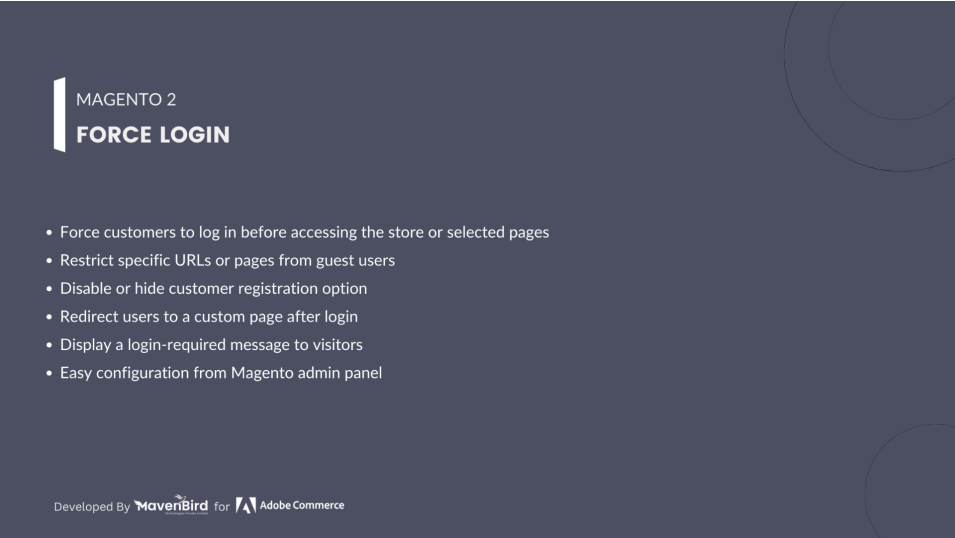
Magento 2 Force Login Extensionhelps merchants restrict page access by requiring customers to log in before viewing specific pages or the entire site. It enhances control over user access and improves customer management with flexible login and redirect options.
- Force login requirement for specific pages or the entire website.
- Enable or disable the default customer registration link in Magento 2.
- Customizable redirect after user login.
- Works seamlessly with Magento 2 Catalog Permission for category and CMS page restrictions.
We are committed to being open and transparent with our customers. When you purchase our module, you automatically receive one year of free support service and free updates.
Why is this important?
- Seamless Installation and Configuration: We understand that setting up a new module can take time to configure according to your specific needs. That's why we offer a full year of free support. Our experienced team is here to assist you with installation, configuration, and any questions you might have. We're eager to share our expertise to ensure you get the most out of your purchase.
- Stay Updated with Magento (Adobe Commerce) Releases: Magento releases new versions approximately every three months. These updates can sometimes introduce compatibility challenges. To keep your store running smoothly, we provide a year of free access to the latest versions of our modules, ensuring that you can upgrade Magento and our modules without encountering any obstacles.
- Subscription Included: Renewing your subscription ensures continued access to the latest updates and support from our team. This means you can be confident that any issues you encounter with the extension will be resolved quickly and efficiently. You can cancel your subscription at any time without any additional fees.
Highlighted Features
-
Force Login for Specific Pages or Entire Site
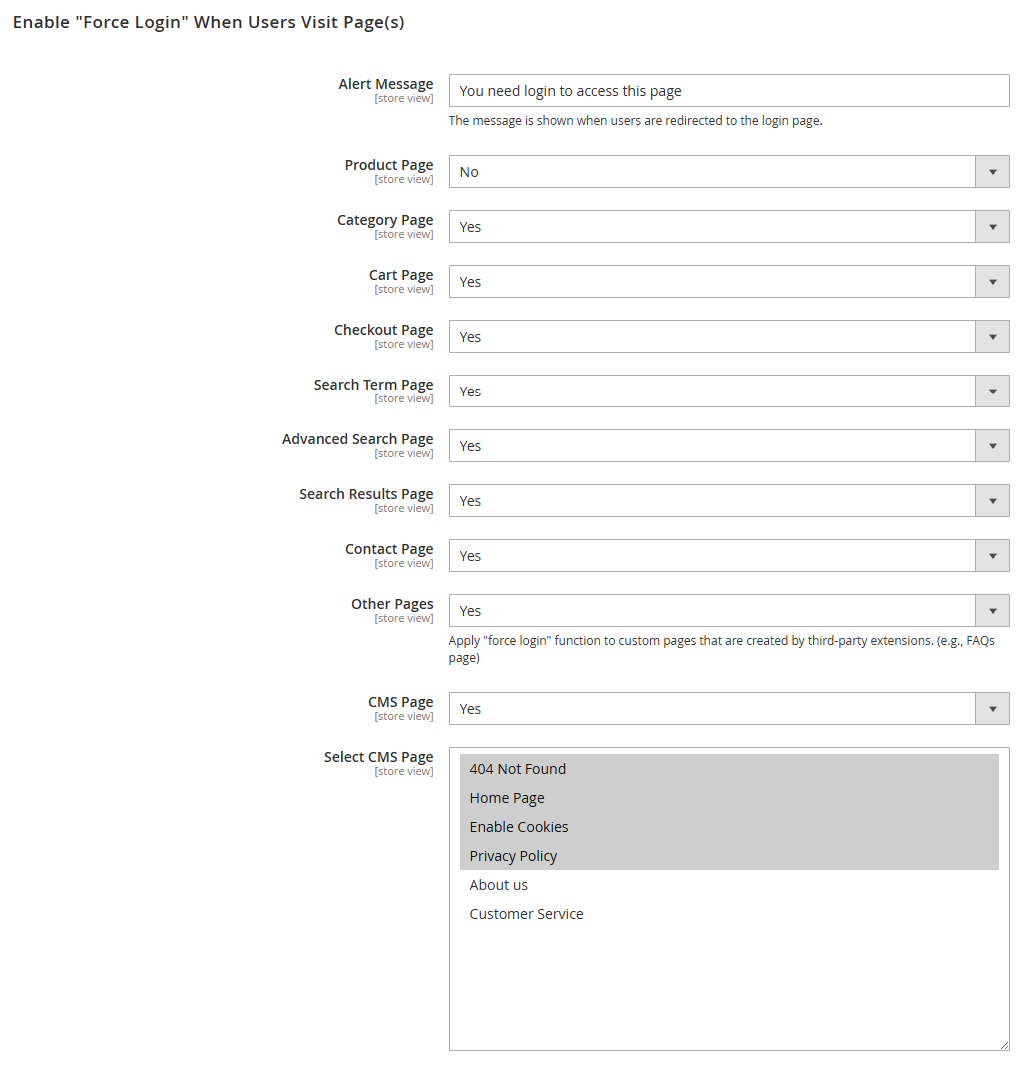
Restrict access to selected pages such as product, category, and CMS pages—or the entire storefront—ensuring only logged-in users can view them.
-
Enable or Disable Customer Registration Link
Provides the option to hide the default Magento 2 customer registration link to limit account creation and increase security.
-
Custom Redirect After Login
Redirect users to the last visited page, a custom URL, or any specified page after they successfully log in.
-
Restrict Access to Categories and CMS Pages
Works in combination with the Catalog Permission extension to control visibility of specific categories and CMS pages based on login status.
Description
Control Access & Streamline User Flow with Magento 2 Force Login
Take full control of customer access across your Magento 2 store by enforcing login requirements for specific pages or the entire website. The Force Login extension is ideal for B2B businesses, private sales, or stores requiring gated content. Whether it’s product, category, checkout, or CMS pages — you decide which parts of your site are visible to logged-in users only.
Key Features
- Restrict Access to Any Page or URL: Beyond just product or checkout pages, you can enforce login on any CMS page or even across the whole website. Customize access rules according to your business requirements.
- Target Specific URLs: Apply restrictions based on URL patterns. Choose to match URLs exactly or based on a partial match using the “Contains” option, giving you greater flexibility over what is protected.
- Compatible with Third-Party Extensions: The Force Login features are fully compatible with pages generated by third-party modules or custom development, ensuring smooth integration with your Magento store.
- Flexible Redirect After Login: Maintain a seamless user journey by redirecting users to a relevant page after login. Options include:
Default Magento Page
Previous URL
Home Page
Custom URL (your choice) - Hide Customer Registration Option: Prevent new customer sign-ups from the frontend by disabling the default “Register” link in the login form and site header. Ideal for businesses that require admin-controlled account creation.
Seamless Frontend Experience with Force Login
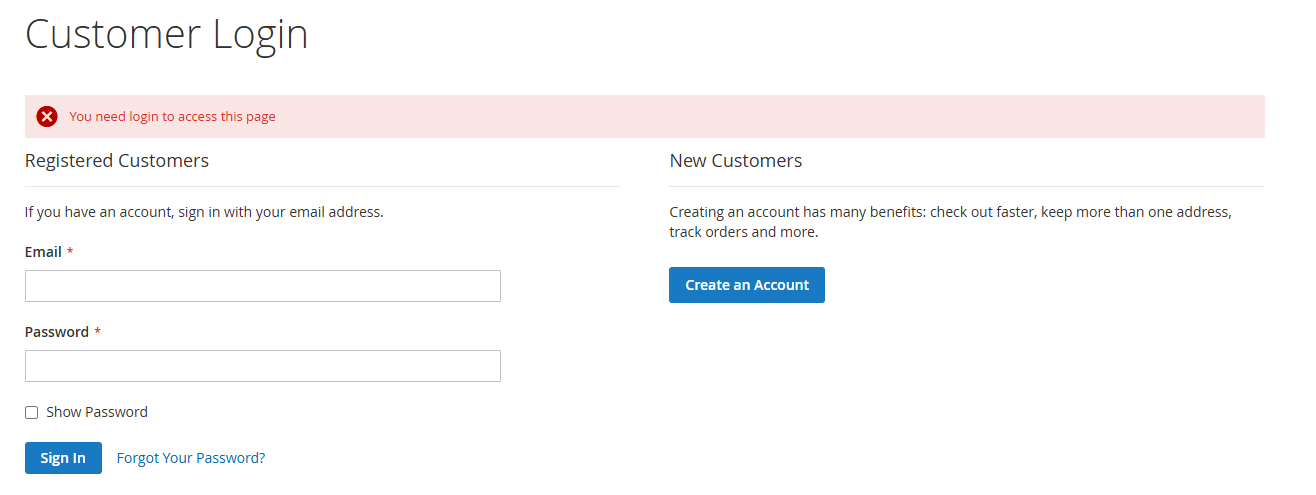
Ensure clarity and consistency for your store visitors. When users attempt to access a page that requires authentication, the Magento 2 Force Login extension automatically redirects them to the login page.
A customizable message, such as “You need login to access this page,” will be displayed to inform users about the login requirement. This transparent notification enhances user experience while maintaining secure access to protected content.
By guiding customers clearly, you ensure a smooth journey from restriction to login, improving both usability and conversion opportunities.
Frequently Asked Questions
Changelog
1.2.0 – january 15, 2026
- Upgraded for compatibility with Magento 2.4.8-p3.
- Compatible with PHP version 8.4.
1.1.1 – December 30, 2025
- Upgraded for compatibility with Magento 2.4.8-p3.
- Compatible with PHP version 8.3.
1.1.0 – September 1, 2024
- Minor Bug Fixes
1.0.7 – May 13, 2024
- Compatible with Magento Version 2.4.7-p3.
1.0.0 – February 19, 2018
- Release Initial Version.

