Frontend Cancel Order
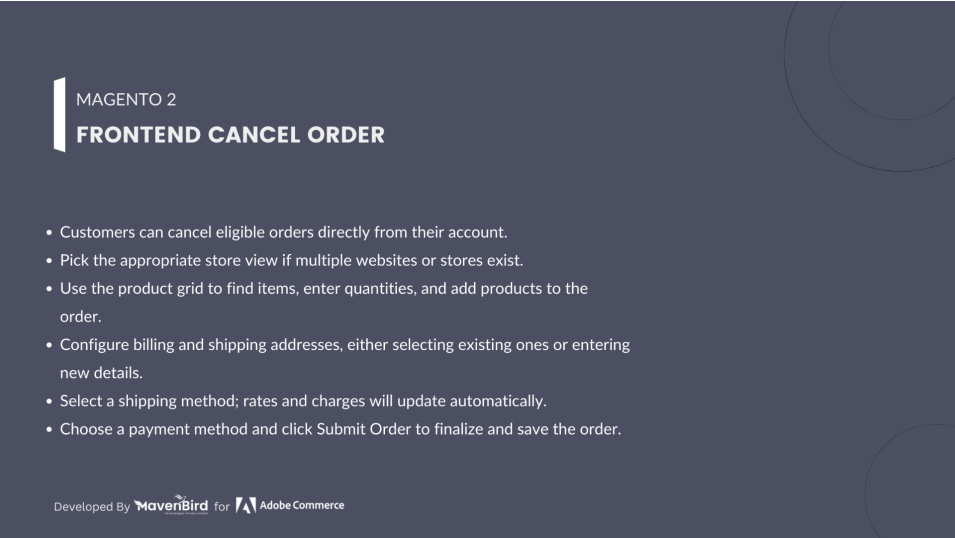
Frontend Cancel Order Empower your customers to cancel orders directly from their account. Supports multiple predefined reasons, an optional custom reason, and instant notifications for a smooth user experience.

We are committed to being open and transparent with our customers. When you purchase our module, you automatically receive one year of free support service and free updates.
Why is this important?
- Seamless Installation and Configuration: We understand that setting up a new module can take time to configure according to your specific needs. That's why we offer a full year of free support. Our experienced team is here to assist you with installation, configuration, and any questions you might have. We're eager to share our expertise to ensure you get the most out of your purchase.
- Stay Updated with Magento (Adobe Commerce) Releases: Magento releases new versions approximately every three months. These updates can sometimes introduce compatibility challenges. To keep your store running smoothly, we provide a year of free access to the latest versions of our modules, ensuring that you can upgrade Magento and our modules without encountering any obstacles.
- Subscription Included: Renewing your subscription ensures continued access to the latest updates and support from our team. This means you can be confident that any issues you encounter with the extension will be resolved quickly and efficiently. You can cancel your subscription at any time without any additional fees.
Highlighted Features
-
Quick & Easy Cancellation
Cancel eligible orders directly from the account page.
-
Multiple Reasons
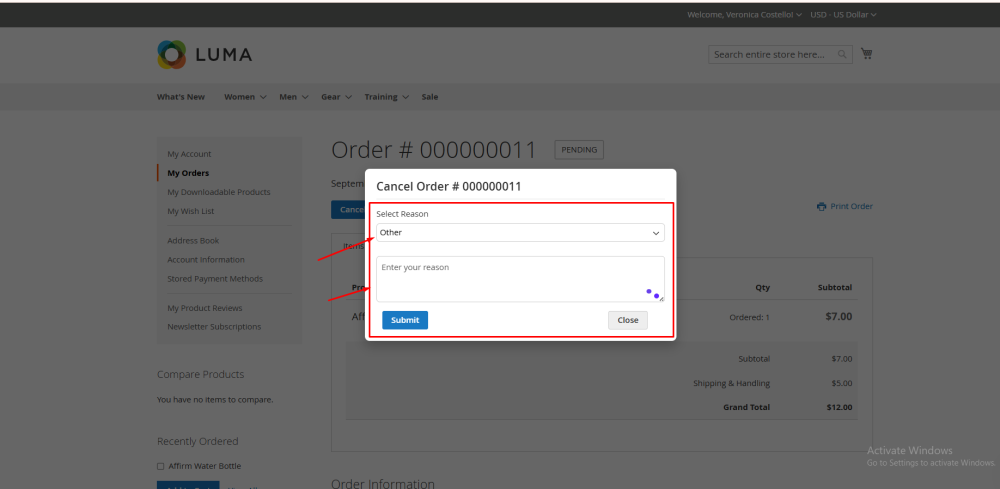
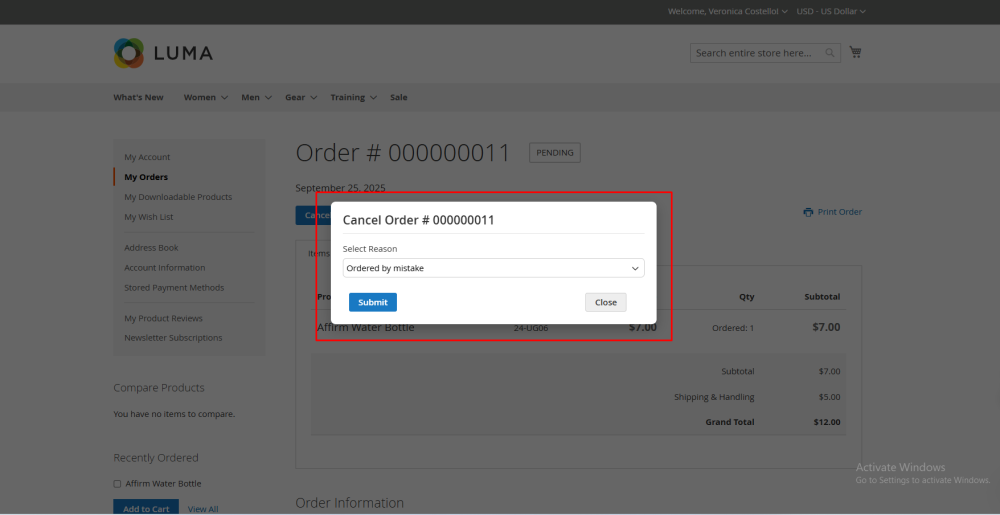
Choose from predefined cancellation reasons or enter a custom reason.
-
User-Friendly Popup
Clean modal interface without navigating away from the order page.
-
Admin Configurable
Enable or disable the cancel button via system settings.
-
Supports Pending & New Orders
Button shows only for orders that can be canceled.
Description
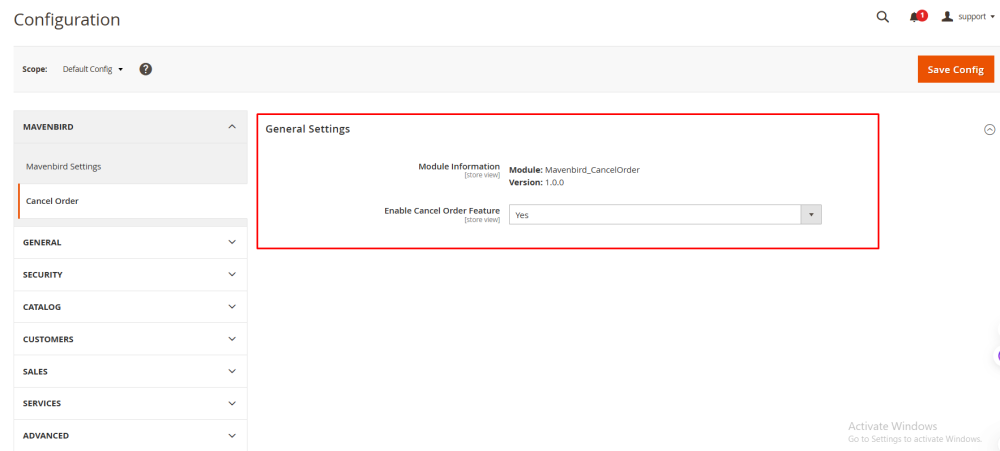
Configuration
The Mavenbird Cancel Order module allows customers to cancel eligible orders directly from their account. Admins can enable or disable the cancel button and configure module settings from the backend.
- Go to Store → Configuration → MAVENBIRD EXTENSIONS → Cancel Order.
- Enable or disable the cancel order button on the frontend.
- Optionally configure which order statuses are eligible for cancellation (pending, new).
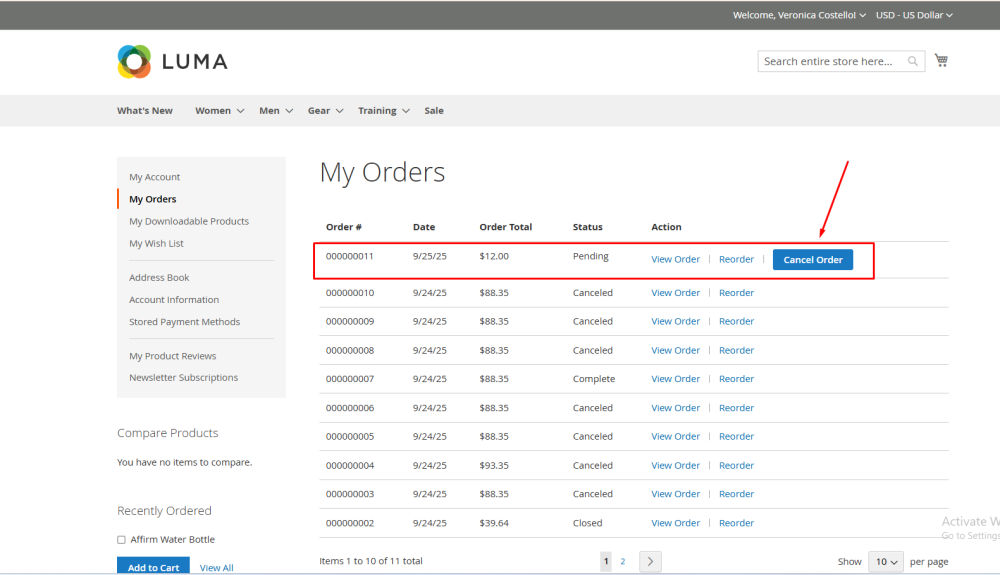
Order History Page
- Customers navigate to their Order History page.
- Eligible orders display the Cancel Order button.
- Click the button to open the cancel popup.
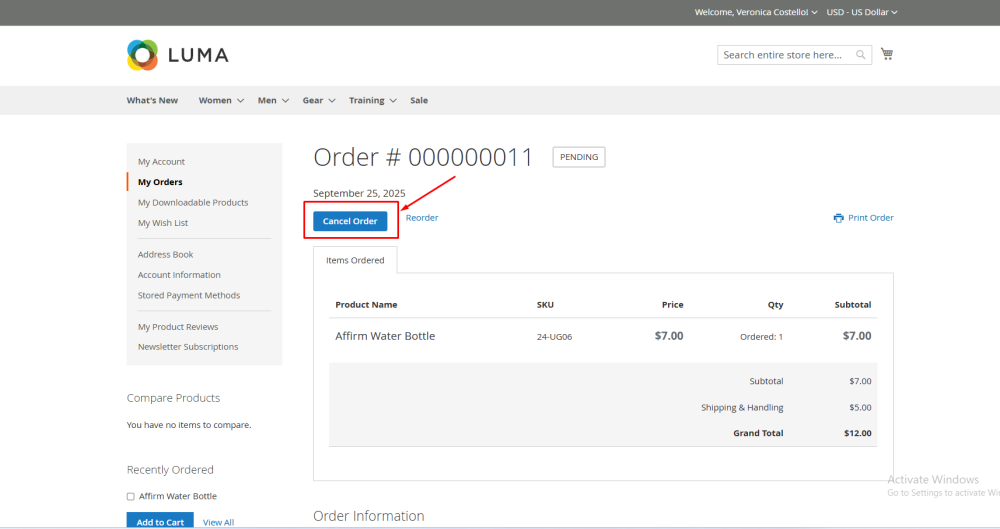
Order View Page
- Customers open a specific order on the Order View page.
- Click the Cancel Order button if eligible.
- The same popup appears for selecting a cancellation reason.
Frequently Asked Questions
Changelog
1.1.1 – December 30, 2025
- Upgraded for compatibility with Magento 2.4.8-p3.
- Compatible with PHP 8.4
1.0.0 - 2025-09-25
- Initial release of the Mavenbird Cancel Order module.
- Frontend cancel button on order history and order view pages.
- Cancel popup with multiple predefined reasons and "Other" option.
- AJAX cancel request with Magento messages for success/failure.
- System configuration to enable/disable the cancel button.
- Helper class
Mavenbird\CancelOrder\Helper\Datafor module settings.
- Block class
CancelButtonwith proper DI for helper and order repository.
- Full PHPCS Magento2 standard compliance (escaped output and docblocks).