

One of the key elements to running a successful online store is having clear and detailed store policies. Providing your customers with easy access to these policies can offer several benefits:
- Set clear expectations for the customer experience
- Build trust with your customers
- Protect your business from potential legal issues
- Help prevent negative reviews
Well-crafted policies play a vital role in any online business by ensuring both the store owner and the customers are protected. They make it easier for customers to understand the details of their orders and know the steps for resolving any issues that may come up.
We recommend including policies on your website that cover shipping, refunds, and customer support. These are some of the main areas that customers are particularly concerned about when shopping online.
Creating online store policies
Identify the key policies you may want to establish for your online store. Some common examples of online store policies include:
- Privacy Policy
- Refund Policy
- Shipping Policy
- Terms of Service
- Contact Us Page
To add or generate these policies, go to Settings > Policies in your store's admin panel.
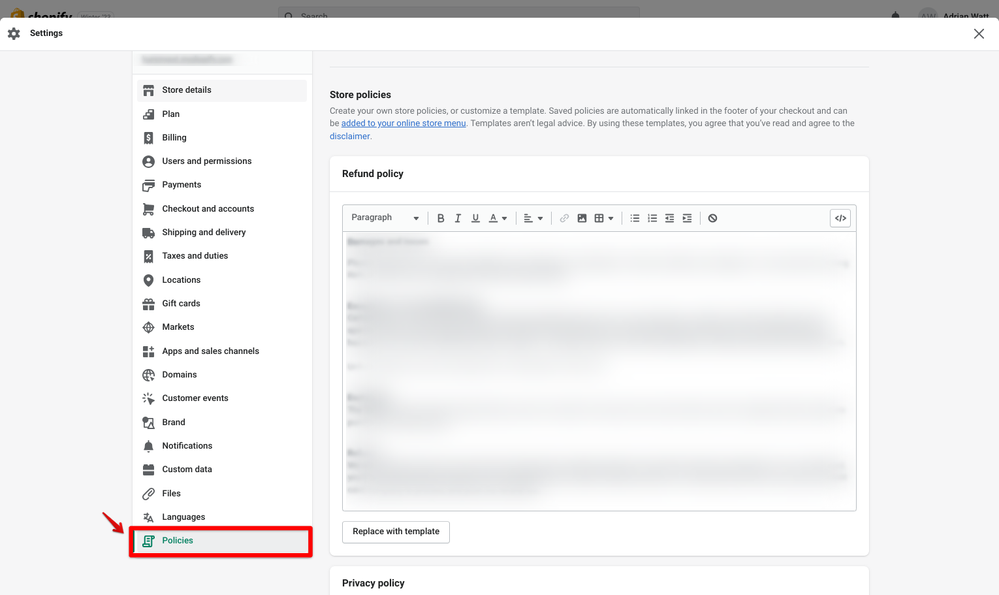
When creating your store policies, aim to use clear and simple language that your customers can easily understand. If you're not sure where to begin, you can generate a policy template directly from your store's admin panel.
- Terms & Conditions Generator
- Privacy Policy Generator
Be sure to include specific details in your policies. They should address key topics such as your refund and return policy, shipping and delivery processes and timelines, payment options, how you manage customer information, and any other relevant details about your business.
How to add store policies to your store
Keep in mind that transparency is essential. Once you've created your store policies, you'll need to add them to your online store so that your visitors and customers can easily access and view them.
Where you place your policies is up to you! Most businesses choose to include their policies in the footer menu of their website. This approach helps keep the main navigation clean, while still offering important information to customers.
If you're using a theme designed and supported by Shopify, your policies will automatically be added to the footer menu. If you can't find them in your store's footer, you'll need to update your navigation menu to include the policies.
To add store policies to your online store, go to Settings > Navigation and select the menu where you’d like to add the policy.
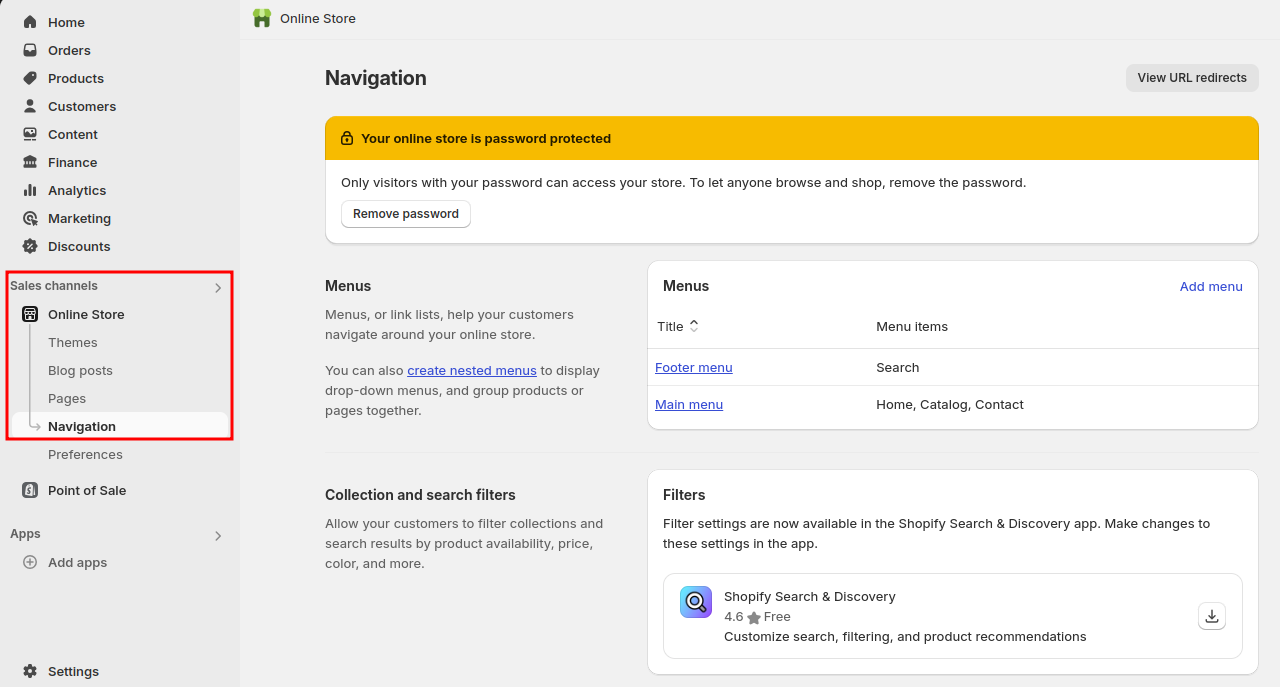
After you have selected the menu, select Add menu item to add your store policies to the navigation menu.
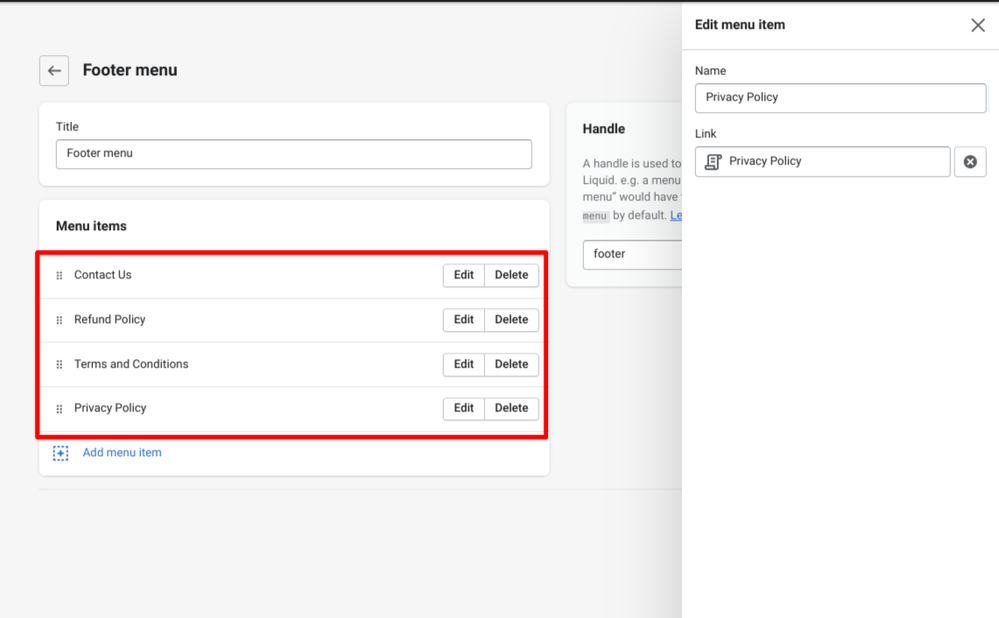
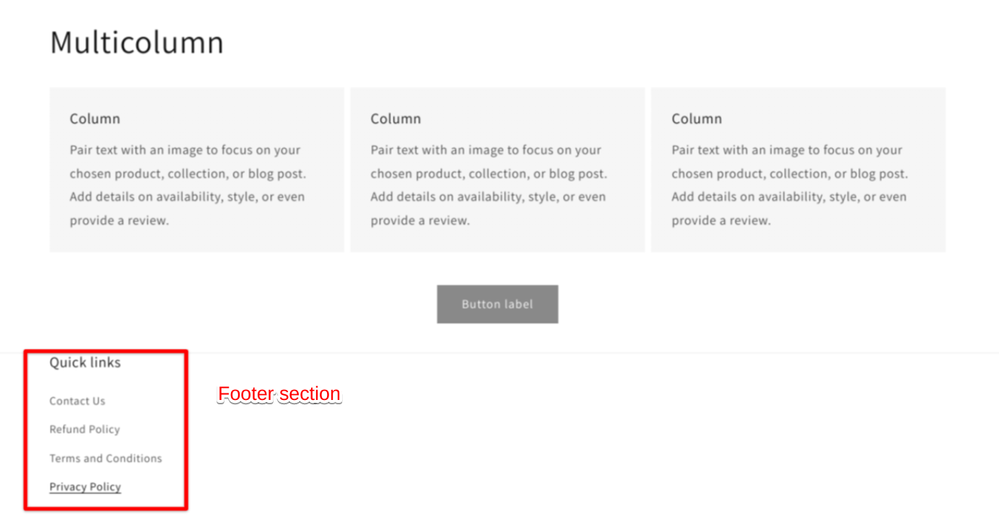
Displaying store policies on your online store serves several important purposes. It helps set clear expectations for customers, builds trust during the shopping process, protects your business from potential legal issues, and boosts your brand’s credibility.
By clearly communicating your store policies, you can also create a more positive shopping experience, which can lead to customers returning to your store and building a reputable business.
Want to take it a step further? Consider adding a checkbox to your cart page to confirm that customers have read and agreed to your policies. For more details, check out our Community post. This is an advanced tutorial, so if you’re not comfortable with making these changes yourself, or if the steps don't align with your theme’s code, you might want to hire a Shopify Expert to assist you with this feature.