Enables pickup scheduling at checkout
Customers can select preferred pickup date and time slots, allowing stores to manage order collection efficiently.

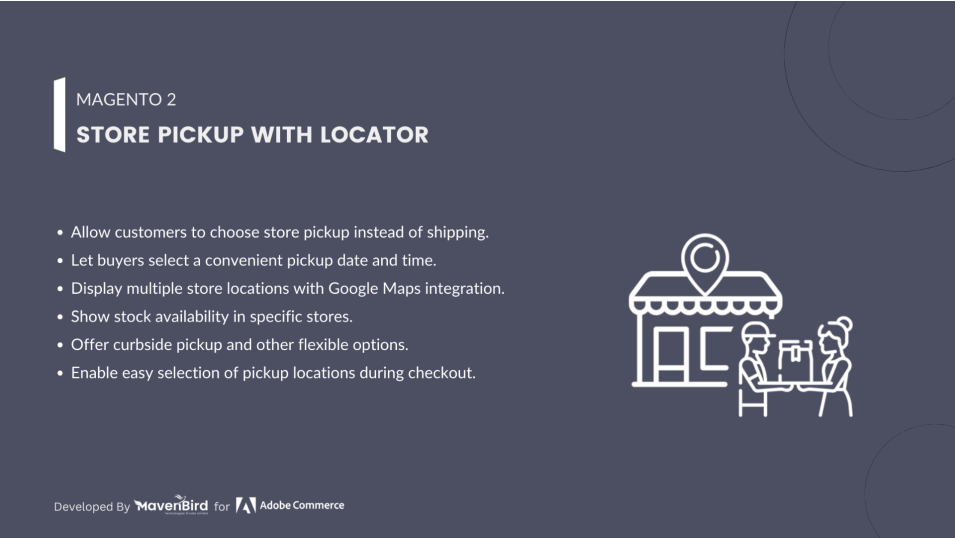
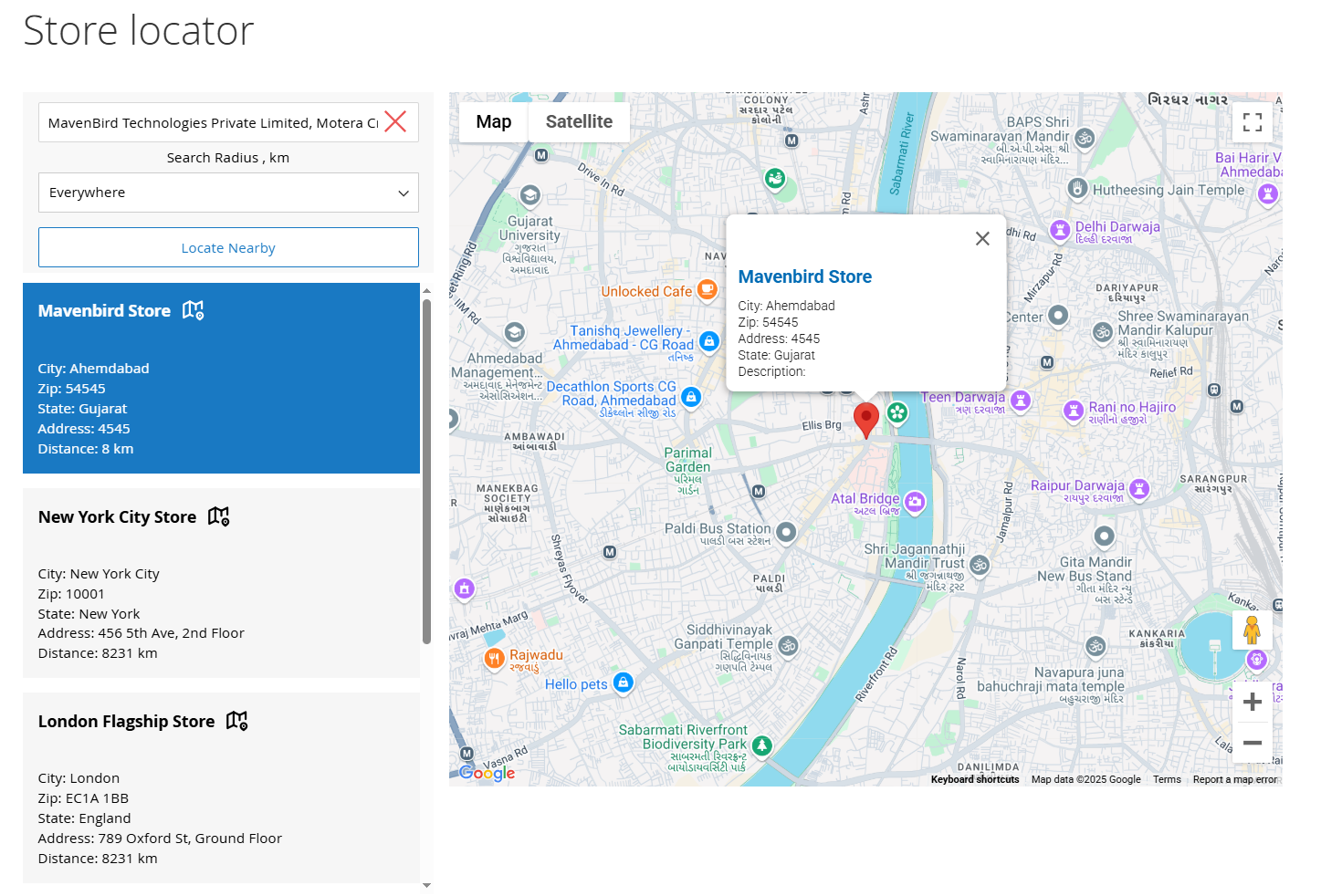
Easily display multiple store locations on an interactive map, allowing customers to find the nearest stores, filter by categories or services, and check product availability. Enhance customer convenience by adding the store locator to any page and optimizing each location’s SEO with unique metadata and keywords.

We are committed to being open and transparent with our customers. When you purchase our module, you automatically receive one year of free support service and free updates.
Seamlessly showcase unlimited physical store locations using an interactive map. Use Google Maps or OpenStreetMap integration for accurate location display.
Auto-detect customer location via geolocation to suggest nearby stores. Allow customers to view distance and estimated travel time to each shop.
Add filters for store attributes like categories, working hours, and services offered. Let users filter by city, ZIP code, radius, or specific product availability.
Indicate which stores have certain products in stock. Allow customers to check availability and reserve products for in-store pickup.
Easily insert the store locator on CMS pages, category pages, or the footer. Use widgets or shortcodes to place the map wherever needed.
Optimize store pages for SEO with custom meta titles, descriptions, and keywords. Boost online visibility for local searches and attract more foot traffic.
Effortlessly connect your online store with physical locations using the Magento 2 Store Locator Extension. This powerful tool helps customers easily find nearby stores, view product availability, and navigate to your brick-and-mortar shops, driving more offline sales. Seamlessly integrate an interactive store map with advanced filters, turning your website into a gateway for both online and in-person shopping experiences.
The Magento 2 Store Locator allows you to create and showcase an unlimited number of store locations on a single, user-friendly map. You can choose the information to display (such as name, address, and operating hours), and the locations will be automatically added to the map.
Enable customers to easily locate the nearest physical shops with just a few clicks. By visiting the store locator page and selecting the 'Locate Nearby' button, users can view a list of nearby locations sorted by proximity. Additionally, allow your visitors to set a radius for an even more tailored search experience..
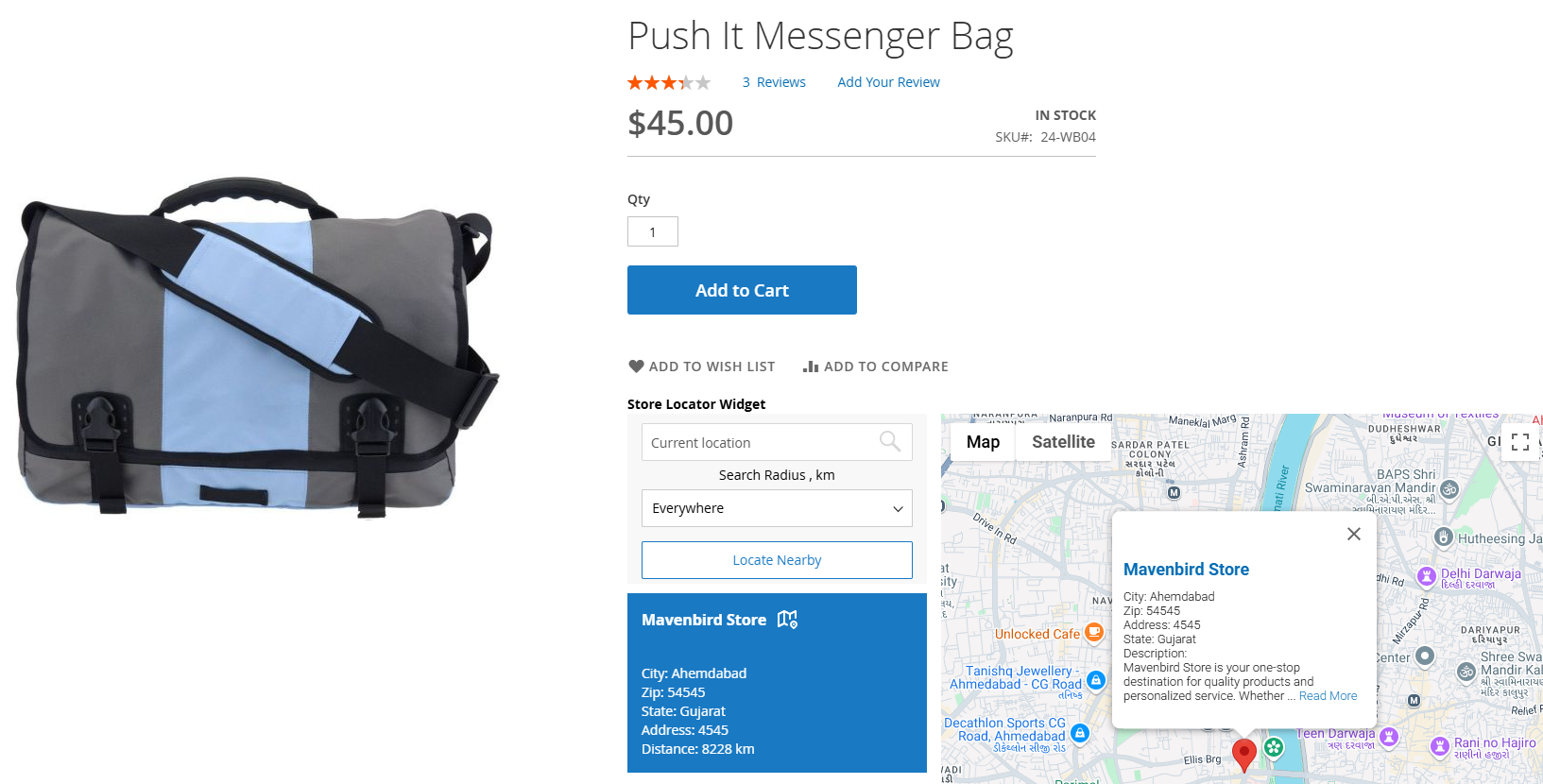
Enhance the shopping experience by directing customers to stores that have available products. Assign specific products to designated store locations, and the “Available in Stores” link will automatically appear on the product pages.
Enhance any store page with a convenient map featuring your offline retail locations. Customize the map widget display to fit your needs: either show the complete list of stores or configure filters to display only specific points of sale.
Begin by providing essential information on the location page. You can add the shop's name, address, phone number, email, website, and operating hours. Enhance the location page's appeal by incorporating an image gallery for customers to explore.
The Magento 2 Google Maps Store Locator lets you display a comprehensive schedule on each location page, helping customers plan their visits and make purchases. You can create multiple schedules tailored to different store types and easily modify them to update working hours for each day of the week.
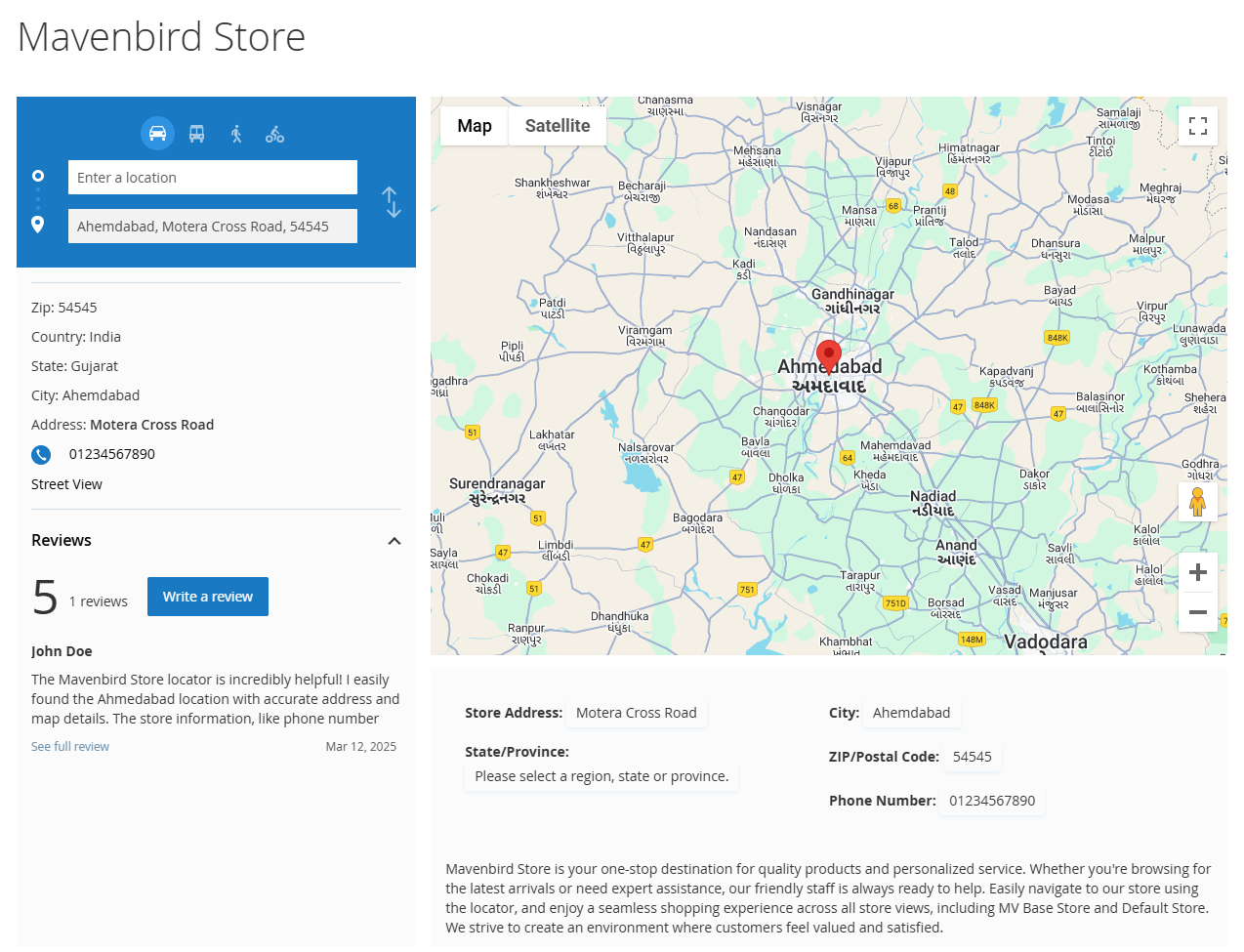
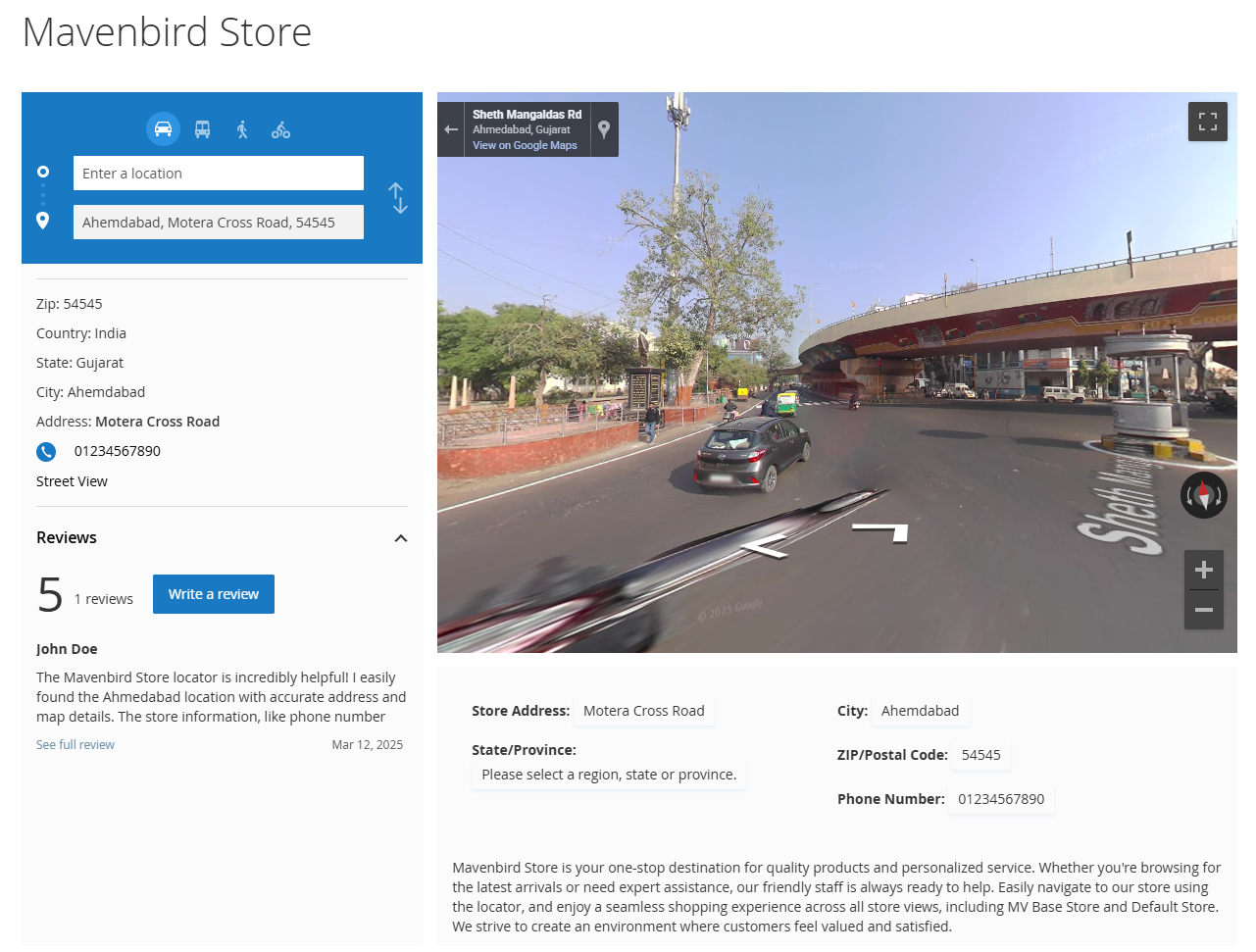
The Magento 2 Google Maps Store Locator allows customers to precisely identify the store's location by offering a panoramic view of the selected area on the map. This feature provides shoppers with an interactive perspective from any point near the store, creating an experience as if they are physically present, ensuring they can easily reach your shop to make a purchase.
The Store Locator Extension for Magento 2 guides customers with detailed directions to your shop. Customers simply need to indicate their preferred mode of transportation (by train, car, bicycle, or on foot), and the extension will generate a comprehensive route to the store.
The Magento 2 Store Locator allows you to create and showcase an unlimited number of store locations on a single, user-friendly map. You can choose the information to display (such as name, address, and operating hours), and the locations will be automatically added to the map.
Enhance the shopping experience by directing customers to stores that have available products. Assign specific products to designated store locations, and the “Available in Stores” link will automatically appear on the product pages.
Begin by providing essential information on the location page. You can add the shop's name, address, phone number, email, website, and operating hours. Enhance the location page's appeal by incorporating an image gallery for customers to explore.
The Magento 2 Google Maps Store Locator allows customers to precisely identify the store's location by offering a panoramic view of the selected area on the map. This feature provides shoppers with an interactive perspective from any point near the store, creating an experience as if they are physically present, ensuring they can easily reach your shop to make a purchase.
1.1.0 – Feb 02, 2026
1.0.8 – June 27, 2025
1.0.7 – July 13, 2024
1.0.6 – July 11, 2023
1.0.5 – October 26, 2022
1.0.4 – February 11, 2021
1.0.3 – October 30, 2020
1.0.2 – December 2, 2019
1.0.1 – October 9, 2019
1.0.0 – March 11, 2018