
The Magento 2 Shop By Brand Extension allows your customers to easily browse and filter products by their favorite brands, enhancing their shopping experience and helping you showcase brand-specific offerings within your store.
User Guide & Documentation
Step-by-step setup manual for Shop By Brand Extension
Changelog v2.1.1
Compatible with Magento CE, EE · 2.3.x, 2.4.x
Shop By Brand Extension
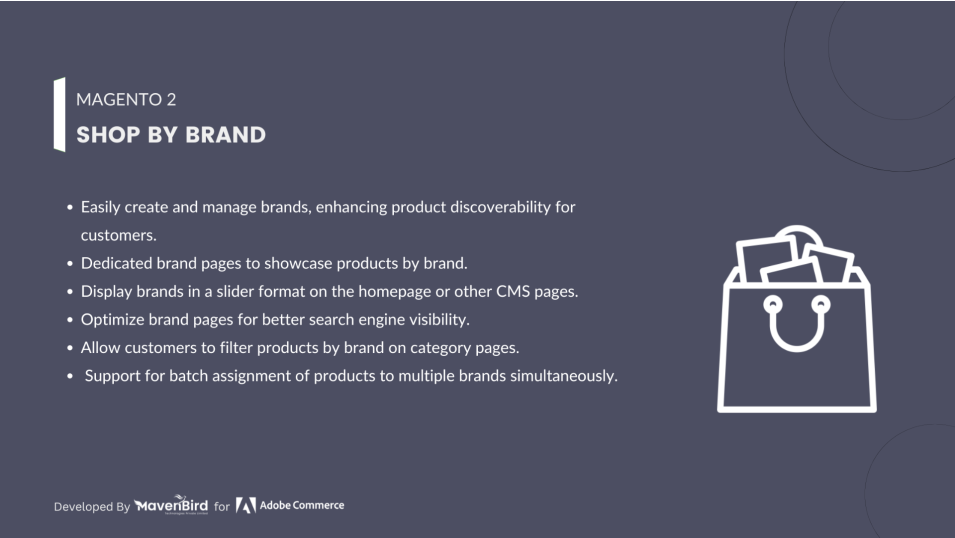
- Add brand info such as name, logo, banner, URL key, brief summary and details.
- Easy to filter or search the Brand
- Support WYSIWYG Editor in editing a brand overview in short and detail
- Add brands to Top menu, sidebar
- Support in customizing characters for the Alphabet filter
- Allows displaying Featured Brand, Brand List Thumbnail and Category Brand in the sidebar
- Displays product quantity with every brand in the Brand list page

$79
$99
20% OFF
No surprise fees
We are committed to being open and transparent with our customers. When you purchase our module, you automatically receive one year of free support service and free updates.
Why is this important?
- Seamless Installation and Configuration: We understand that setting up a new module can take time to configure according to your specific needs. That's why we offer a full year of free support. Our experienced team is here to assist you with installation, configuration, and any questions you might have. We're eager to share our expertise to ensure you get the most out of your purchase.
- Stay Updated with Magento (Adobe Commerce) Releases: Magento releases new versions approximately every three months. These updates can sometimes introduce compatibility challenges. To keep your store running smoothly, we provide a year of free access to the latest versions of our modules, ensuring that you can upgrade Magento and our modules without encountering any obstacles.
- Subscription Included: Renewing your subscription ensures continued access to the latest updates and support from our team. This means you can be confident that any issues you encounter with the extension will be resolved quickly and efficiently. You can cancel your subscription at any time without any additional fees.
Hyvä Bronze Partner
Adobe Commerce
Secure Checkout
Highlighted Features
-
Brand Management
Admins can add brands, upload logos, and write descriptions directly from the Magento backend, streamlining brand management.
-
Brand Listing Page
This page displays all brands with sorting and filtering options for easy browsing, enhancing customer navigation.
-
Brand Filters
Integrated into category and search pages, these filters help customers find products by their preferred brands.
-
Individual Brand Pages
Each brand has its own page with information, logo, and product listings, boosting visibility and customer knowledge.
-
Search Integration
Brands are indexed for search, making it easy for customers to find brand names and related products quickly.
-
Brand Widgets
Widgets can highlight featured brands on various pages to draw attention and encourage exploration.
-
Customizable Templates
Store owners can adjust brand page layouts to match their store’s design, maintaining a cohesive look.
Description
Category Grid
The Shop by Brand Extension for Magento 2 lets customers browse products by brand, with customizable brand pages for logos, descriptions, and banners. It enhances navigation, boosts SEO, and simplifies brand management, increasing sales and loyalty.
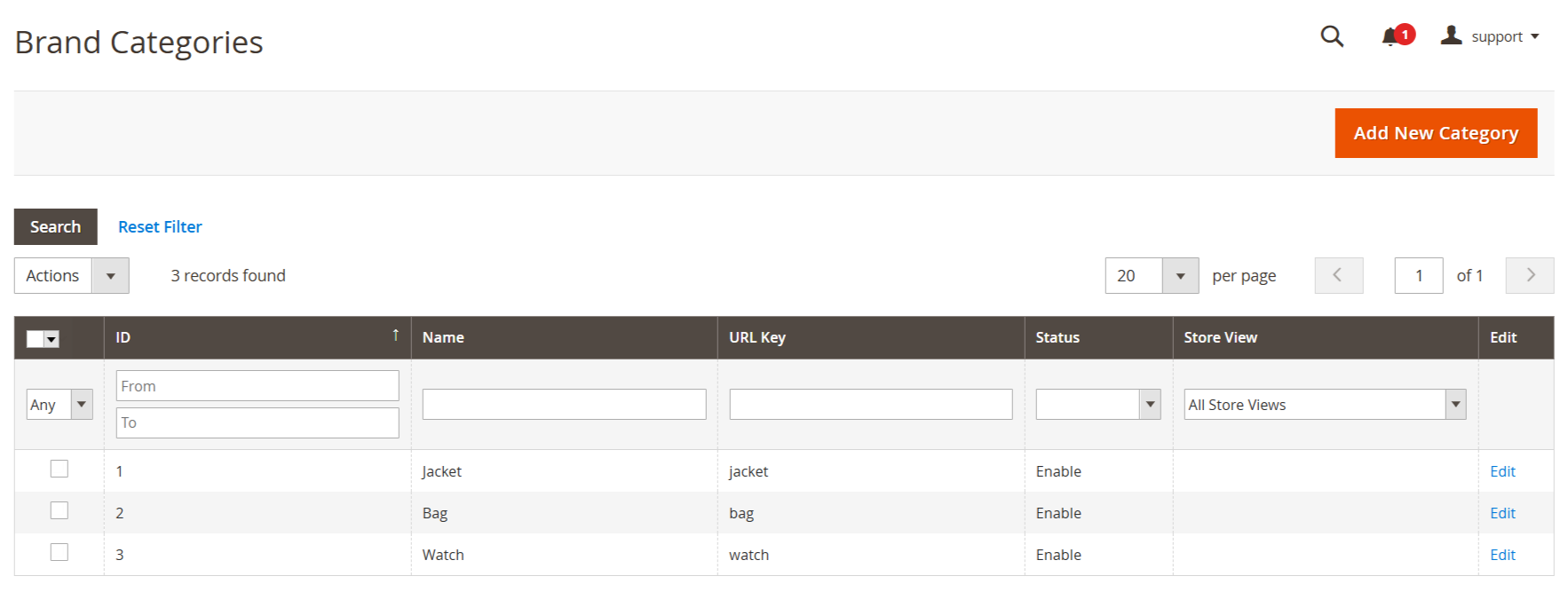
- Go to Store -> Configuration -> MAVENBIRD EXTENSIONS -> Shop By Brand and set require configurations.
- Then go to Catalog -> Shop By Brand -> Categories.
- Here all categories are shown on grid.
Add New Category
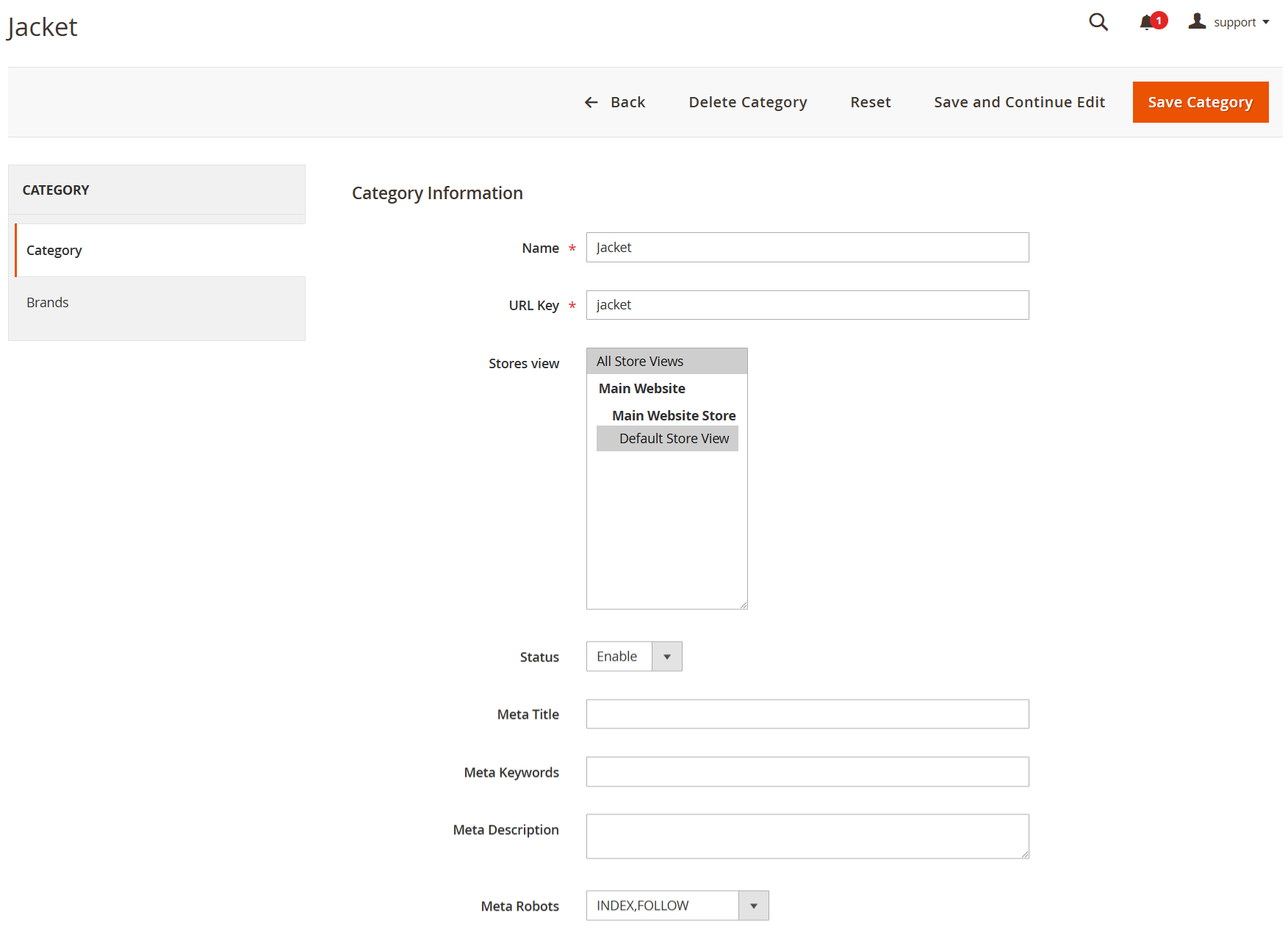
- Click on Add New Category button.
- The image displays the category creation interface, allowing users to set the category name, URL key, store views, status, and meta information for SEO purposes.
Manage Brands
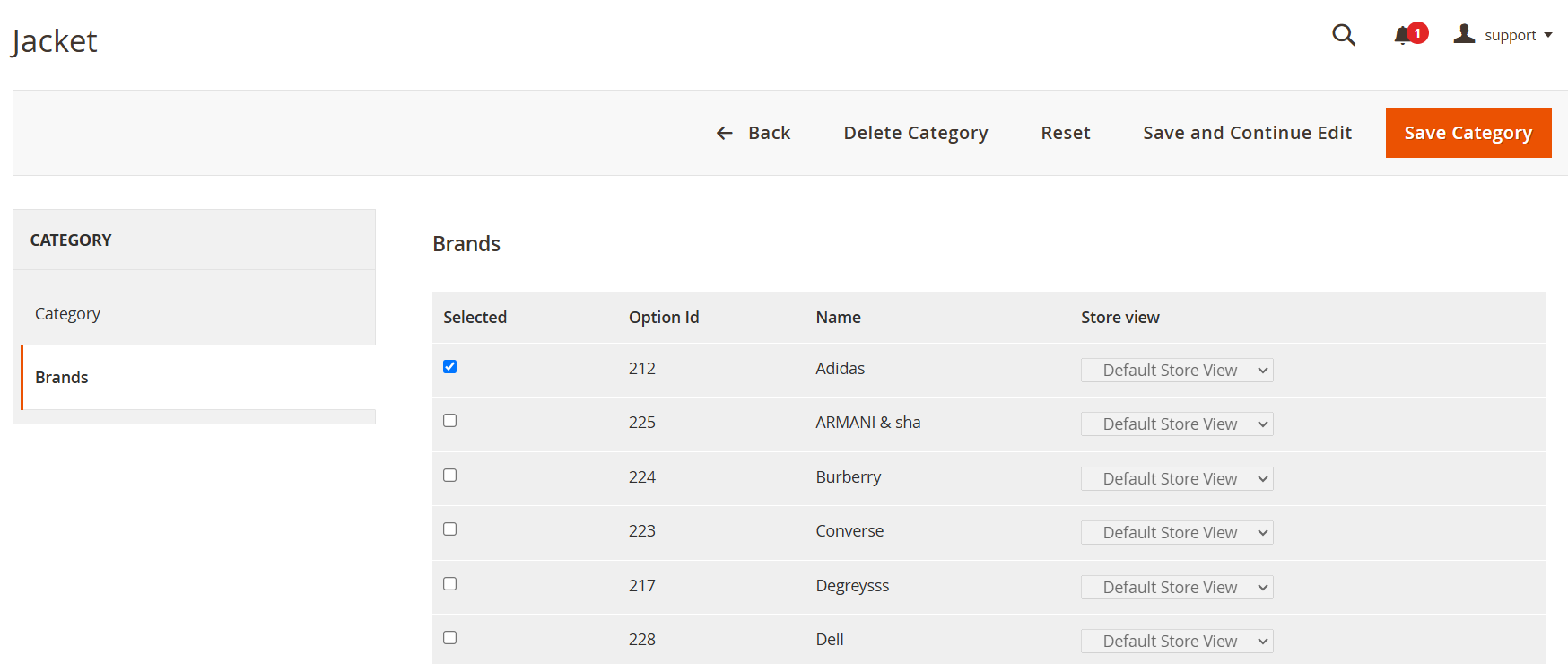
- This section allows you to manage and display various brands associated with your products. You can create, edit, and organise brands to enhance the shopping experience by enabling customers to shop by their preferred brands.
Add Brands In Category
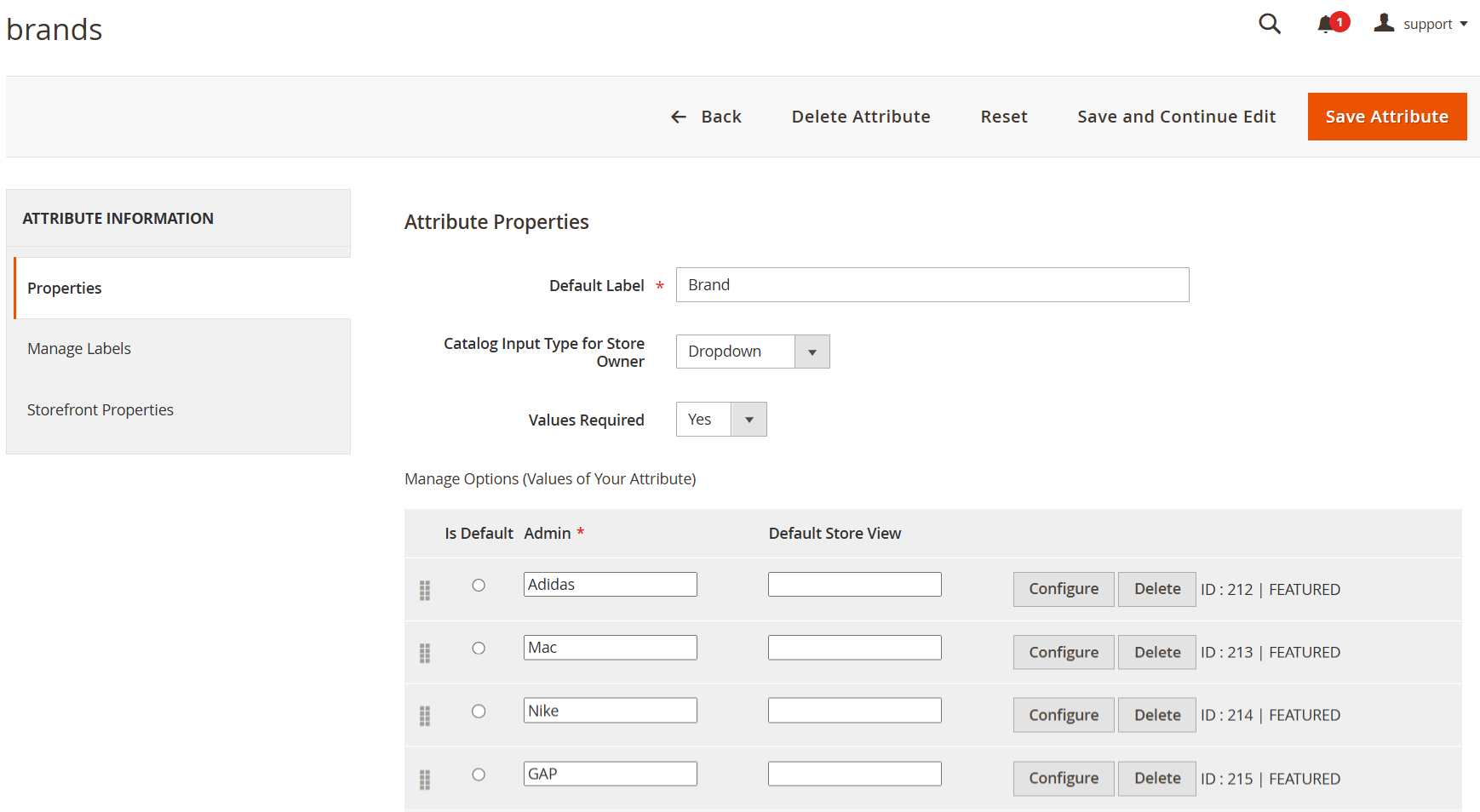
- Go to Catalog -> Shop By Brands -> Manage Brands.
- The image shows the "Brand" attribute configuration, allowing administrators to manage brand options, set the input type as a dropdown, and specify whether values are required for product categorization.
Add Labels
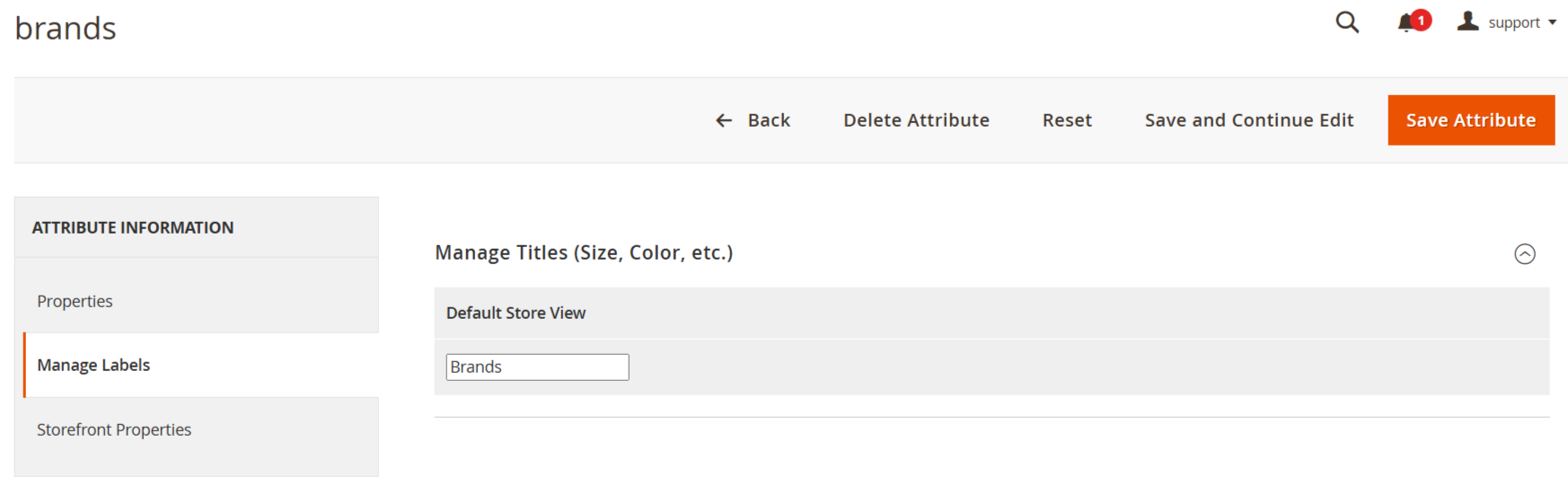
- Here you can add labels for brands that are shown on frontend.
Brand Page On Frontend
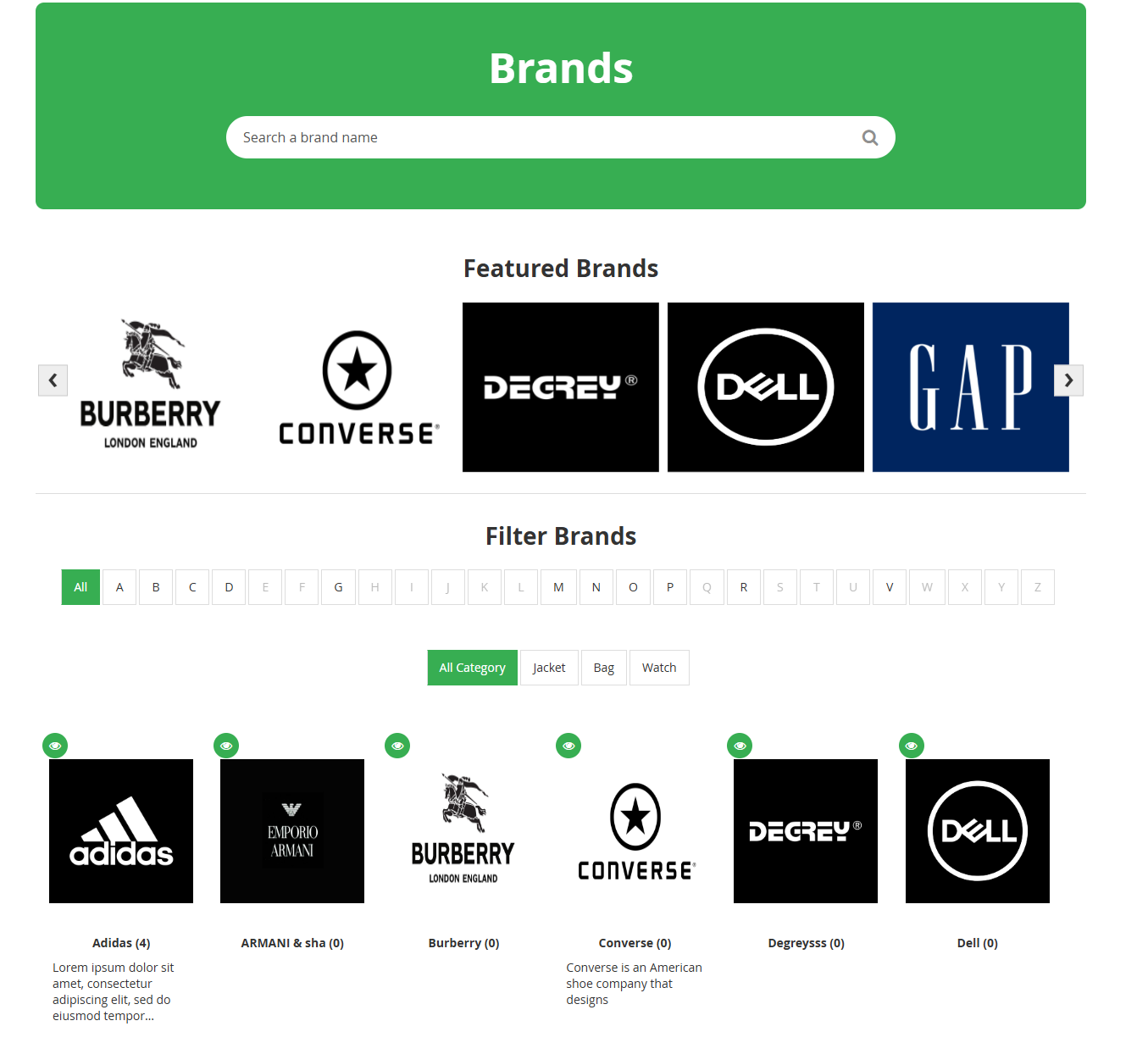
- Here all brands are shown on frontend.
Related Products Popup
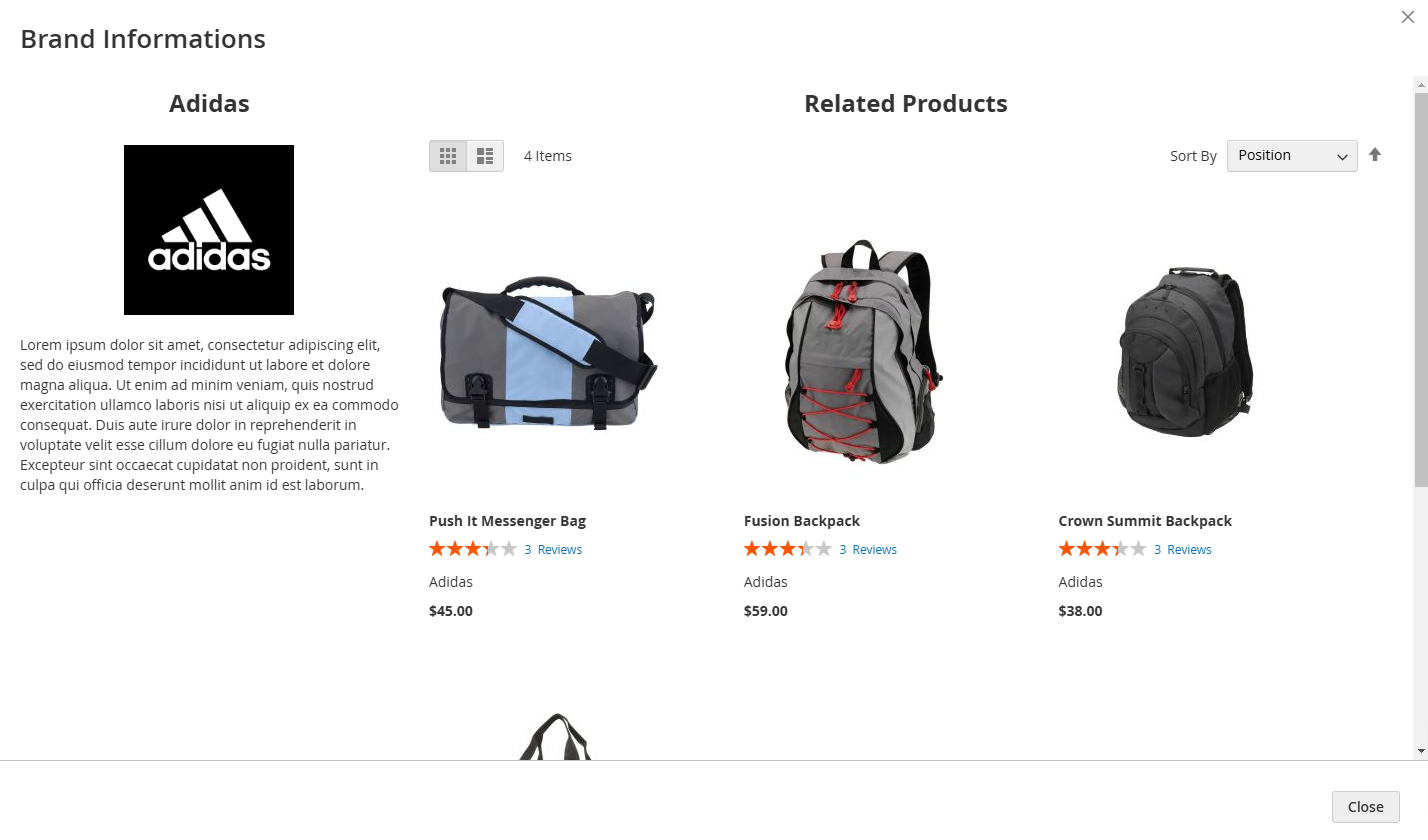
- Here you can see related products popup.
Brand's Products On PDP Page
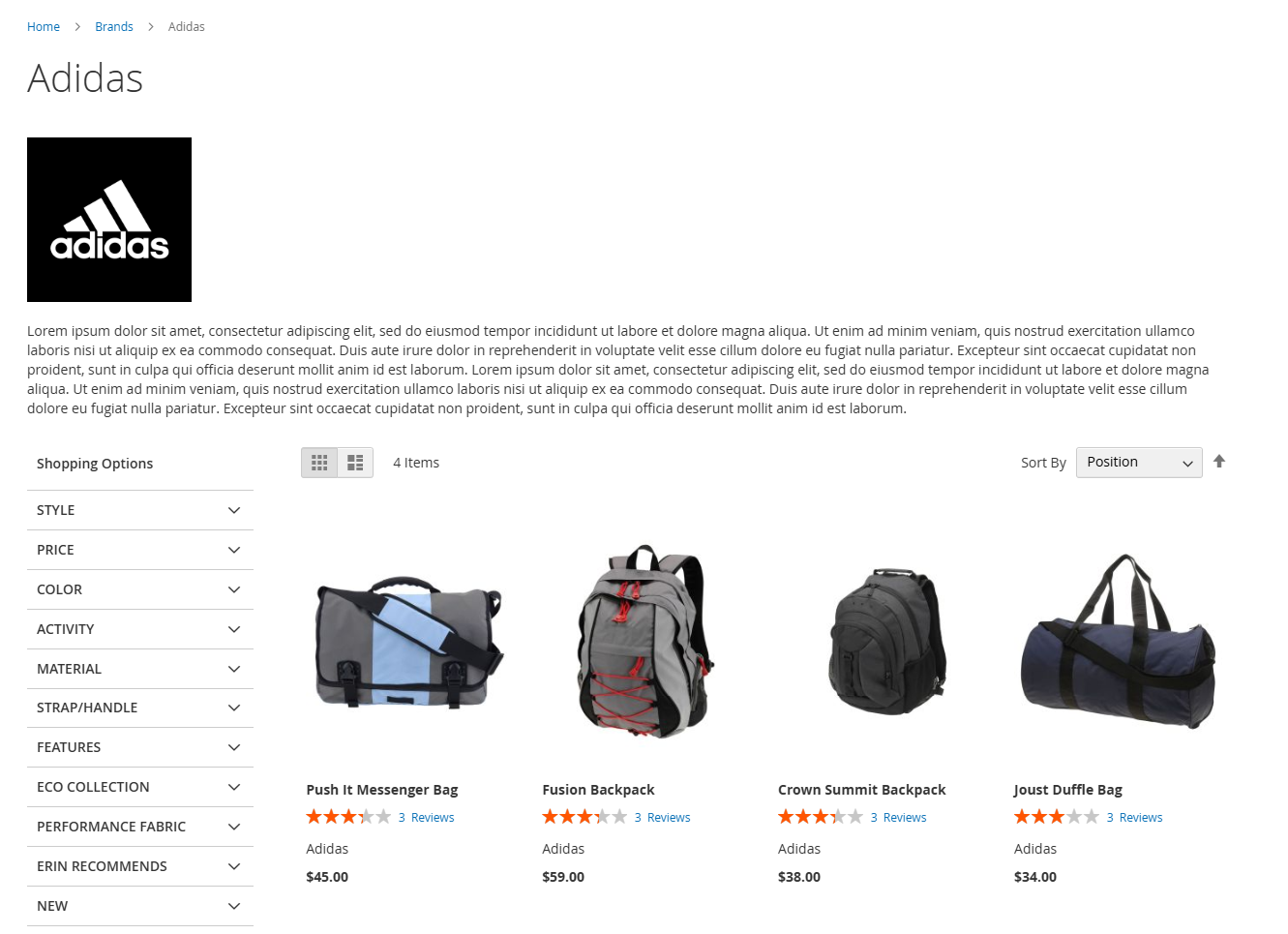
- Here brand’s product that are added in particular brand are shown on PDP page also shown featured product and brand category.
FAQs
Frequently Asked Questions
It allows customers to browse products by brand through dedicated brand pages and navigation filters.
It simplifies product discovery, increases engagement, and helps customers find trusted brands faster.
Yes. Admins can create, edit, and assign brands to products from the Magento admin panel.
Yes. Brand pages support SEO-friendly URLs, meta tags, and content for better search visibility.
Yes. It supports multi-store setups and integrates with layered navigation filters.
Ask a question
REVIEWS
Supports brand-based merchandising
Allows displaying brand logos and structured brand listings, improving visual presentation of the catalog.
Improves catalog navigation experience
Enables users to filter and browse products by brand, making it easier to locate preferred items in large catalogs.
Enhances product discovery by brand
Provides dedicated brand pages and filtering options, allowing customers to quickly navigate products associated with specific brands.
Useful for multi-brand stores
Helps organize products across multiple manufacturers, making it easier for customers to explore and compare brands.
Flexible filter options
We can enable or disable brand filtering on specific categories easily.
Perfect fit for multi‑brand catalogs
Stores offering many brands will benefit significantly from this module.
Great for Brand Organization
Fantastic extension for adding a brand filter to my store. It helps customers find their favorite brands easily.
Good SEO benefits
Brand pages provide additional landing pages which help with search engine indexing.
Perfect for marketplace stores
Stores that sell products from many sellers use this extension to organize product listings by brand.
Improves store organization
Adding brand pages and logos to category filters makes our catalog look more organized and professional.
Helpful admin interface
The extension integrates well with the Magento admin panel and is easy to manage.
Perfect for brand‑focused stores
Stores that sell multiple brands will benefit greatly from this extension.
Great feature for brand navigation
This extension makes it very easy for customers to filter products by brand. It adds brand pages and allows us to display brand logos prominently which improves the shopping experience.
Great performance
The extension works smoothly and does not slow down page load times.
Efficient brand management
Assigning products to brands is quick and simple in the admin panel.
Very intuitive design
The brand filter and page layout is easy for customers to navigate.
Great for product discovery
Customers often filter by brand when they know what manufacturer they want which helps reduce search time.
Improves Brand Visibility
This extension is great for organizing products by brand. It helps customers easily find their favorite brands and enhances the overall shopping experience.
Very flexible attributes
We can assign logos, brand descriptions, and landing pages which gives us a lot of control over how brands are displayed.
Very practical extension
Magento should include this feature in core but this module fills that gap perfectly.
Excellent brand filter
Customers can now browse our catalog using a brand filter which helps them find products from their favorite brands quickly.
Very useful for large catalogs
Our store has products from many manufacturers. This extension helps customers explore items by brand which improves engagement.
Highly recommended
If you want to improve product discovery by brand, this extension is a great solution.
Very helpful for brands
Customers can now find their preferred brands without searching through categories.
Very customisable
The ability to add brand images, descriptions, and custom pages improves merchandising.
Reliable and stable
The extension has been running for months without any issues.
Works with multiple store views
We run several store views and the extension handles brand assignments correctly.
Easy setup and configuration
Installation was straightforward and we had brand pages ready in a short time.
Great layout options
The brand slider and branded listing pages help improve the overall layout and design.
Easy logo uploads
Uploading brand logos was simple thanks to the intuitive admin interface.
Perfect for merchandising teams
Our merchandising team loves the brand pages because they help customers find specific brand collections.
Boosts product engagement
Customers now interact more with the catalog because they can sort by brand easily.
Good compatibility with themes
We tested with our custom theme and everything works without conflicts.
Useful for promotional campaigns
We use brand filters during sales events to highlight participating brands.
Clean brand page design
The brand landing pages look clean and professional which improves the overall store aesthetic.
Improves navigation
Customers can explore products by brand which helps increase user engagement and reduces bounce rates.
Excellent customer browsing experience
Customers now spend more time browsing products because it’s easier to find items by brand.
Reliable extension
The module performs consistently in all areas of our store.
Great UX enhancement
The brand slider and filter make product discovery easier for customers.
Works well with Magento 2.4
We tested the extension on Magento 2.4 and everything works smoothly.
Enhances Customer Experience
This tool has made it easier for customers to shop by brand. Very effective!
User-Friendly Interface
Easy to implement and enhances the shopping experience. Highly recommended!
Great for Branding
Showcasing brands separately has improved our site's navigation and user experience!
Enhances Customer Experience
This tool has made it easier for customers to shop by brand. Very effective!
Nice Extension!!
As we are selling branded products, this Shop By Brand is working nicely.
Professional Support
Very good support, deep knowledge of the plugins and Magento 2. I'm very happy with the support I have received!
Amazing Extension
Well done guys. You are the best.
Very helpful!!
In my shop, I had more than 100 different brands, so this extension helped me immensely with advertising our brands with ease. As always the support from MageMoto was great.
Great Addon
Very good addon, it worked flawlessly just after install. Has a lot of options for customization and works very good even with my multi-storefront shop. Will definitely recommend to anyone.
Well Designed!!
The extension designed well also worked fast and nice.
User-Friendly Interface
Easy to implement and enhances the shopping experience. Highly recommended!
Great for Branding
Showcasing brands separately has improved our site's navigation and user experience!
Changelog
2.1.1 – December 30, 2025
- Upgraded for compatibility with Magento 2.4.8-p3.
- Compatible with PHP version 8.4.
2.1.0 - September 1, 2024
- Minor Bug Fixes
2.0.2 – July 2, 2024
- Now supports compatibility with Magento 2.4.X. versions.
2.0.1 – December 23, 2023
- The issue with autoplay not functioning properly in related brands has been resolved.
- The bug in the EQP functionality has been fixed.
2.0.0 – July 21, 2023
- Resolved the issue with adding products to the cart.
- Addressed a console error that appeared when running the brand indexer.
- Corrected the layout issue where the logo was being overlapped.
- Resolved the problem where widgets were still displayed after the module was disabled.
- Corrected the display issue with the feature slider.
- Fixed the brand menu display issue.
1.0.8 – May 3, 2023
- The extension is now fully compatible with Magento 2.4.6.
- Resolved an issue with saving brand data in multi-store environments.
- Addressed coding standard violations to meet EQP (Extension Quality Program) guidelines.
- Fixed an issue that occurred while updating brand information.
1.0.7 – April 16, 2023
- UI enhancements.
- Fixed various minor bugs.
1.0.6 – December 1, 2022
- Compatible with Magento version 2.4.5
- Enhanced product listings by displaying brand information on related, upsell, and cross-sell products.
- Displayed brand details on the checkout page for better customer visibility.
- Resolved minor bugs and improved overall stability.
1.0.5 – September 5, 2022
- Integrated brand list into the widget.
- Enabled option to customize brand menu position within the category menu.
- Resolved minor bugs and performance issues.
1.0.4 – June 10, 2022
- Resolved category collection issue for Magento version 2.4.4
1.0.3 – May 24, 2022
- Compatible with Magento 2.4.4
- Resolved issue: Child products were not appearing in reports.
1.0.2 – November 25, 2021
- New Feature: Brand Export functionality added.
- New Feature: Assign multiple products to a brand.
- New Feature: Related Brands feature introduced.
- Enhancement: Minor bug fixes and improvements.
1.0.1 – May 22, 2019
- Fixed the error occurring during new product creation.
1.0.0 – January 30, 2018
- Introduced a new feature to display brand information.
- Resolved minor bug fixes for improved stability.