

📘
User Guide & Documentation
Step-by-step setup manual for Share Cart
View →
Changelog v1.2.1 Compatible with Magento CE, EE · 2.3.x, 2.4.x

Share Cart

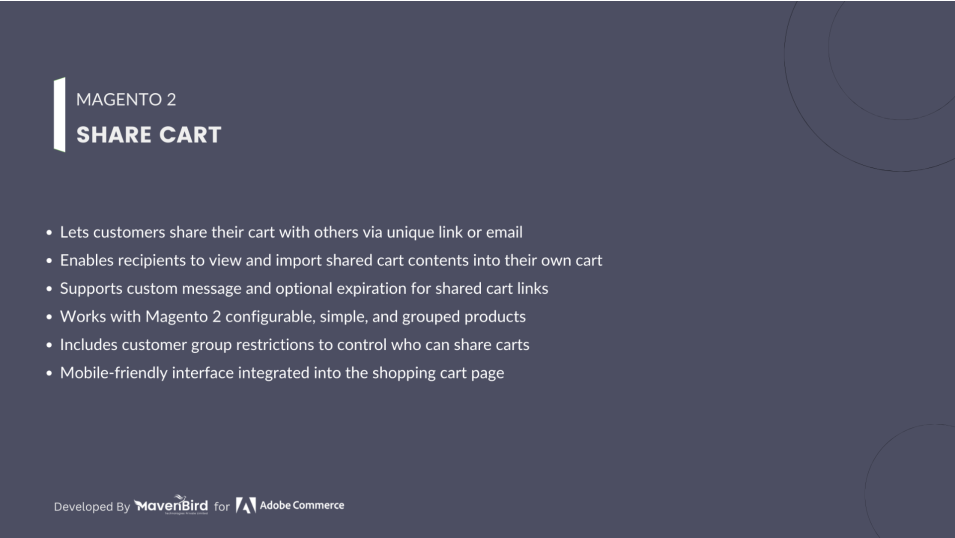
The Share Cart Extension for Magento 2 empowers customers to easily share their shopping cart with others via social media, email, or downloadable PDF. It also allows users to save their cart for future purchases, enhancing convenience and increasing the chances of conversion.

  • Allow customers to instantly share their cart using a unique URL.
  • Customers can save their cart to complete the purchase at a later time.
  • Share cart via WhatsApp, Facebook, Twitter, LinkedIn, Email, and more.
  • Admin can configure share buttons, icons, and text to match store branding.
  • Customers can download their cart contents in a PDF format.
  • Set custom email subject lines and sender identities for shared carts.
  $149
No surprise fees

We are committed to being open and transparent with our customers. When you purchase our module, you automatically receive one year of free support service and free updates.

Why is this important?

  • Seamless Installation and Configuration: We understand that setting up a new module can take time to configure according to your specific needs. That's why we offer a full year of free support. Our experienced team is here to assist you with installation, configuration, and any questions you might have. We're eager to share our expertise to ensure you get the most out of your purchase.
  • Stay Updated with Magento (Adobe Commerce) Releases: Magento releases new versions approximately every three months. These updates can sometimes introduce compatibility challenges. To keep your store running smoothly, we provide a year of free access to the latest versions of our modules, ensuring that you can upgrade Magento and our modules without encountering any obstacles.
  • Subscription Included: Renewing your subscription ensures continued access to the latest updates and support from our team. This means you can be confident that any issues you encounter with the extension will be resolved quickly and efficiently. You can cancel your subscription at any time without any additional fees.
Hyvä Bronze Partner
Adobe Commerce
Secure Checkout

Highlighted Features

  • Save Carts for Later Purchases

    Let customers save multiple shopping carts under their account for future reference or repeat purchases, minimizing cart abandonment.

  • Seamless Social Media Cart Sharing

    Enable users to instantly share their cart via Facebook, Twitter, WhatsApp, LinkedIn, Pinterest, and more—boosting reach and engagement.

  • Send Cart via Email for Quick Checkout

    Allow customers to email cart details directly to others, simplifying approvals or group buying decisions.

  • Export Cart as PDF

    Provide an option to download the cart as a PDF with product details, pricing, and store branding—ideal for offline review or bulk purchases.

  • Customizable Share & Save UI Elements

    Personalize share/save buttons—edit text, colors, icon styles, and position to align with your store’s design theme.

  • User-Friendly Saved Cart Management

    From the “My Account” section, users can view, restore, copy, or delete saved carts—enhancing shopping flexibility and control.

Description

Seamless Cart Saving & Sharing for Customers

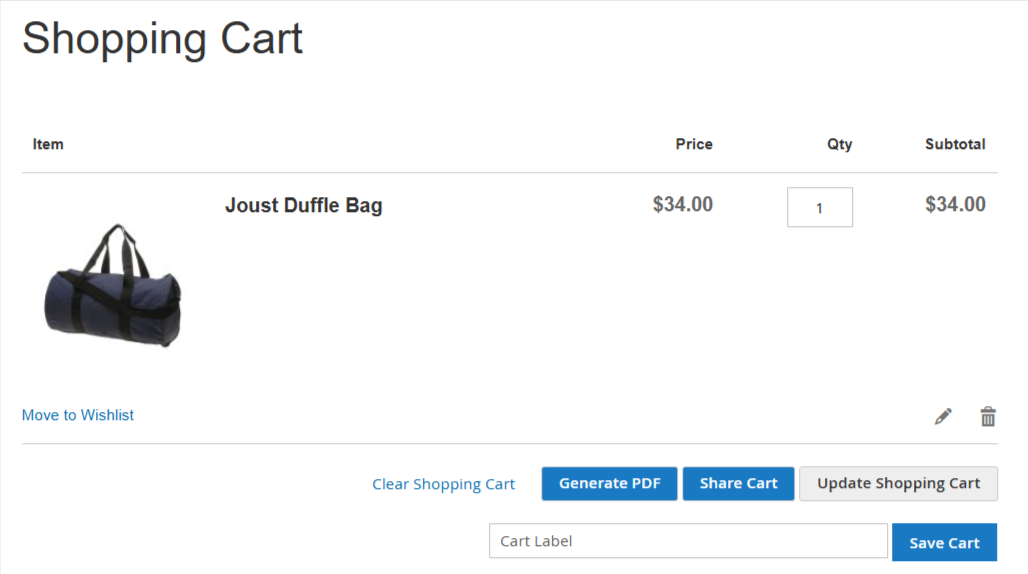
shopping-cart-in-middle-button-position

Enable your customers to effortlessly save their shopping carts in “My Account” for future purchases. Customers can save multiple carts, easily restore them with a single click, and manage their saved carts by editing or deleting. Additionally, they can conveniently share their carts via direct links, WhatsApp, SMS, Email, Facebook, and Twitter, enhancing the shopping experience and increasing engagement.

Easily Share and Manage Saved Carts

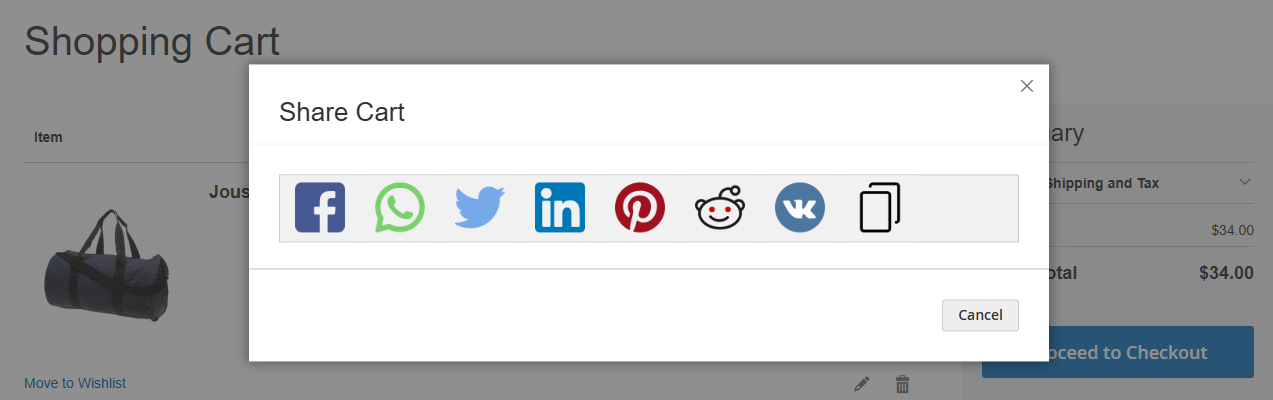
popup-of-share-cart

With the Magento 2 Save Cart feature, your customers can conveniently save multiple shopping carts within their “My Account” for future purchases. They can effortlessly reproduce, edit, or delete saved carts with a single click. Additionally, customers can share their saved carts via Link, WhatsApp, SMS, Email, Facebook, and Twitter, making it simple to collaborate and promote their shopping list with friends and family.

Effortless Cart Sharing Across Social Media & More

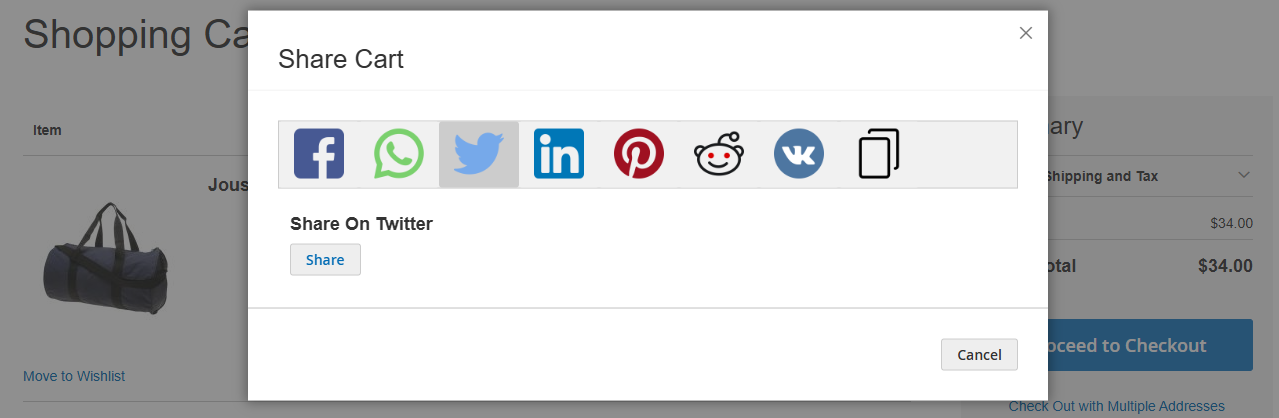
popup-with-select-icon-link

The Magento 2 Save Cart feature enables your customers to easily “Save Cart” within “My Account” for future shopping. Customers can save multiple carts and quickly recreate them with a single click. They also have the flexibility to edit, delete, and share their saved carts via direct links, WhatsApp, SMS, Email, Facebook, Twitter, and other popular channels — boosting engagement and simplifying the shopping experience.

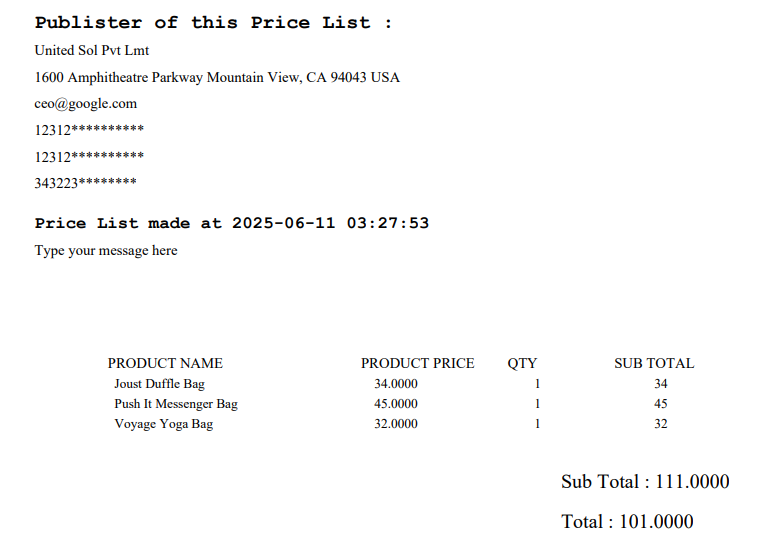
Share and Save Cart in PDF Format for Easy Reference and Download

generate-pdf-option

Additionally, this extension provides the ability to generate a downloadable PDF file of the cart details, which includes:

  • Store information: Store Name, Address, VAT Number, Phone, Email, Registered Number, & a warning message.
  • Order summary: Quantity, Stock ID, Description, Price, Sub-Total & Total.
  • Date & Time of purchase.

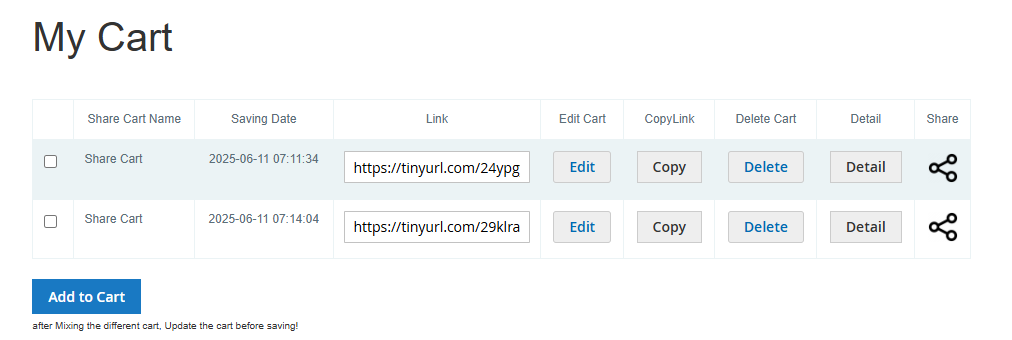
Effortless Saved Cart Management & Sharing in Your Account

my-cart-in-my-account

The Magento 2 Save Cart feature enables your customers to conveniently "Save" their shopping carts within "My Account" for future purchases. Customers can save multiple carts and quickly restore them with a single click. They can easily edit, delete, or share their saved carts via links, WhatsApp, SMS, Email, Facebook, and Twitter, enhancing their shopping experience and boosting engagement.

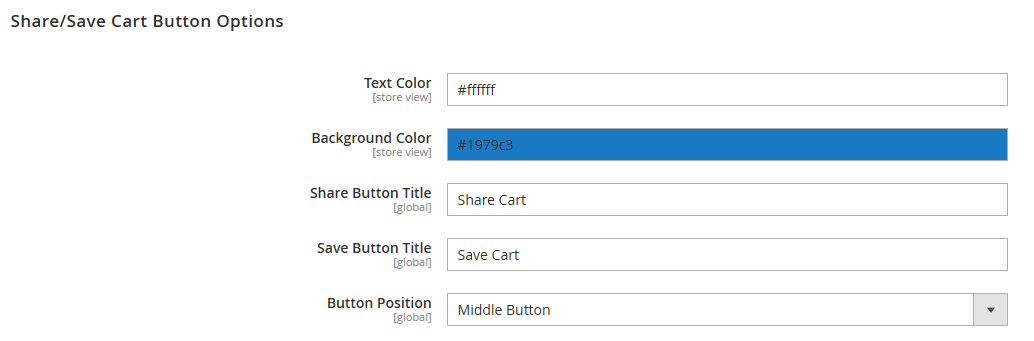
Flexible Sharing & Saving Cart Button Customization

share-cart-config-4

This extension enables you to personalize the Share & Save Cart buttons on your Magento 2 store. You can easily choose the button's text, adjust the background color, and decide its position—either centered on the cart or aligned to the right below the checkout button. Enhance your customers’ shopping experience with seamless cart management and sharing options.

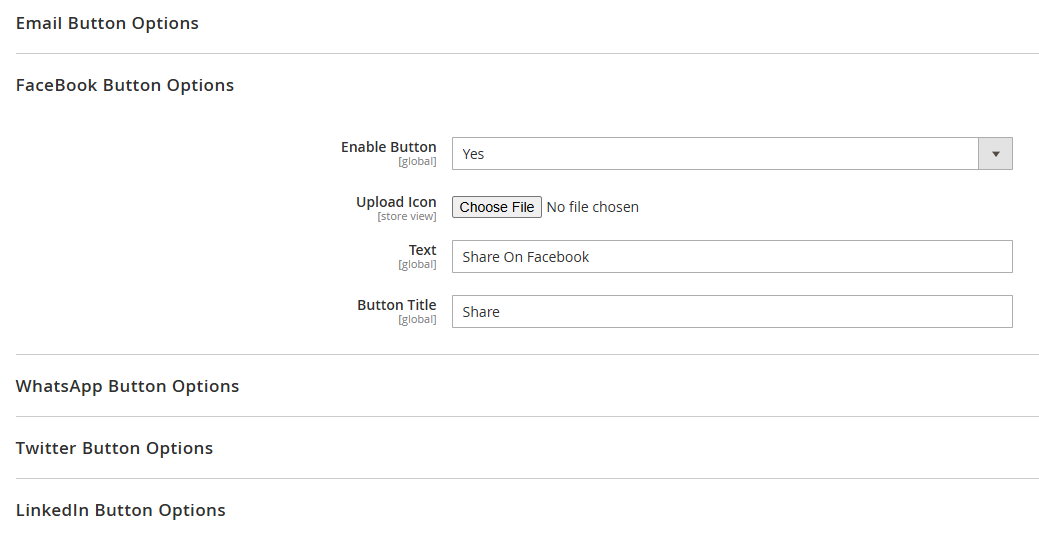
Configure Social Media Sharing Options & Icons

share-cart-config-mix

With this Save Cart & Share Cart extension, you can easily enable or disable social media sharing buttons and customize their appearance. For each social media platform, you can upload a custom icon, set a button label, and customize the button text to match your store’s branding.

FAQs

Frequently Asked Questions

The Magento 2 Save & Share Cart Extension allows customers to save multiple shopping carts for future purchases, share them via social media or email, and export carts as PDFs. It helps reduce cart abandonment and improves shopping flexibility.  
Yes, customers can save multiple shopping carts under their account. They can restore, copy, edit, or delete saved carts at any time, making repeat purchases and bulk shopping easier.  
Customers can share saved carts via social media platforms such as Facebook, Twitter, WhatsApp, LinkedIn, Pinterest, and via email or direct link, making collaboration and group purchasing simple.
Yes, the extension allows customers to download their cart as a PDF, which includes product details, pricing, order summary, store information, and the date/time of purchase. Ideal for offline review or bulk ordering.  
Yes. You can customize button text, colors, icon styles, and positions to match your store’s design. Buttons can be centered or aligned to the right below the checkout button for seamless UX.
   Ask a question
REVIEWS

Changelog

1.2.1 – December 30, 2025

  • Upgraded for compatibility with Magento 2.4.8-p3.
  • Compatible with PHP version 8.4.

1.2.0 – September 1, 2024

  • Minor Bug Fixes

1.0.7 – May 13, 2024

  • Compatible with Magento Version 2.4.7-p3.

1.0.0 – February 19, 2018

  • Release Initial Version.