
The Magento 2 Import Export Wishlist Products Extension allows you to easily import and export wishlist products in bulk, streamlining the process of managing customer wishlists and providing a more efficient way to handle product data transfers.
User Guide & Documentation
Step-by-step setup manual for Import Export Wishlist Products Extension
Changelog v1.1.1
Compatible with Magento CE, EE · 2.3.x, 2.4.x
Import Export Wishlist Products Extension
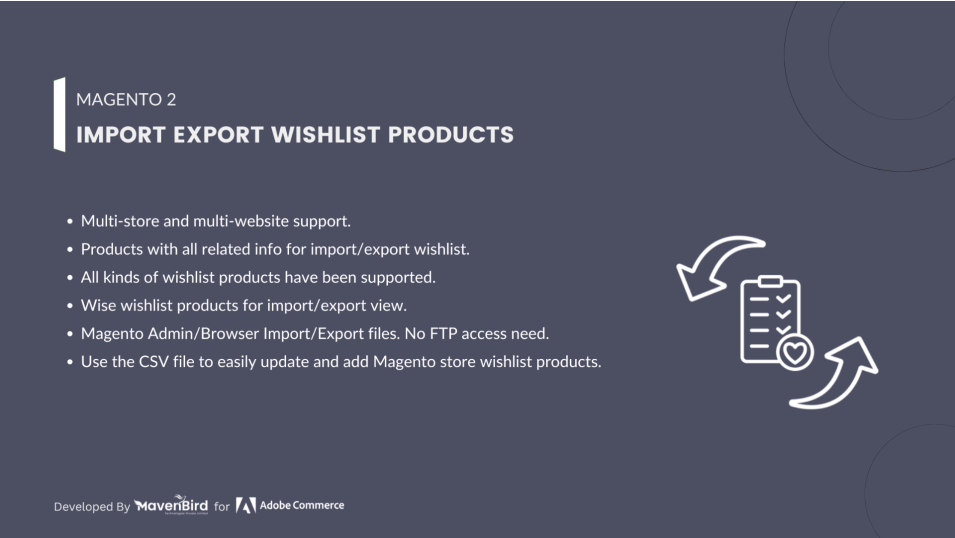
- Products and all associated data to import/export wishlist.
- Fast to update and link CSV file to Magento store with the wishlist products.
- Wise wishlist products for import/export store view.
- All types of wishlists have been provided.
- Magento admin/browser for import/export files. No FTP connection requirement.
- Multi store and multi website service.


$49
No surprise fees
We are committed to being open and transparent with our customers. When you purchase our module, you automatically receive one year of free support service and free updates.
Why is this important?
- Seamless Installation and Configuration: We understand that setting up a new module can take time to configure according to your specific needs. That's why we offer a full year of free support. Our experienced team is here to assist you with installation, configuration, and any questions you might have. We're eager to share our expertise to ensure you get the most out of your purchase.
- Stay Updated with Magento (Adobe Commerce) Releases: Magento releases new versions approximately every three months. These updates can sometimes introduce compatibility challenges. To keep your store running smoothly, we provide a year of free access to the latest versions of our modules, ensuring that you can upgrade Magento and our modules without encountering any obstacles.
- Subscription Included: Renewing your subscription ensures continued access to the latest updates and support from our team. This means you can be confident that any issues you encounter with the extension will be resolved quickly and efficiently. You can cancel your subscription at any time without any additional fees.
Hyvä Bronze Partner
Adobe Commerce
Secure Checkout
Highlighted Features
-
Bulk Operations
Allows users to import or export multiple wishlists in one go. This is especially useful for transferring large amounts of wishlist data or for migrating data between different systems or environments. The process can be executed via user-friendly interfaces or automated scripts, facilitating efficient data management.
-
Data Mapping
When importing data, users can map fields from their source files (like customer names, product IDs) to the corresponding fields in Magento’s wishlist structure. This ensures that data is accurately translated and integrated into the Magento system. For example, mapping a column in the CSV file named "Wishlist Product ID" to Magento’s "Product ID" field.
-
Compatibility with Custom Attributes
Supports custom attributes and additional fields that might be part of a customized wishlist setup. This means that if a store has additional custom fields or attributes in their wishlist, the extension can handle these fields appropriately during import/export operations, preserving the integrity of custom data.
-
Secure Data Handling
Ensures that data is handled securely during import and export operations. This includes encrypting sensitive information, protecting data integrity, and ensuring compliance with data protection regulations. For example, secure handling of customer personal information to prevent unauthorized access during data transfers.
-
Support for Multiple Stores
Capable of handling wishlists across multiple store views or websites within a single Magento installation. This feature is particularly useful for merchants who operate several stores or brands from one Magento instance and need to manage wishlist data for each store separately.
-
Error Handling and Reporting
During the import or export process, the extension can detect errors such as missing data, incorrect file formats, or validation issues. It provides detailed error reports that help users identify and resolve issues quickly, ensuring that data imports or exports complete successfully and accurately.
Description
Import Wishlist Products Steps
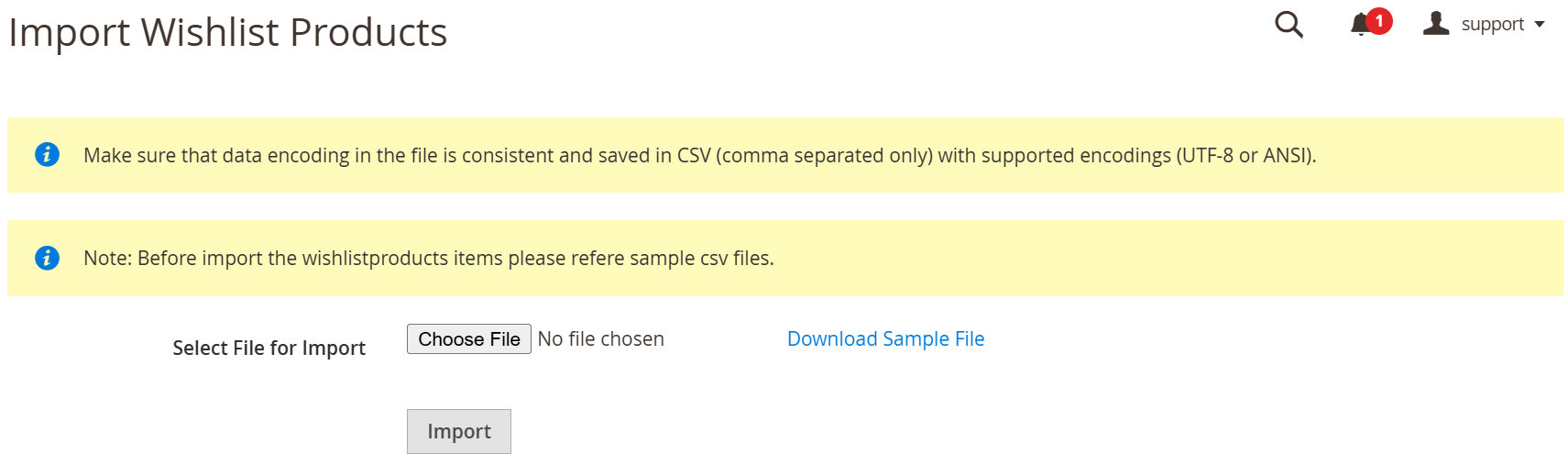
This module allows bulk import and export of store wishlists, including product details, options, and customer emails, via CSV. It simplifies data transfer between stores, supports multiple formats, and streamlines wishlist management, saving time and enhancing customer experience.
- According to our documents, schedule your CSV.
- Go to Your Site Backend -> SYSTEM -> Mavenbird– Import/Export Wishlist Items -> Import Wishlist Items.
- Please upload your created csv file and click on “Import Wishlist Items” button.
- Now successfully import wishlist products.
Export Wishlist Products Steps.
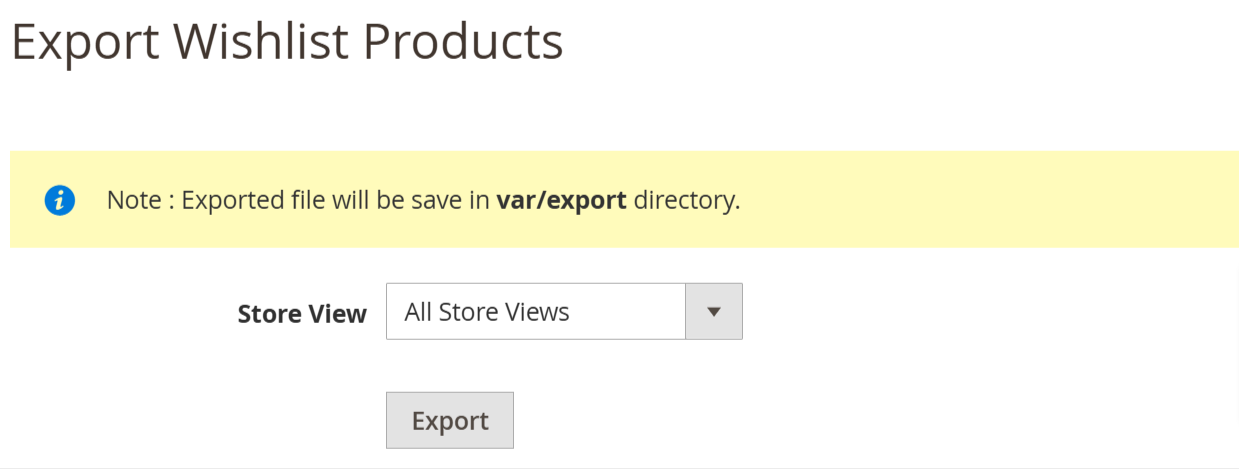
- Go to Your Site Backend -> SYSTEM -> Mavenbird– Import/Export Wishlist Items -> Export Wishlist Items.
- Please click on “Export Wishlist Items” Button.
- Now successfully export wishlist items data.You can get exported csv file in /var/export/ file
FAQs
Frequently Asked Questions
This error typically occurs due to incorrect CSV formatting or missing required fields. Ensure that your CSV file matches the format defined by the extension and that all mandatory fields such as SKU, customer ID, and wishlist item quantity are provided. Additionally, check if there are any conflicting third-party extensions that may affect the import process.
If the wishlist export function is not working, it could be due to a permissions issue with the server or the extension configuration. First, ensure that the extension has the proper permissions to write files to the specified directory. Also, verify the export settings in the admin panel, such as file format, customer selection, and export path.
The "Duplicate entry" error occurs when the same product or customer entry is being imported multiple times. To resolve this, ensure that your CSV does not contain duplicate wishlist items for the same customer. You may also need to enable a duplicate-checking feature, if available in the extension, or manually clean your CSV file.
This issue can arise due to invalid product SKUs, missing product data, or products that are not available in the Magento store. Verify that all SKUs in the import file exist in your catalog and that the products are enabled and available for the corresponding store views. Additionally, check for any errors in the logs that could provide more specific information.
Timeout errors can occur if the wishlist contains too many items, or the server resources are insufficient. To resolve this, increase the PHP max_execution_time and memory_limit in your server configuration. You may also need to batch the import or export process to handle smaller sets of data at a time.
Ask a question
REVIEWS
Helpful for Customer Insights
Exporting wishlist products has been valuable for analyzing customer behavior. It allows our marketing team to identify popular items and plan targeted promotions based on real customer interest.
Efficient Wishlist Data Management
This extension made handling wishlist data much easier during our migration process. Exporting and importing wishlist products via CSV helped us preserve customer preferences without manual effort, saving a significant amount of time.
Reliable Tool for Wishlist Migration
We used this module to transfer wishlist data from an older system, and it worked smoothly. The import/export process was straightforward, and all wishlist items were restored accurately for our customers.
Very helpful analytics feature
Exported CSV wishlist products helped us create targeted product recommendations.
Good compatibility
The module works smoothly with our Magento 2.4 store and custom theme.
Very stable module
We have been using this extension for months without any issues.
Accurate data handling
Wishlist products imported correctly with no mismatches which was incredibly helpful.
Improves marketing insights
Exported wishlist data helped improve our campaigns and product promotions.
Perfect for customer retention
Preserving wishlist items during replatforming helped retain customers post‑migration.
Perfect for bulk wishlist updates
Importing large sets of wishlist items for multiple customers worked smoothly without errors.
Reliable export feature
Exported CSV files contain all necessary data and are easy to analyze offline.
Easy setup and configuration
Installation was straightforward and after configuring export settings the module worked immediately.
Useful for store management
Keeping wishlist products synced across environments was very easy.
Great for marketing teams
Analyzing exported wishlist data helps our marketing team understand trending products.
Excellent for data analysis
Exporting wishlist products helped us understand customer preferences and plan promotions.
Saves time and effort
Bulk wishlist import saved many hours of manual work for our team.
Clear and accurate export
The CSV export format is easy to understand and use with other tools.
Fantastic for bulk operations
Importing thousands of wishlist items at once worked flawlessly.
Very flexible CSV import
The CSV import function allows us to update wishlists across many customers easily.
Improves customer experience
Keeping wishlist items intact during store migration improved customer satisfaction.
Easy Wishlist Management
This extension helped me transfer and manage thousands of customer wishlists in no time. Very convenient for large stores.
Very practical extension
Magento should include this feature by default to manage wishlist data more easily.
Excellent admin tool
The wishlist products grid and export options are very intuitive.
Reliable wishlist migration
We migrated wishlist items between environments without losing any customer data.
Excellent batch processing
Bulk import and export of wishlist products is fast and reliable.
Helpful for replatforming
During our platform migration we preserved all wishlist preferences without losing data.
Reliable support
The documentation and setup guides made the configuration very smooth.
Easy to use interface
The admin panel for wishlist export/import is simple and straightforward.
Perfect for seasonal campaigns
We imported popular wishlist products across customers to recommend them during promotions.
Very useful migration tool
We needed to move wishlist data from our old system and this module handled it perfectly with CSV import/export.
Works perfectly with Magento
The extension integrates well with the Magento wishlist system and performs reliably.
Highly recommended
If you need to migrate or analyze wishlist data this extension is an excellent solution.
Great for B2B wishlists
Our wholesale customers’ wishlist data was preserved accurately after migration.
Easy Wishlist Migration
I was able to migrate customer wishlists with ease. A fantastic extension for anyone needing to manage large lists.
Helpful import logging
The extension logs import operations which made debugging easier.
Efficient data migration
Wishlist products were migrated quickly without data loss.
Great for wishlist data management
This extension makes exporting and importing wishlist products very easy. It saved us hours during our recent store migration.
Boosts User Retention
It’s a fantastic tool for keeping customers engaged. Very satisfied with the results!
User-Friendly
Very effective for managing customer wishlists. Highly recommend!
Great for Customer Engagement
This extension makes managing wishlist products easy. It enhances the user experience!
Changelog
1.1.1 – December 30, 2025
- Upgraded for compatibility with Magento 2.4.8-p3.
- Compatible with PHP version 8.4.
1.1.0 - September 1, 2024
- Minor Bug Fixes
1.0.4 – July 6, 2024
- Tested and verified with Magento 2.4.7-p1.
1.0.3 – June 20, 2023
- Magento 2.4.6 Compatibility Added.
1.0.2 – June 7, 2022
- Updated for Magento 2.4.4 compatibility.
1.0.1 – July 6, 2020
- Compatibility added for Magento 2.4.X versions.
1.0.0 – January 21, 2018
- This extension supports importing product into wishlist with custom options.