
The Magento 2 Import Export URL Rewrites Extension enables you to efficiently import and export URL rewrite data in bulk, making it easier to manage and update redirects, ensuring seamless SEO management and preventing broken links across your store.
User Guide & Documentation
Step-by-step setup manual for Import Export URL Rewrites Extension
Changelog v1.1.0
Compatible with Magento CE, EE · 2.3.x, 2.4.x
Import Export URL Rewrites Extension
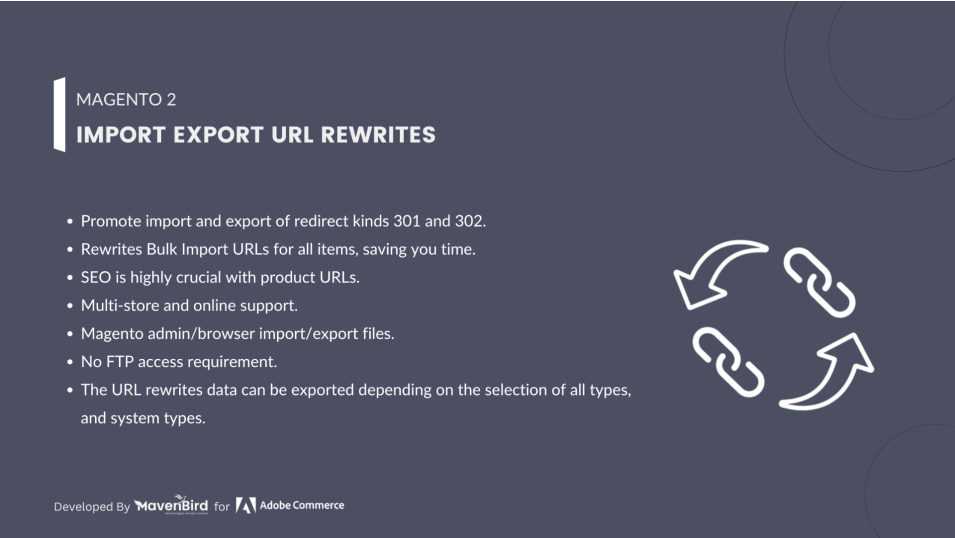
- Import/Export all URL-types such as custom website, category, product and CMS page.
- Import/Export all URLs such as No, Temporary (302) and Permanent (301).
- You can export store view and rewrite data in a URL type, such as custom, category, product or CMS page.
- Multi store and multi website service.
- Magento admin/browser for import/export files. No FTP connection requirement.


$49
No surprise fees
We are committed to being open and transparent with our customers. When you purchase our module, you automatically receive one year of free support service and free updates.
Why is this important?
- Seamless Installation and Configuration: We understand that setting up a new module can take time to configure according to your specific needs. That's why we offer a full year of free support. Our experienced team is here to assist you with installation, configuration, and any questions you might have. We're eager to share our expertise to ensure you get the most out of your purchase.
- Stay Updated with Magento (Adobe Commerce) Releases: Magento releases new versions approximately every three months. These updates can sometimes introduce compatibility challenges. To keep your store running smoothly, we provide a year of free access to the latest versions of our modules, ensuring that you can upgrade Magento and our modules without encountering any obstacles.
- Subscription Included: Renewing your subscription ensures continued access to the latest updates and support from our team. This means you can be confident that any issues you encounter with the extension will be resolved quickly and efficiently. You can cancel your subscription at any time without any additional fees.
Hyvä Bronze Partner
Adobe Commerce
Secure Checkout
Highlighted Features
-
Bulk Import and Export
This feature allows users to import or export a large number of URL rewrite rules at once using CSV files. Instead of manually adding or updating each URL rewrite entry, you can handle bulk data in a single operation.
-
Easy Data Management
Provides a user-friendly interface within the Magento admin panel to manage URL rewrites. This interface allows you to easily view, edit, add, or delete URL rewrite rules.
-
Integration with Magento Admin
Seamlessly integrates with the Magento admin interface, providing a native experience for managing URL rewrites without needing external tools or interfaces.
-
Support for Multiple Store Views
Manages URL rewrites across different store views within a Magento installation. This includes ensuring that URL rules are correctly applied and consistent for each view.
-
Customizable URL Rewrite Rules
Allows users to define and customize URL rewrite rules based on their specific requirements. This can include setting up rules for different product types, categories, or other criteria.
Description
Importing Url Rewrites Steps

The URL Rewrite Import/Export Extension for Magento 2 allows bulk import and export of URL rewrite data (e.g., store view ID, request path, target path, redirect type) via CSV. It helps with SEO optimization, saves time during store migrations, preserves link equity, and supports multiple store views. This extension offers enhanced flexibility, custom URL rewrites, and reduces manual errors.
- As per our documents, prepare your CSV.
- Go to Your Site Backend -> SYSTEM -> Mavenbird– Import/Export URL Rewrites -> Import URL Rewrites.
- Please upload your created csv file and click on “Import URL Rewrites” button.
- Now successfully import URL rewrites data. Your store URL rewrites will be display on Admin -> MARKETING -> SEO & Search -> URL Rewrites.
Exporting Url Rewrites Steps

- As per our documents, prepare your CSV.
- Go to Your Site Backend -> SYSTEM -> Mavenbird– Import/Export URL Rewrites -> Export URL Rewrites.
- Please click on “Export URL Rewrites” Button.
- Now successfully export URL rewrites.You can get exported csv file in /var/export/ file
FAQs
Frequently Asked Questions
Common issues include incorrect file formatting, missing required columns, or invalid data types in your import file. Ensure your CSV file adheres to the required format and contains all necessary fields.
If exported URL rewrites are not appearing, check the export settings and ensure the right data fields are selected. Additionally, verify if the rewrites were correctly saved in the database.
Long import times can result from large data files or server limitations. Consider increasing the PHP execution time in your server settings or splitting the import file into smaller chunks.
Duplicates can occur if the same URL key is imported multiple times. Ensure that the CSV file has unique URL keys or adjust the settings to handle duplicates correctly during the import process.
Unsupported characters can cause import failures. Make sure to sanitize your URL keys by removing or replacing special characters before importing the CSV file.
Ask a question
REVIEWS
Ideal for Large Catalog SEO Handling
With thousands of products and categories, maintaining URL rewrites manually was not practical. This module allows us to manage redirects at scale, ensuring our SEO structure stays consistent and up to date across the entire catalog.
Simple Workflow and User-Friendly Interface
The import and export process is straightforward and easy to understand. The CSV format is well-structured, and the admin interface makes it simple to upload and manage URL rewrites without requiring technical expertise.
Efficient Bulk URL Rewrite Management
This extension has made managing URL rewrites and redirects much more efficient for our store. Instead of handling each rewrite individually in the admin panel, we can now import and export them in bulk using CSV, which saves a significant amount of time and reduces manual effort.
Smooth Migration of SEO URLs
During our migration project, this extension helped us transfer all URL rewrites accurately to the new store. It preserved SEO-friendly URLs and redirects properly, which was critical to maintaining search rankings and avoiding broken links.
Highly recommended
If you need to manage large numbers of URL rewrites efficiently, this extension is a great solution.
Great for site restructuring
We reorganized our category structure and updated rewrites in bulk which fixed many broken links.
Easy configuration
Installation and setup were quick and after choosing the CSV file everything worked correctly.
Great for bulk updates
Updating multiple rewrites across the store is much simpler with this extension.
Clear error reporting
When there are import issues, the error log helps quickly identify and fix the problem.
Reliable export functionality
Exported CSV files help us analyze rewrites and adjust them as needed.
Perfect for large stores
Our store has thousands of products and managing SEO redirects manually was painful. This module saves so much time.
Perfect for developers
Developers can export rewrites from staging and import them into production without manual steps.
Good for SEO maintenance
We now maintain URL redirects as part of our regular SEO routine using this module.
Helpful for redirect cleanup
We removed outdated rewrites and cleaned up SEO issues using CSV export/import.
Works exactly as described
The extension performs exactly the way the product page describes.
Very easy to use
The CSV format and import screen are intuitive. We didn’t need any custom development to get started.
Lightweight and efficient
The module runs quickly and does not affect store performance during import.
Very intuitive interface
The admin screens make it easy to manage URL rewrites in bulk without any confusion.
Excellent Magento enhancement
It adds a useful SEO feature that should be part of core functionality.
Very helpful redirect management
We use the extension to maintain custom URL redirects without messing up core files.
Handles URL Rewrites Efficiently
This extension makes managing URL rewrites a lot easier, especially when dealing with large catalogs.
Perfect for enterprise stores
Large catalogs with many URL rewrites benefit greatly from this extension.
Reliable URL import tool
The import process works smoothly even with large files and complex rewrites.
Excellent SEO management tool
This extension made bulk managing URL rewrites very easy. Instead of editing redirects one by one, we can import a CSV file and keep everything up to date quickly.
Perfect for SEO campaigns
Bulk exporting and updating URL rewrites helped us roll out SEO changes faster.
Great for reducing 404 errors
We fixed many broken links by importing correct rewrites in bulk.
Very practical tool
This extension solves a major pain point in managing Magento redirects.
Helpful rollback feature
We can export old rewrites before modifying them which helps with safe updates.
Works well with multiple store views
We export and import URL rewrites by store view which works perfectly.
Perfect for URL Rewrite Management
Managing URL rewrites for my large catalog used to be a nightmare. This extension has made it so much easier and faster.
Very reliable module
We have used this extension for months and it performs without errors.
Great for migrations
We migrated our store and needed to import all URL rewrites. This extension handled it flawlessly and saved us hours.
Useful for SEO audits
Exporting URL rewrites helped us perform comprehensive SEO audits and fix issues faster.
Flexible export options
Exporting rewrites to CSV helps review and edit them offline which is very helpful.
Excellent CSV mapping
The CSV structure is easy to understand and adjust when needed.
Improves search ranking
Proper redirects help preserve SEO value and reduce 404 errors which improved our rankings.
Good compatibility with Magento
The extension integrates smoothly with Magento and works consistently.
Excellent for SEO optimizations
Exporting and editing URL rewrites helped us fix SEO issues faster during site restructuring.
Saves time on redirects
Instead of adding each rewrite manually, we now import them all at once which saves hours.
Easy to Use
The interface is intuitive and makes URL management a breeze. Highly recommend!
A Must-Have Tool
Helps with maintaining clean URLs. Very satisfied with this extension!
Essential for SEO
This extension has streamlined our URL management. It's crucial for our SEO strategy!
Changelog
1.1.0 – December 30, 2025
- Upgraded for compatibility with Magento 2.4.8-p3.
- Compatible with PHP version 8.4.
1.0.5 – July 5, 2024
- Updated for compatibility with Magento 2.4.7-p1.
1.0.4 – May 20, 2023
- Enhanced for Magento 2.4.6 compatibility.
1.0.3 – October 15, 2022
- Added SKU as a column in the export file.
1.0.2 – June 10, 2022
- Updated for Magento 2.4.4 compatibility.
1.0.1 – June 22, 2020
- Compatibility added for Magento 2.4.X versions.
1.0.0 – January 20, 2018
- This extension supports importing URL rewrites with custom options.