📘
User Guide & Documentation
Step-by-step setup manual for Import Export Product Attributes
View →
Changelog v1.1.1 Compatible with Magento CE, EE · 2.3.x, 2.4.x

Import Export Product Attributes

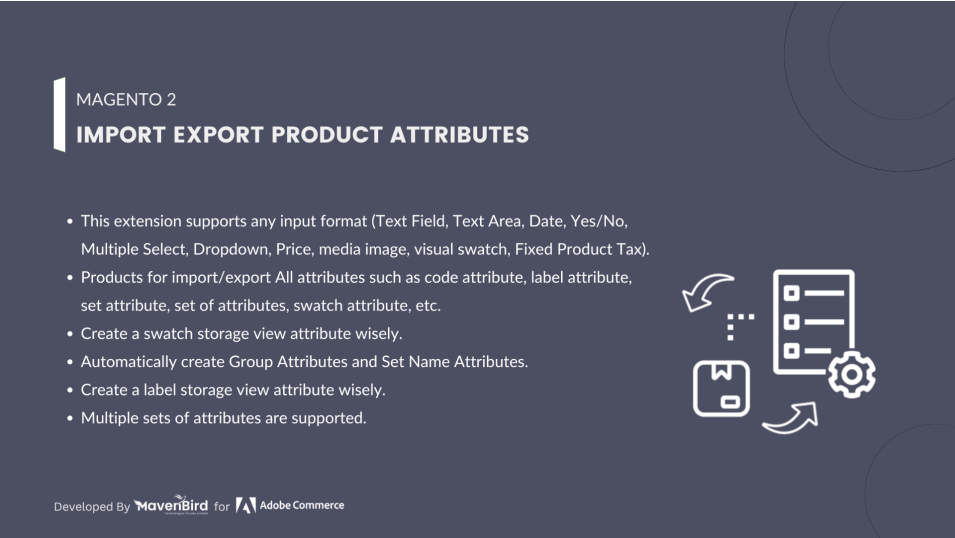
Import Export Product Attributes Extension allows store admins to import and export product attributes using CSV files, enabling efficient bulk updates and smooth attribute migration. This simplifies catalog management, saves time, and ensures consistency across multiple store views.

  • Sets of attributes for import.
  • Import/Export Products Attributes All Properties like Attribute Code, Attribute Label, Attribute Set, Attribute Group, Attribute Swatch etc.
  • Multiple Attribute Set supported.
  • Create Attribute Option Store View wise.
  • Create Attribute Label Store View wise.
  $79
No surprise fees

We are committed to being open and transparent with our customers. When you purchase our module, you automatically receive one year of free support service and free updates.

Why is this important?

  • Seamless Installation and Configuration: We understand that setting up a new module can take time to configure according to your specific needs. That's why we offer a full year of free support. Our experienced team is here to assist you with installation, configuration, and any questions you might have. We're eager to share our expertise to ensure you get the most out of your purchase.
  • Stay Updated with Magento (Adobe Commerce) Releases: Magento releases new versions approximately every three months. These updates can sometimes introduce compatibility challenges. To keep your store running smoothly, we provide a year of free access to the latest versions of our modules, ensuring that you can upgrade Magento and our modules without encountering any obstacles.
  • Subscription Included: Renewing your subscription ensures continued access to the latest updates and support from our team. This means you can be confident that any issues you encounter with the extension will be resolved quickly and efficiently. You can cancel your subscription at any time without any additional fees.
Hyvä Bronze Partner
Adobe Commerce
Secure Checkout

Highlighted Features

  • Bulk Import and Export of Attributes

    This feature allows you to handle multiple product attributes simultaneously by importing or exporting them in bulk through CSV or XML files. This saves time and effort, especially when dealing with a large catalog.

  • Support for All Attribute Types

    The extension is versatile and supports various types of product attributes, such as dropdowns, text fields, multi-selects, and dates. This ensures that you can manage all types of attributes without restrictions.

  • Attribute Mapping

    It includes a mapping tool to align attributes from the source store with those in the destination store. This ensures that data is accurately transferred and assigned during the import/export process.

  • Attribute Set Management

    You can manage entire attribute sets along with their attributes. This feature is useful for replicating or migrating attribute configurations across different Magento installations.

  • Customizable Import/Export Fields

    You have the flexibility to choose which specific attribute fields to include in your import or export operations. This allows for tailored data management based on your needs.

  • Data Validation

    The extension performs data validation to ensure that the imported data conforms to Magento’s rules and standards. This prevents potential data issues and ensures data integrity.

  • Multistore Support

    The extension supports operations across multiple store views, allowing you to manage attributes for different stores from a single interface. This simplifies the process of handling complex multistore setups.

  • Error Handling and Logging

    The extension provides comprehensive error messages and maintains logs during the import/export process. This helps in identifying issues quickly and ensures that you can address problems efficiently.

Description

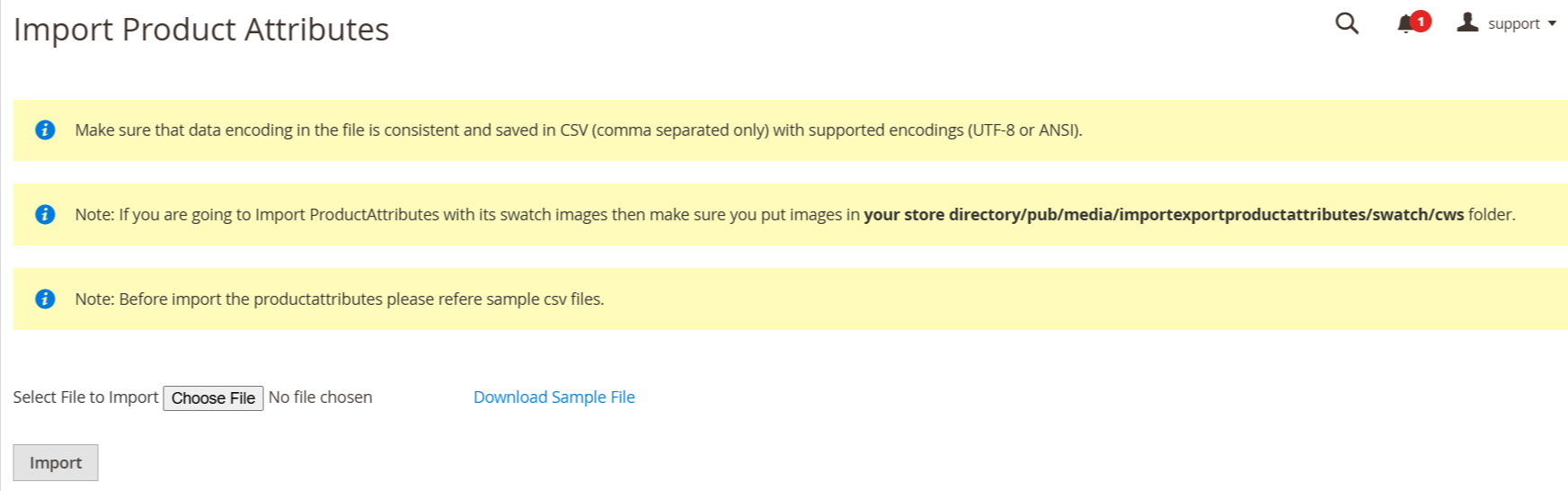
Importing Product Attributes Steps

import_attribute Page

The extension allows bulk import/export of custom product attributes, sets, groups, and swatches with all values and options. It streamlines product setup, ensures accurate data sync, and enables efficient updates across stores—ideal for managing large catalogs quickly and accurately.

  • As per our documents, prepare your CSV.
  • Go to Your Site Backend -> SYSTEM -> Mavenbird– Import Export Attributes -> Import Attributes.

    Note: If you are going to Import Attributes with its swatch images then make sure you put images in your store directory/pub/media/attribute/swatch/cws folder.

  • Please upload your created csv file and click on “Click on for Import” button.
  • Now successfully import product attributes.Your products attributes will be display on admin -> STORES -> Attributes -> Product

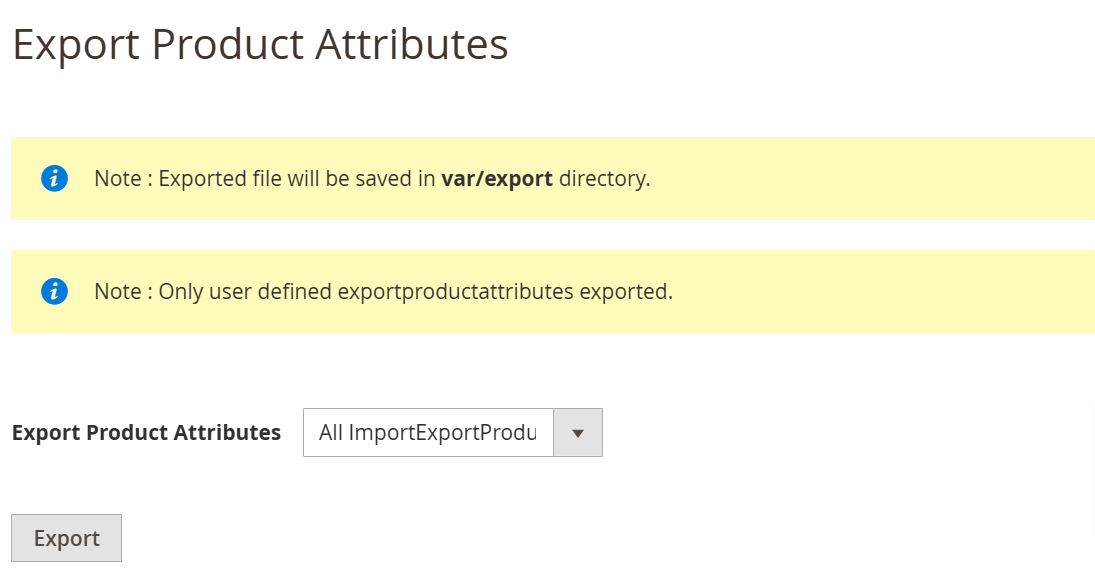
Exporting Product Attributes Steps

export_attribute Page
  • As per our documents, prepare your CSV.
  • Go to Your Site Backend -> SYSTEM -> Mavenbird– Import Export Attributes -> Export Attributes.
  • Select any attributes set then click on “Click on Export” Button.
  • Now successfully export product attributes.You can get exported csv file in /var/export/ file

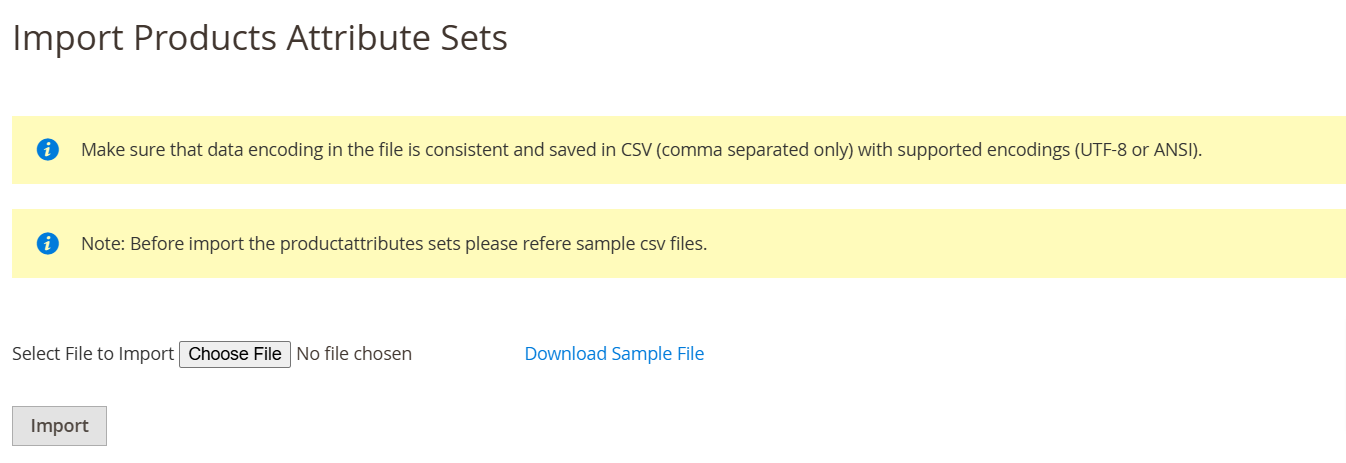
Importing Product Attributes Set Steps

import_attribute Page
  • As per our documents, prepare your CSV.
  • Go to Your Site Backend -> SYSTEM -> Mavenbird– Import Export Attributes -> Import Attributes Set.

    Note: If you are going to Import Attributes Set with its swatch images then make sure you put images in your store directory/pub/media/attribute/swatch/cws folder.

  • Please upload your created csv file and click on “Click on for Import” button.
  • Now successfully import product attributes set.Your products attributes set will be display on admin -> STORES -> Attributes -> Attribute Set
FAQs

Frequently Asked Questions

The "Invalid Attribute Code" error occurs when the attribute code in your CSV file does not match the attribute code format allowed by Magento 2. Ensure that the attribute code follows the correct conventions, such as using only lowercase letters, numbers, and underscores, and avoiding spaces or special characters. Also, check if the attribute already exists in Magento or has been deleted, which might cause conflicts.
The "Attribute already exists" error happens when the attribute you are trying to import has already been created in Magento 2. To resolve this, either remove the existing attribute from your CSV file or change the action in the import settings from "Add" to "Update." Ensure that the attribute code is unique if you want to create a new attribute.
The "Invalid Option Value" error occurs when there is a mismatch between the option values in the CSV file and the values expected by Magento 2 for dropdown or multi-select attributes. Ensure that the option values in your CSV match the exact format used by Magento and that the associated attribute type (e.g., dropdown, multi-select) allows for the specified values.
Timeout issues often occur when importing a large number of product attributes or large CSV files. To resolve this, increase the PHP max_execution_time and memory_limit settings in your server’s php.ini file. Alternatively, break down your import files into smaller batches or use a third-party extension designed to handle large imports efficiently.
Attribute sets may not apply correctly if the attribute set name in the import file does not match exactly with the existing attribute sets in Magento 2. Verify that the attribute set name in your CSV file matches the name used in Magento. Additionally, ensure that all required attributes in the set are correctly mapped in your import file.
   Ask a question
REVIEWS

Changelog

1.1.1 – December 30, 2025

  • Upgraded for compatibility with Magento 2.4.8-p3.

* Verified and compatible with PHP version 8.3.

1.1.0 - September 1, 2024

  • Minor Bug Fixes

1.0.7 – August 1, 2024

  • Updated for compatibility with Magento 2.4.7-p1 version.

1.0.6 – November 15, 2023

  • Problem with importing swatch images.

1.0.5 – June 10, 2023

  • Updated for compatibility with Magento 2.4.6 version.

1.0.4 – May 1, 2022

  • Made compatible with Magento 2.4.4 version.

1.0.3 – March 5, 2022

  • Import attribute options in sort order.

1.0.2 – December 20, 2019

  • Product attribute sets can be imported separately.

1.0.1 – April 11, 2018

  • Compatibility added for Magento 2.3.X versions.

1.0.0 – January 17, 2018

  • This extension supports importing product attributes with custom options.