📘
User Guide & Documentation
Step-by-step setup manual for Import Export Newsletter Subscribers Extension
View →
Changelog v1.1.1 Compatible with Magento CE, EE · 2.3.x, 2.4.x

Import Export Newsletter Subscribers Extension

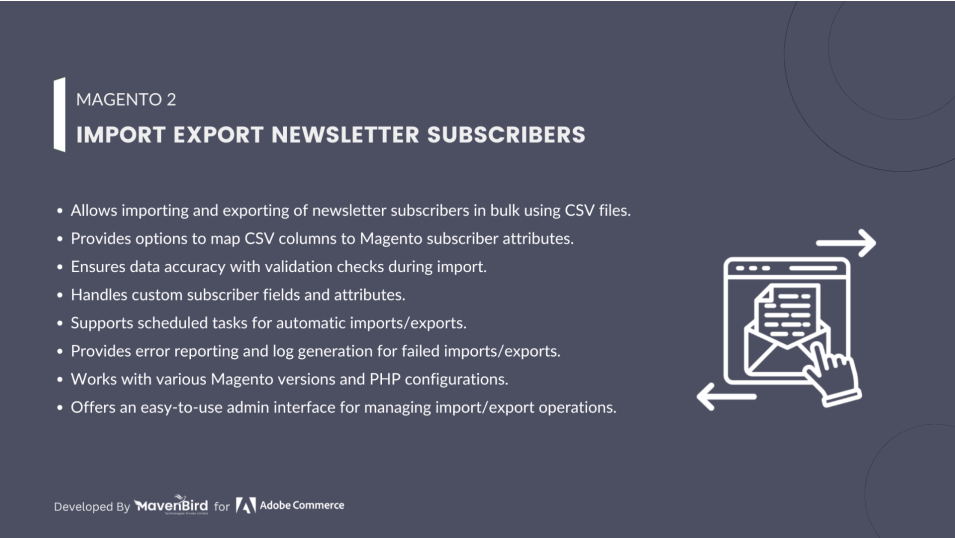
Import Export Newsletter Subscribers Extension allows store admins to import and export newsletter subscriber lists via CSV files, simplifying the management of email marketing data. This helps maintain accurate subscriber information, streamline campaigns, and support smooth data migration across stores.

  • Enables import and export of newsletter subscribers in bulk.
  • Supports CSV file format for data import/export.
  • Allows filtering of subscribers by status (subscribed, unsubscribed).
  • Fully compatible with multiple store views.
  • Easy-to-use interface for managing subscriber data.
  $29
$49
41% OFF
No surprise fees

We are committed to being open and transparent with our customers. When you purchase our module, you automatically receive one year of free support service and free updates.

Why is this important?

  • Seamless Installation and Configuration: We understand that setting up a new module can take time to configure according to your specific needs. That's why we offer a full year of free support. Our experienced team is here to assist you with installation, configuration, and any questions you might have. We're eager to share our expertise to ensure you get the most out of your purchase.
  • Stay Updated with Magento (Adobe Commerce) Releases: Magento releases new versions approximately every three months. These updates can sometimes introduce compatibility challenges. To keep your store running smoothly, we provide a year of free access to the latest versions of our modules, ensuring that you can upgrade Magento and our modules without encountering any obstacles.
  • Subscription Included: Renewing your subscription ensures continued access to the latest updates and support from our team. This means you can be confident that any issues you encounter with the extension will be resolved quickly and efficiently. You can cancel your subscription at any time without any additional fees.
Hyvä Bronze Partner
Adobe Commerce
Secure Checkout

Highlighted Features

  • Bulk Import of Subscribers

    Import large numbers of subscribers via CSV, including email, status, and store view for quick, accurate data upload.

  • Bulk Export of Subscribers

    Export all or filtered subscribers to CSV for backup or migration, with options to filter by store view, status, and more.

  • Multi-Store View Support

    Import/export subscribers across multiple store views—ideal for multi-site or multi-language setups.

  • Error Handling & Validation

    Validates CSV files before import, flags issues like duplicate or invalid emails, and reports errors for easy fixes.

  • CSV Template Provided

    Includes a sample CSV to guide proper formatting and field mapping for smooth imports.

  • Magento-Compatible

    Fully integrates with Magento's native newsletter system, ensuring compatibility with existing tools and features.

Description

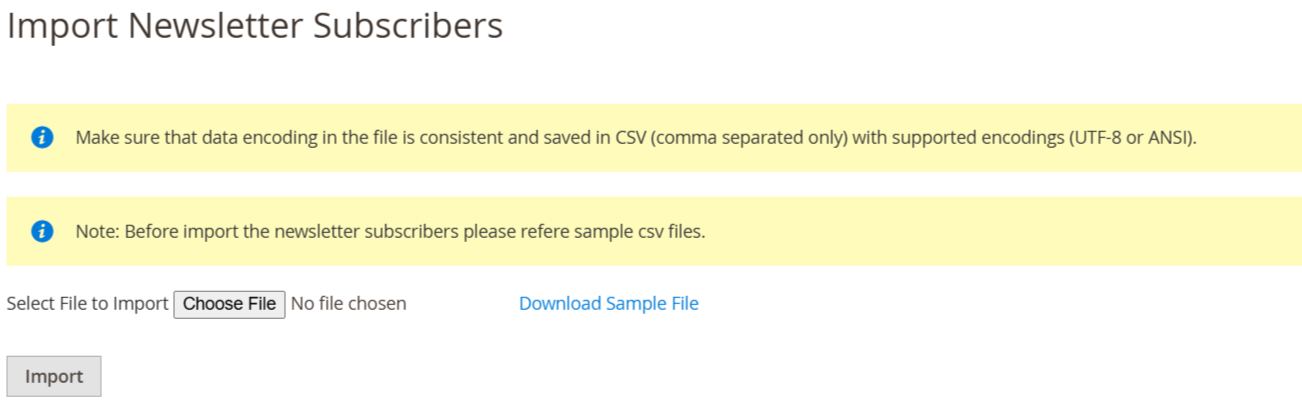
Importing Newsletter Subscribers

import_newsletter_subsciber Page

The Import Export Newsletter Subscribers Extension for Magento 2 lets you efficiently manage subscriber data in bulk via CSV. Easily migrate, back up, or update subscriber lists with accurate import/export of names, emails, and statuses. Supports multi-store setups, enhances marketing efforts, and ensures error-free, customizable, and compliant data handling.

  • As per our documents, prepare your CSV.
  • Go to Your Site Backend -> SYSTEM -> Mavenbird– Import Export Newsletter Subscribers -> Import Newsletter Subscribers.
  • Please upload your created csv file and click on “Click on Import Newsletter Subscribers” button.
  • Now successfully import subscribers. Your newsletter subscriber will be display on admin -> MARKETING -> Communications -> Newsletter Subscribers

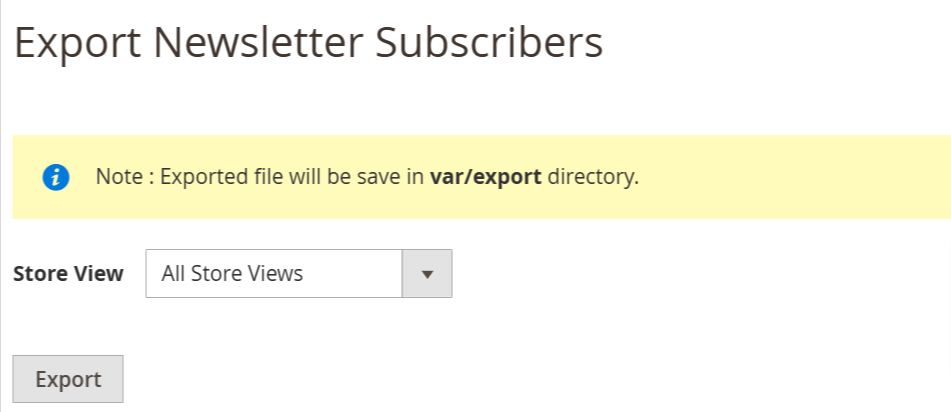
Exporting Newsletter Subscribers

export_newsletter_subscriber Page
  • As per our documents, prepare your CSV.
  • Go to Your Site Backend -> SYSTEM -> Mavenbird– Import Export Newsletter Subscribers -> Export Newsletter Subscribers.
  • click on “Export Newsletter Subscribers” Button.
  • Now successfully export product newsletter subscribers. You can get exported csv file in /var/export/ file
FAQs

Frequently Asked Questions

To import CMS pages with custom content and layouts, ensure that the fields for content, layout_update_xml, and any custom design elements are properly defined in the CSV/XML file. You can include layout XML updates and custom styles in these fields, and they will be imported along with the CMS pages.
If some subscribers are missing after import, it could be due to invalid or duplicate email addresses in the CSV file. The extension automatically skips duplicate or invalid entries during the import process. Check your CSV file for errors and ensure all email addresses are unique and correctly formatted.
Timeout errors during import usually occur when the CSV file is too large or the server has limited resources. To resolve this, try splitting the CSV file into smaller batches and increase the server’s execution time or memory limits in the PHP configuration. Alternatively, optimize the CSV structure to reduce unnecessary data.
   Ask a question
REVIEWS

Changelog

1.1.1 – December 30, 2025

  • Upgraded for compatibility with Magento 2.4.8-p3.
  • Compatible with PHP version 8.4.

1.1.0 - September 1, 2024

  • Minor Bug Fixes

1.0.5 – June 23, 2024

  • Updated to support the latest Magento 2.4.7-p1 version.

1.0.4 – June 11, 2023

  • Compatible with Magento version 2.4.6.

1.0.3 – June 8, 2022

  • Compatibility added for Magento 2.4.4.

1.0.2 – November 1, 2019

  • Upgrade the Newsletter Subscriber Import Feature.

1.0.1 – January 29, 2018

  • Export newsletter subscribers based on store views.

1.0.0 – January 15, 2018

  • This extension supports importing News letter subscriber with custom options.