📘
User Guide & Documentation
Step-by-step setup manual for Import Export CMS Pages Extension
View →
Changelog v1.1.0 Compatible with Magento CE, EE · 2.3.x, 2.4.x

Import Export CMS Pages Extension

Import Export CMS Pages Extension allows store admins to seamlessly import and export CMS pages via CSV files, streamlining content management across multiple stores. This helps save time, reduce manual errors, and maintain consistent page content throughout the Magento store.


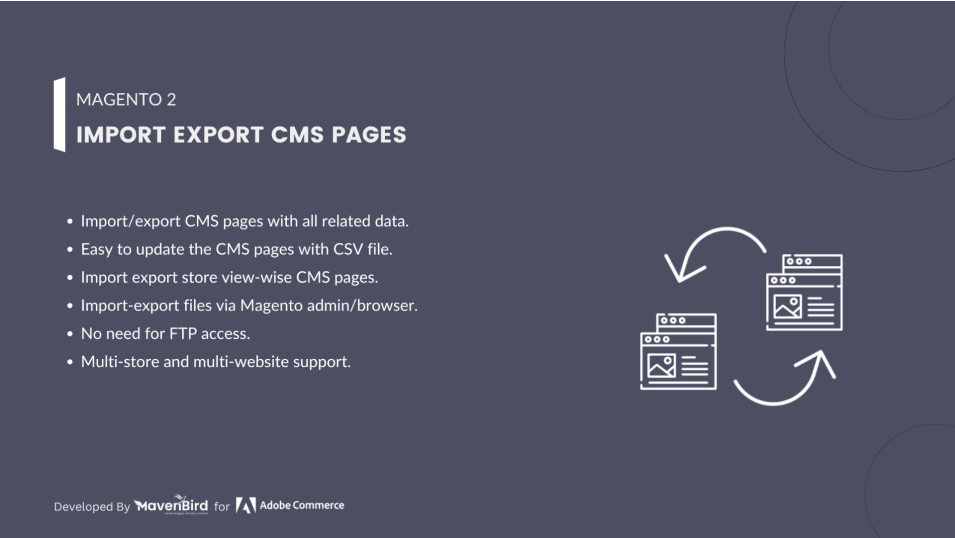
  • Wise CMS pages to import/export store view.
  • CMS pages with all related information are imported/exported.
  • No FTP connection requirement.
  • Multi store and multi website service.
  • Magento admin/browser for import/export files.
  $49
No surprise fees

We are committed to being open and transparent with our customers. When you purchase our module, you automatically receive one year of free support service and free updates.

Why is this important?

  • Seamless Installation and Configuration: We understand that setting up a new module can take time to configure according to your specific needs. That's why we offer a full year of free support. Our experienced team is here to assist you with installation, configuration, and any questions you might have. We're eager to share our expertise to ensure you get the most out of your purchase.
  • Stay Updated with Magento (Adobe Commerce) Releases: Magento releases new versions approximately every three months. These updates can sometimes introduce compatibility challenges. To keep your store running smoothly, we provide a year of free access to the latest versions of our modules, ensuring that you can upgrade Magento and our modules without encountering any obstacles.
  • Subscription Included: Renewing your subscription ensures continued access to the latest updates and support from our team. This means you can be confident that any issues you encounter with the extension will be resolved quickly and efficiently. You can cancel your subscription at any time without any additional fees.
Hyvä Bronze Partner
Adobe Commerce
Secure Checkout

Highlighted Features

  • CMS Page Import

    Import multiple CMS pages via CSV. Ideal for migrations or bulk updates, supporting titles, content, metadata, and more.

  • CMS Page Export

    Export CMS pages to CSV for backups or bulk editing. Includes titles, content, store views, and metadata.

  • Store View Support

    Manage and import/export CMS pages by store view—perfect for multi-language or regional setups.

  • Customizable Data Fields

    Select which CMS page attributes to include in CSV, like titles, content, layout, and more.

  • Easy Mapping

    Use a simple interface to map CSV columns to Magento fields, reducing errors during import.

  • Data Validation

    Validates imported data for accuracy and format, minimizing issues like missing or incorrect fields.

  • Error Handling

    Logs and reports import/export errors with detailed messages for easier troubleshooting.
Description

Import CMS Pages Steps

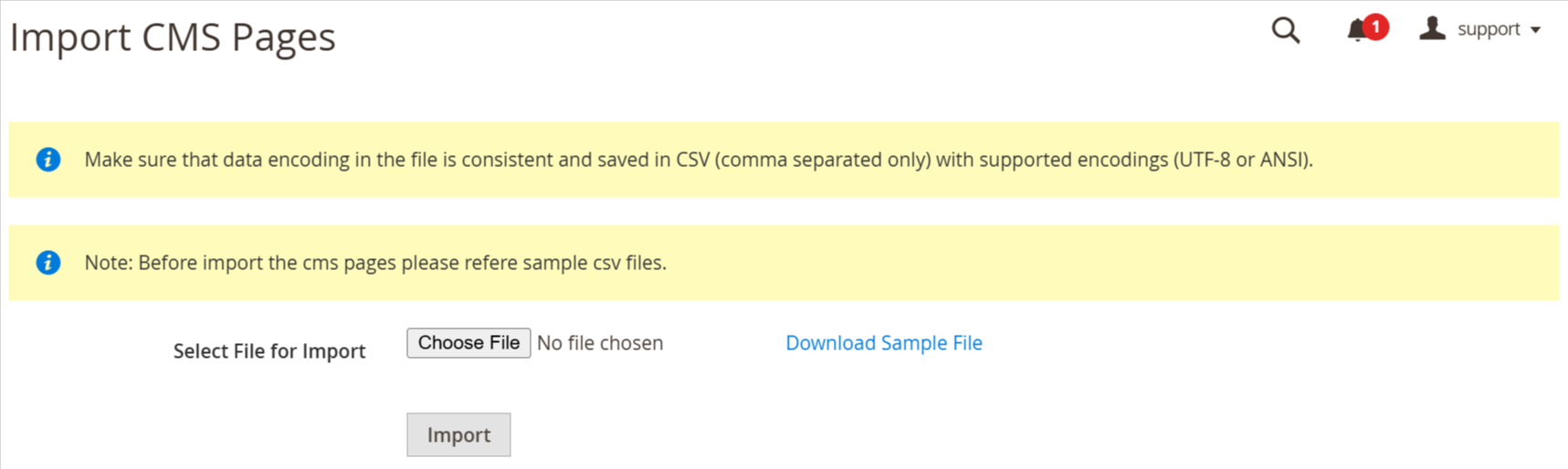
Import CMS Pages

Easily import and export CMS pages in bulk via CSV, including titles, URL keys, metadata, layout, and custom design. Migrate pages between stores or store views with full multistore support. Ensures data accuracy, SEO retention, and quick backups—ideal for efficient content handling, saving time and effort during migrations.
  • As per our documents, prepare your CSV.
  • Go to Your Site Backend -> SYSTEM -> Mavenbird– Import/Export CMS Pages -> Import CMS Pages.
  • Please upload your created csv file and click on “Import CMS Pages” button
  • Now successfully import CMS pages data. Your store CMS pages will be display on Admin -> CONTENT -> Elements -> Pages.

Export CMS Pages Steps

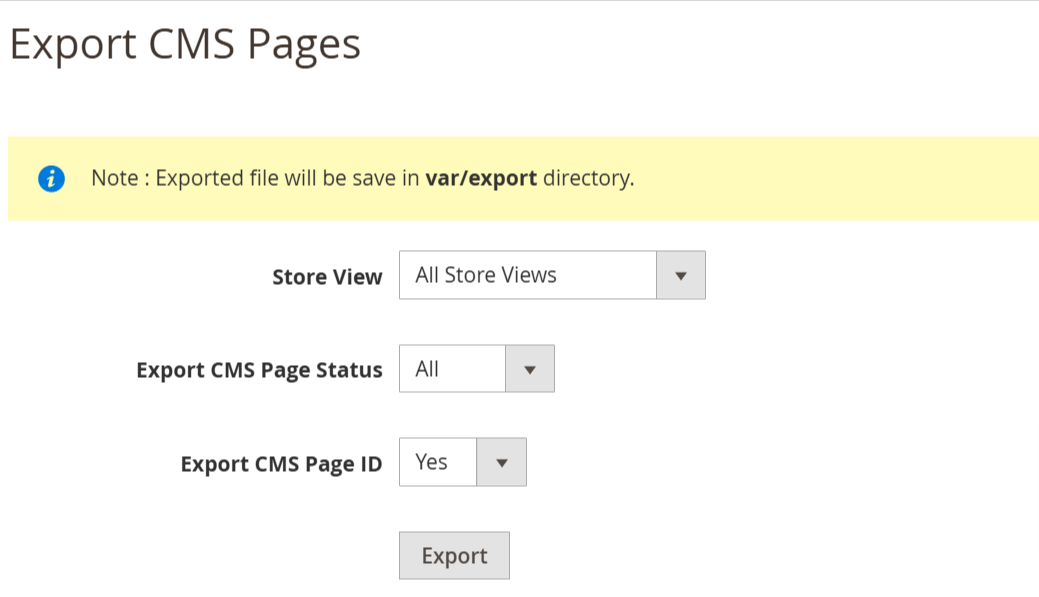
Export CMS Pages
  • Go to Your Site Backend -> SYSTEM -> Mavenbird– Import/Export CMS Pages -> Export CMS Pages.
  • Please click on “Export CMS Pages” Button.
  • Now successfully export CMS pages.You can get exported csv file in /var/export/ file
FAQs

Frequently Asked Questions

The "Invalid file format" error usually occurs when the file format is not compatible with the extension. Ensure that the file is in CSV or XML format, as these are the supported formats for importing CMS Pages. Additionally, verify that the file structure follows the required format specified by the extension documentation.
If CMS page attributes are missing after import, it may be due to incomplete mapping of fields in the CSV/XML file. Make sure that all necessary CMS page attributes, such as title, content, meta_description, and identifier, are correctly mapped in the import file. Additionally, check that the attributes exist in the Magento 2 database and are enabled for the store view.
If CMS pages are not visible after import, check if the imported pages are set to enabled status in the CSV/XML file. Also, verify that the correct store views are assigned to the pages and that the identifier is unique. Clear the cache and reindex the Magento site to ensure that the changes are reflected correctly.
The "Duplicate identifier" error occurs when two or more CMS pages share the same identifier in Magento 2. To fix this, ensure that each CMS page has a unique identifier value in the import file. If you need to import multiple versions of a page for different store views, make sure the store view IDs are specified correctly.
Magento 2 may time out during large CMS page imports due to server limitations or configuration issues. To prevent this, increase the PHP execution time and memory limits in the server’s PHP configuration (php.ini). Additionally, break the import file into smaller batches to avoid overloading the system.
The "Invalid Store View" error means that the store view assigned to a CMS page in the import file does not exist or is incorrect. Ensure that the store view codes in the CSV/XML file match the store view codes configured in your Magento 2 store. You can check these codes under Stores > All Stores.
Broken content or missing images after importing CMS pages can be caused by incorrect paths or missing media files in the import process. Ensure that the media paths are correctly defined in the import file, and that the images are uploaded to the appropriate pub/media/cms directory in Magento 2.
To import CMS pages with custom content and layouts, ensure that the fields for content, layout_update_xml, and any custom design elements are properly defined in the CSV/XML file. You can include layout XML updates and custom styles in these fields, and they will be imported along with the CMS pages.
   Ask a question
REVIEWS

Changelog

1.1.0 – December 30, 2025

  • Upgraded for compatibility with Magento 2.4.8-p3.
  • Compatible with PHP version 8.4.

1.0.4 – July 2, 2024

  • Updated to ensure compatibility with Magento 2.4.7-p1.

1.0.3 – June 3, 2023

  • Compatible with the latest Magento 2.4.6 release

1.0.2 – May 1, 2022

  • Tested and verified with Magento 2.4.4

1.0.1 – June 24, 2020

  • Compatiibility with Magento 2.4.X versions.

1.0.0 – January 14, 2018

  • This extension supports importing CMS Pages with custom options.