
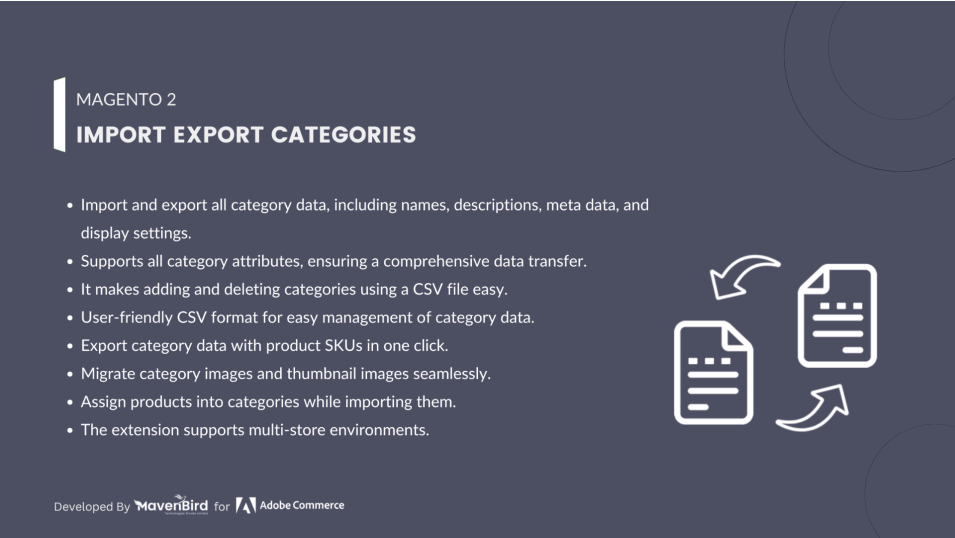
The Magento 2 Import Export Categories Extension allows you to quickly import and export product categories in bulk, simplifying the process of managing large category structures and ensuring efficient data migration or updates across your store.
User Guide & Documentation
Step-by-step setup manual for Import Export Categories Extension
Changelog v1.1.0
Compatible with Magento CE, EE · 2.3.x, 2.4.x
Import Export Categories Extension
- Import bulk categories via a CSV file to your websites.
- You can easily import and export many categories using the Admin C SVV file from Import Export Categories Extension for Magento 2.
- Provide a sample CSV file for easy download, update and import category info.
- You can import category, image category, products etc. root and n level.
- Enrich the shopping and ordering experiences for consumers.
- Export all categories, or export by store view ID and category ID into a CSV file.


$79
No surprise fees
We are committed to being open and transparent with our customers. When you purchase our module, you automatically receive one year of free support service and free updates.
Why is this important?
- Seamless Installation and Configuration: We understand that setting up a new module can take time to configure according to your specific needs. That's why we offer a full year of free support. Our experienced team is here to assist you with installation, configuration, and any questions you might have. We're eager to share our expertise to ensure you get the most out of your purchase.
- Stay Updated with Magento (Adobe Commerce) Releases: Magento releases new versions approximately every three months. These updates can sometimes introduce compatibility challenges. To keep your store running smoothly, we provide a year of free access to the latest versions of our modules, ensuring that you can upgrade Magento and our modules without encountering any obstacles.
- Subscription Included: Renewing your subscription ensures continued access to the latest updates and support from our team. This means you can be confident that any issues you encounter with the extension will be resolved quickly and efficiently. You can cancel your subscription at any time without any additional fees.
Hyvä Bronze Partner
Adobe Commerce
Secure Checkout
Highlighted Features
-
Bulk Category Management
This feature allows you to manage multiple categories at once by importing or exporting them in bulk. This is particularly useful for large stores with extensive category structures, as it saves significant time compared to manually managing categories one by one.
-
CSV File Format
The extension uses CSV (Comma-Separated Values) files for importing and exporting category data. CSV is a widely-used format that is compatible with many spreadsheet programs like Microsoft Excel and Google Sheets. This makes it easy to edit and prepare data for import or analyze and modify data after export.
-
Category Hierarchy Maintenance
This feature ensures that the parent-child relationships between categories are preserved during import and export. It allows you to maintain the structure of your category tree, so categories appear in the correct order and under the correct parent categories.
-
Category-Specific Store View Data
The extension supports importing and exporting data specific to different store views. This is useful for multi-store setups where categories may have different names, descriptions, and settings based on the language or other store-specific configurations.
-
Attribute Mapping
Attribute mapping allows you to map columns in your CSV file to the appropriate category attributes in Magento. This ensures that the data from your CSV file is correctly imported into the corresponding fields in your Magento store, avoiding data mismatches.
-
Error Handling and Validation
The extension includes built-in validation mechanisms to check the data before importing it into Magento. If there are any errors, such as missing required fields or invalid data formats, the system will provide error messages and logs. This helps prevent importing incomplete or incorrect data, ensuring data integrity.
-
Category Status Management
You can manage the status of categories (enabled or disabled) through the import/export process. This is useful for quickly updating the availability of multiple categories in your store.
Description
Import many categories to Magento 2 sites via the CSV file
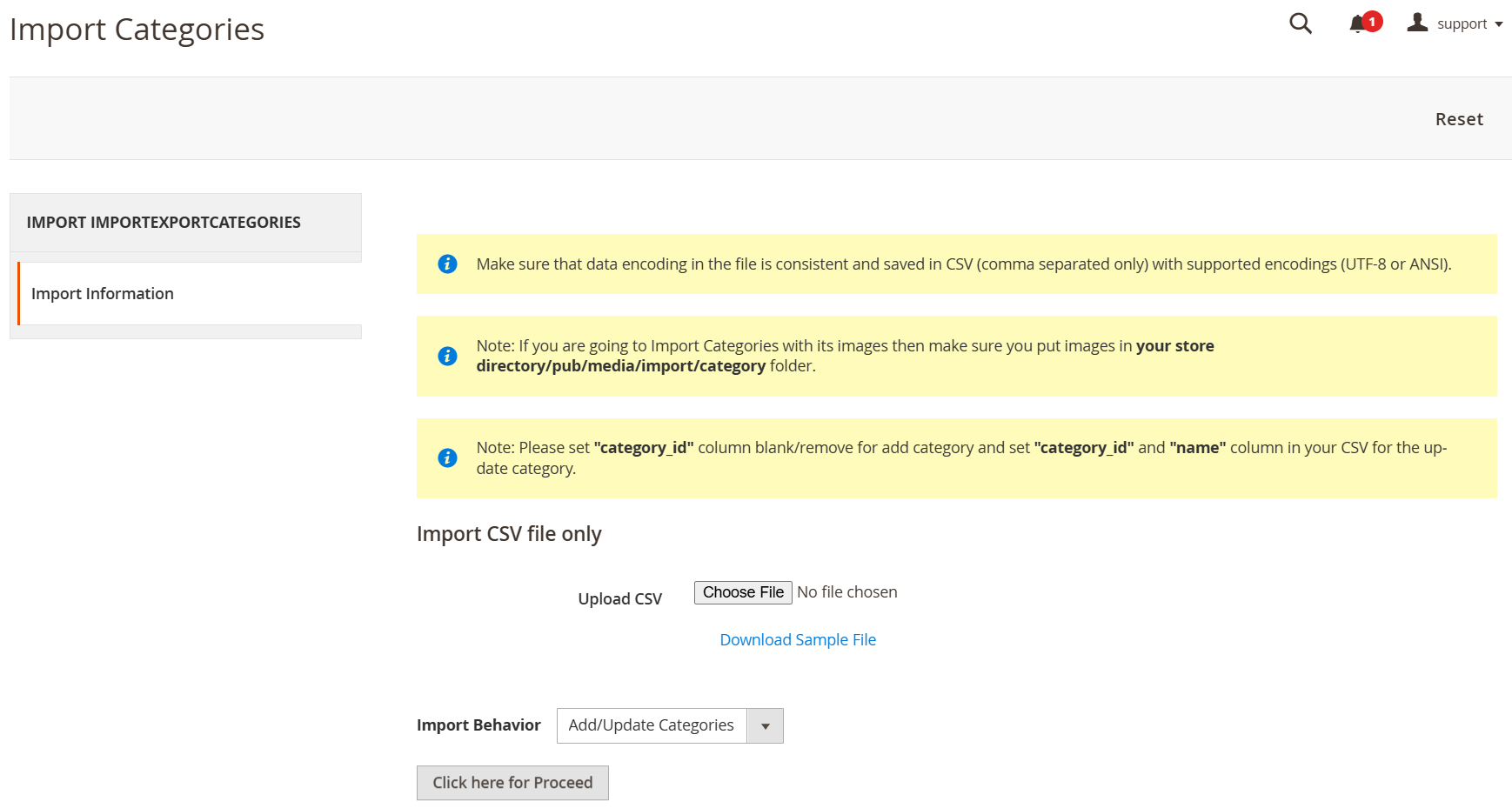
The Import Export Categories Extension for Magento 2 allows admins to bulk import categories via CSV, including category IDs, names, descriptions, and associated products. It also supports exporting categories by store ID and category ID. This extension saves time, preserves category structure, and manages attributes efficiently, with multistore support, SEO data handling, and error detection.
This Magento 2 Import Categories extension gives the admin a hand to create a lot of categories at once without taking much time to do manually as before. Just need to click Import button and then all prepared categories are added to the Magento website in the blink of an eye.
After successfully importing, the admin can check imported categories by navigating Product→ Categories.
Export all categories, or export by store view ID and category ID into a CSV file
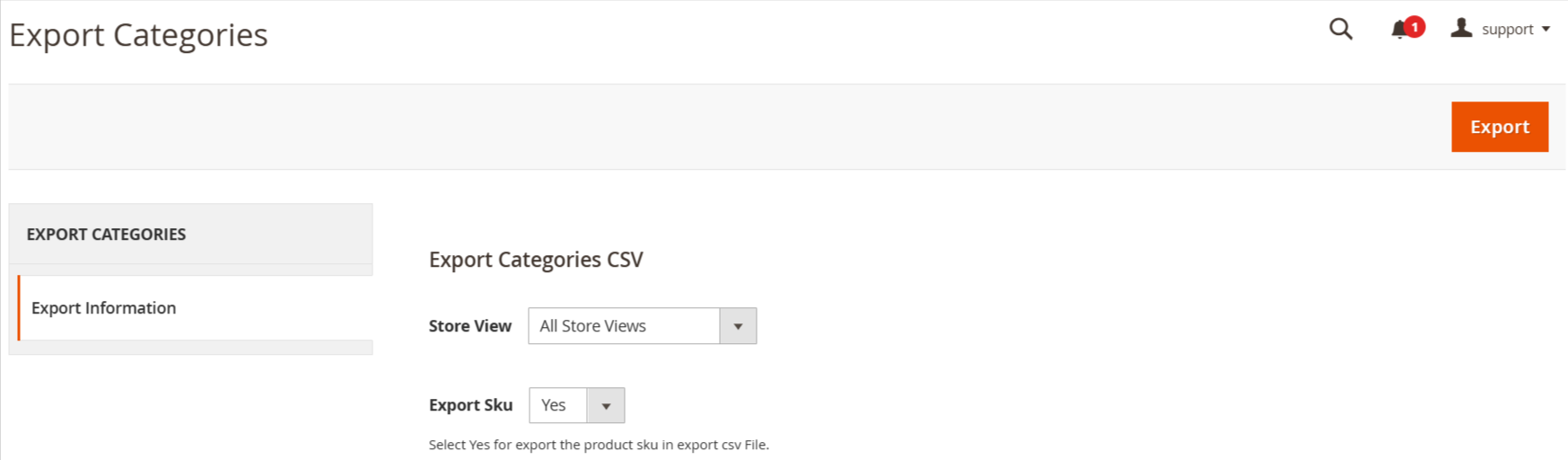
This Magento 2 Import Export module allows admin to export available categories to a CSV file by store view ID, category ID, or exporting all categories at once. Besides, the admin can also select whether exporting related SKUs or not.
FAQs
Frequently Asked Questions
Timeout errors during import usually occur when the CSV file is too large or the server has limited resources. To resolve this, try splitting the CSV file into smaller batches and increase the server’s execution time or memory limits in the PHP configuration. Alternatively, optimize the CSV structure to reduce unnecessary data.
Duplicate categories after importing may occur if the CSV file contains categories that already exist in Magento but are not identified correctly by their unique identifier (like the category ID or URL key). Ensure that your CSV file accurately reflects the existing categories and that you use unique identifiers for new ones. If updating categories, avoid changing critical fields such as the category ID.
Timeout errors during export occur when the server takes too long to process the request due to a large number of categories. To resolve this, increase the max_execution_time in your php.ini file to allow more time for the export process to complete. You may also want to optimize the server resources or export categories in smaller batches.
If category URLs are not updating after importing, it could be due to URL rewrites being disabled or the CSV file missing the URL key field. Ensure that URL rewrites are enabled in your Magento configuration and that the CSV file includes the correct URL key values for the categories. Additionally, clear the Magento cache and reindex after importing to reflect the changes.
Ask a question
REVIEWS
Efficient Bulk Category Handling
This extension greatly simplifies category management for stores with large catalogs. Being able to export categories to CSV, make updates in bulk, and import them back saves a significant amount of manual effort and reduces the chance of errors.
Very Useful for Managing Complex Catalogs
We manage a large number of categories and maintaining them manually was time-consuming. This extension allows us to quickly export the full category structure, edit it in a spreadsheet, and re-import it without complications.
Ideal for Migration and Bulk Updates
During our recent migration project, this extension proved extremely helpful. Exporting and importing categories worked smoothly, allowing us to replicate the category hierarchy in the new store with minimal manual work.
Simple and Efficient Interface
The import and export interface in the Magento admin is clean and easy to understand.
Reliable Import Validation
The built-in validation feature checks the CSV file before importing which helps prevent errors or incomplete data from being added to the store.
Improves Catalog Management
Managing categories is much easier now that we can import and export them quickly.
Reliable Category Import Process
Category imports run smoothly and the system reports any errors clearly.
Very Useful Admin Tool
This extension provides functionality that Magento should ideally include by default.
Perfect for Category Migration
We used this extension during a store migration and it worked perfectly. Exporting all categories and importing them into the new environment saved many hours of manual work.
Helpful for Category Audits
Exporting categories helps us analyze the category structure and ensure everything is organized properly.
Flexible Export Options
The ability to export categories by store view ID or category ID gives us flexibility when managing data.
Great Backend Utility
This extension adds powerful import and export capabilities directly into the Magento admin.
Easy Data Migration Solution
When moving category data between environments this extension works perfectly.
Highly Recommended for Magento Stores
If you manage many categories in Magento this extension is extremely helpful for bulk updates and data migration.
Easy CSV Import Process
The CSV import process is very straightforward. The sample CSV file helped us understand the format and prepare our category data correctly.
Good Documentation and Sample Files
The sample CSV file and instructions make the extension easy to use even for beginners.
Efficient Category Management
Really useful extension for exporting and importing product categories. Easy to set up and very efficient.
Great for Multi Store Management
We manage several store views and the extension allows us to export and import category data for specific store views which is extremely useful.
Nice Multi Store Support
The module works well with multi-store setups and allows category data to be handled per store view.
Quick Category Creation
We were able to create many categories quickly by preparing a CSV file and importing it in one step.
Great Tool for Bulk Category Management
This extension makes managing categories much easier. Instead of editing categories one by one, we can import or export them using CSV files which saves a lot of time when handling large catalogs.
Very Useful for Developers
Developers working on Magento stores will find this extension extremely useful when migrating or restructuring categories.
Maintains Category Hierarchy Correctly
The extension preserves parent-child relationships during import which is very important for maintaining a proper category structure.
Supports Large Category Trees
Even with a large and complex category hierarchy the extension handles imports and exports reliably.
Efficient Category Structure Management
It allows us to maintain and update the entire category tree efficiently through CSV files.
Very Helpful for Large Catalog Stores
Our store has hundreds of categories and updating them manually was always slow. With this extension we can quickly export the structure, update it in a spreadsheet, and import the changes back easily.
Helpful for SEO Updates
We exported category data, updated meta titles and descriptions in bulk, and imported them again. This made SEO updates much easier.
Good Performance with Large Files
The extension handles large CSV files without problems which is important for big catalogs.
Effortless Category Management
Managing categories in bulk is now a breeze! This extension lets me import and export product categories with just a few clicks. It’s incredibly efficient.
Great Time Saving Tool
This extension has saved our team many hours when reorganizing categories. Bulk import and export features work very efficiently.
Efficient Category Updates
Updating category names, descriptions, or settings is much faster when we export them to CSV, edit them, and import them again.
Clean Data Management Tool
This module provides a structured way to manage category data outside the Magento admin interface.
Great for Catalog Reorganization
When reorganizing our catalog structure this extension made the process much faster and more organized.
Very Convenient for Bulk Editing
Bulk editing categories in a spreadsheet and importing them back is far more efficient than manual editing.
Good Error Handling
The error logs help identify problems in the CSV file before importing which prevents mistakes.
Excellent Attribute Mapping
The attribute mapping feature ensures that CSV columns match the correct category attributes which helps avoid data mismatches.
Stable and Lightweight Module
The module performs well and does not affect the overall performance of the Magento admin panel.
Great for Bulk Updates
This extension is perfect when many categories need to be updated at the same time.
Great for Data Backup
Exporting categories to CSV also works well as a quick backup of the category structure.
Very Practical Magento Extension
This module solves a common problem when working with large category structures in Magento. It simplifies bulk updates significantly.
Easy Category Export Feature
Exporting categories to CSV is extremely helpful when auditing the category structure or sharing it with the team.
Works Perfectly with Magento 2.4
We installed the module on Magento 2.4 and everything works smoothly without compatibility issues.
Invaluable for E-commerce
This extension has saved us a ton of time when updating our store's categories!
A Must-Have for Admins
Managing categories has never been easier. Highly recommend for store owners!
Perfect for Bulk Management
This tool simplifies importing and exporting categories. Very efficient!
Invaluable for E-commerce
This extension has saved us a ton of time when updating our store's categories!
A Must-Have for Admins
Managing categories has never been easier. Highly recommend for store owners!
Perfect for Bulk Management
This tool simplifies importing and exporting categories. Very efficient!
Nice extension
This simple menu was just what I was looking for.thanks guys!!!!!
Excellent extension. Great support!
I'm very happy with this extension, it works great! Easy to use and fast support.
Great Extension
Good Job… Very useful for import and export the files!!!
easy to use...
easy to use...
Exellect product
All I can say that the extension works perfect, no bugs detected!!!!!!!
Happy customer
Great module with great functionality.
Changelog
1.1.0 – December 30, 2025
- Upgraded for compatibility with Magento 2.4.8-p3.
- Compatible with PHP version 8.4.
1.0.6 – November 20, 2024
- Introduced a new section for selecting categories to export.
- Enhanced the layout for both Import and Export functionalities.
- Optimized and improved the extension code.
- Conducted testing on the latest Magento version 2.4.7-p3.
1.0.5 – June 21, 2024
- Updated for full compatibility with Magento 2.4.7.
1.0.4 – May 30, 2023
- Updated to ensure compatibility with Magento 2.4.6.
1.0.3 – April 22, 2022
- Compatibility added for Magento 2.4.4.
1.0.2 – June 9, 2020
- Compatiibility with Magento 2.4.X versions.
1.0.1 – December 30, 2018
- Enhance overall performance and efficiency.
- Include an option to delete categories.
1.0.0 – January 10, 2018
- This extension supports importing categories with custom options and multiple categories.