
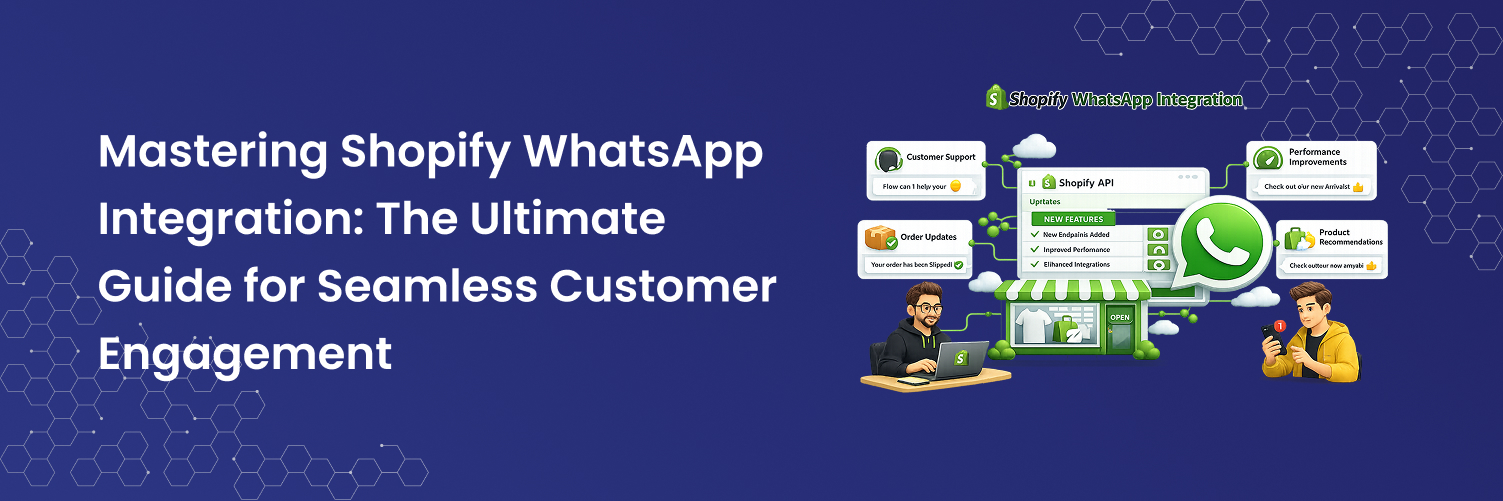
Looking to increase your online sales and improve customer satisfaction? Integrating WhatsApp with your Shopify store is the ideal solution. By syncing your eCommerce platform with the world's leading messaging app, you can streamline customer interactions, offer personalized support, and boost sales.
Imagine handling customer inquiries directly through WhatsApp, while keeping all your store updates synced with Shopify for a seamless experience. Check out our guide to learn how WhatsApp integration with Shopify can enhance customer satisfaction and accelerate business growth.
Why Should We Integrate WhatsApp with Shopify?
The Shopify WhatsApp integration refers to linking WhatsApp with your Shopify e-commerce store to improve customer communication and optimize business processes. This connection enables the use of WhatsApp for various purposes, including:
Better Customer Experience: Integrating the WhatsApp Business API with Shopify makes it easier to provide quick support and personalized service. Customers receive faster responses, tailored product recommendations, and real-time updates, making their shopping experience more enjoyable.
Higher Revenue and Sales: WhatsApp allows businesses to directly engage with potential customers, recover abandoned carts, suggest products, and promote special offers, which can lead to higher conversion rates and increased revenue.
Simplified Operations: Automating tasks like order confirmations and shipping notifications via WhatsApp helps staff focus on more critical tasks, improving overall efficiency.
Centralized Data and Better Decisions: Storing all customer data in Shopify while using the WhatsApp Business API allows businesses to make informed decisions and refine marketing strategies based on valuable insights.
Enhanced Team Collaboration: Connecting WhatsApp to Shopify enables team members to easily share information, assign tasks, and track progress, boosting collaboration and improving project management.
Overall, integrating WhatsApp with Shopify enhances customer service, streamlines business operations, and helps make data-driven decisions. This leads to improved customer satisfaction, increased sales, and smoother business operations, driving sustainable growth.
What is WhatsApp Business API?
To integrate WhatsApp with Shopify, you'll need to use the WhatsApp Business API. This is different from the standard WhatsApp app or the WhatsApp Business app. The WhatsApp Business API is designed for businesses to manage interactions on a larger scale, integrating with software like Shopify. It enables advanced automation and allows multiple team members to manage conversations using a single WhatsApp number.
Here are some key features of the WhatsApp Business API:
Automated Messaging: Use pre-designed message templates to efficiently send updates to customers, such as order confirmations, shipping details, and appointment reminders.
Smart Chatbots: Automatically respond to common customer queries with chatbots, freeing up your team to focus on more complex issues. Chatbots help provide quick answers and improve overall efficiency.
Easy Integrations: Connect your WhatsApp Business account with Shopify and other customer service tools via the WhatsApp Business API. This integration allows you to respond to customer messages directly from your Shopify CRM or support platform.
Unlimited Potential: The WhatsApp Business API overcomes the limitations of the standard WhatsApp app, offering advanced features and scalability. This allows you to handle multiple conversations and manage various agents effectively.
How to integrate Whatsapp with Shopify
Step 1: Create a WhatsApp Business Account
Start by downloading the WhatsApp Business app. The mobile version is available for both iOS (via the App Store) and Android (via the Google Play Store). Additionally, you can use the desktop version for your PC. To download it, simply visit the WhatsApp Business download page in your web browser and choose the version that matches your operating system.
After installation, open the app and follow the prompts to register with a business phone number. Enter your business name, description, and additional details such as business hours, address, and website link to complete your profile.
Step 2: Get WhatsApp Business API Access
Many Business Solution Providers (BSPs) offer integration options, such as third-party apps or custom development, to simplify the API setup. These providers handle the technical aspects, so you can easily register, follow their setup instructions, and receive your API credentials. It's important to evaluate these options to find the one that best suits your business requirements and technical expertise.
To begin using the WhatsApp Business API, first verify your business phone number. Log in to your API provider’s dashboard and enter your number to receive a verification code via text message or phone call.
Next, configure webhook URLs to handle incoming and outgoing messages, directing them to your server endpoints. Be sure to test these webhooks to ensure they work properly with WhatsApp.
Step 3: Install a WhatsApp Integration App on Shopify
Visit the Shopify App Store and search for "WhatsApp integration apps" to discover various options for connecting WhatsApp with your store. Browse through the available apps and choose one that suits your business needs, such as "WhatsApp Chat + Abandoned Cart" for managing customer interactions and recovering abandoned carts.
Click on the app, then select “Add app” or “Install.” Follow the on-screen instructions to authorize and complete the installation. This includes granting necessary permissions and configuring basic settings for the integration with your Shopify store.
Step 4: Configure the Integration
From your Shopify dashboard, use the installed WhatsApp integration app to link your WhatsApp Business API account with your Shopify store. You will need to provide essential credentials, such as your WhatsApp Business API key and phone number, to establish the connection between the two platforms.
Step 5: Set Up Automated Messages
Enhance the customer experience by creating automated messages for common interactions. Set up and configure message templates for common actions, such as order confirmations, shipping updates, and abandoned cart reminders.
Adjust these templates to fit your brand’s unique voice and provide relevant information to improve the customer experience.
Step 6: Customize the Chat Widget
Modify the chat widget on your Shopify store to ensure that WhatsApp is easily accessible to your customers. You can adjust its placement, appearance, and the conditions under which it appears to optimize user experience. Consider adding features such as click-to-chat buttons for direct interaction and live chat support for real-time assistance.
Step 7: Test the Integration
Verify functionality by sending test messages through WhatsApp to ensure they are correctly received and processed by your Shopify store. Check that automated responses and notifications are triggered and sent as expected.
Monitor performance by regularly reviewing message logs, customer interactions, and the overall effectiveness of the integration. Use feedback and performance metrics to adjust settings and workflows, continually optimizing the integration for better results.
Best Providers for WhatsApp Business API
When evaluating WhatsApp Business API providers, look for those that offer strong, flexible, and feature-rich solutions. These providers can significantly enhance how you manage customer interactions and communication.
Below are some top choices you can consider:
Twilio
Twilio is known for its reliable and scalable infrastructure, making it an excellent choice for integrating WhatsApp into your communication strategy. With its global reach and comprehensive API documentation, Twilio simplifies the development process, enabling businesses to deploy and scale messaging solutions with ease.
In addition to its technical strength, Twilio offers exceptional developer support and extensive customization options. This makes it a versatile choice for businesses seeking robust communication tools and seamless integration with their existing systems.
MessageBird
MessageBird provides a powerful omnichannel platform that includes WhatsApp, SMS, and voice services. With its user-friendly interface and global coverage, MessageBird enables effective communication and customer engagement across multiple channels.
The platform also offers advanced tools for marketing and customer support, making it a strong option for businesses looking to combine their messaging strategies and enhance customer interactions.
360dialog
360dialog specializes in WhatsApp Business API, with a focus on marketing automation and CRM integration. It provides direct access to WhatsApp’s features, allowing businesses to leverage powerful messaging and automation tools effectively.
With its emphasis on WhatsApp, 360dialog provides detailed analytics and CRM integration, helping businesses optimize customer engagement and communication strategies.
Key Metrics to Monitor for Shopify WhatsApp Integration
To enhance your Shopify operations through WhatsApp integration, it’s essential to track specific metrics to measure the effectiveness of your communication strategy. Here are key metrics to monitor for a successful Shopify WhatsApp integration:
Message Open Rates: This metric shows how often your WhatsApp messages are opened by recipients. A high open rate indicates that people are interested in your messages, helping you assess whether your content is capturing attention and getting noticed.
Engagement Rates: Engagement rates measure how actively customers interact with your WhatsApp messages. This tells you how well your content resonates with your audience and whether it encourages actions like clicking links or asking questions. By tracking engagement, you can evaluate how compelling your messages are.
Conversion Rates: This metric represents the proportion of WhatsApp interactions that convert into sales on Shopify. Conversion rate helps you see how well WhatsApp is working to drive purchases and evaluates how effective your marketing strategies are in making sales.
Abandoned Cart Recovery Rate: The abandoned cart recovery rate looks at how well your automated messages are at recovering carts that were left behind. It tells you how successful your follow-up messages are in getting customers to complete their purchases, helping you assess the effectiveness of your recovery efforts.
Customer Satisfaction: This metric measures how happy customers are with their interactions on WhatsApp, usually through surveys or feedback. This provides insight into how good your service is and shows where you can make improvements to enhance the customer experience.
Team Performance: This tracks how well your customer support team handles response and resolution times. Quick responses and resolutions lead to happier customers and better overall service.
By monitoring these metrics, you can continuously refine your Shopify WhatsApp integration to boost customer engagement and drive growth effectively.
Mastering Shopify WhatsApp Integration: The Ultimate Guide for Seamless Customer Engagement
