

Giving Discounts: A Strong Incentive for Customers
Giving discounts is a strong incentive for customers to buy from you. They prove to be effective marketing and conversion tools. But, on Shopify, customers might not know about your discounts till checkout—if they get that far. The solution is to display Shopify enter discount code before checkout.
This article explains Shopify discount codes and how to create a Shopify discount code before checkout. Additionally, you will learn about Shopify apps you can use to create discount codes.
What are Shopify Discount Codes?
Shopify discount codes are codes that reduce the total amount a customer pays. Customers can enter the code on the checkout page to apply for a discount. Also, you can get the discount automatically applied at Shopify checkout if you set it up that way.
Shopify discount codes help stores attract customers, boost sales, and build customer loyalty.
Types of Discounts Available on Shopify
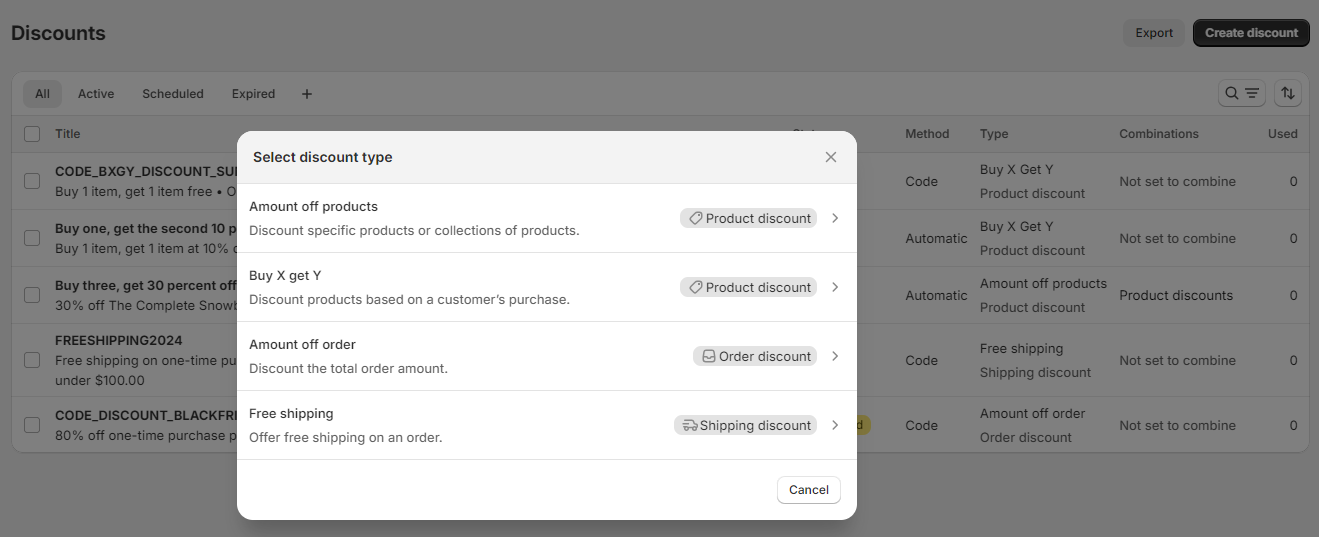
There are different types of discounts available on Shopify, including:
- Amount off products: This gives a discount on specific products or collections. You can choose for this to be a percentage or a fixed amount.
- Amount off order: This subtracts a specific amount from the total order amount.
- Free shipping: This discount removes shipping costs for the customer.
- Buy X get Y: This offers a free or discounted product when a customer buys a certain number of items.
You can either create a discount code or an automatic discount for the discount types.
How To Create a Shopify Discount Code Before Checkout
Creating a discount code on Shopify is simple. Here’s how to add a discount code on Shopify checkout step by step.
Begin by logging in to your Shopify admin. Then follow these easy steps to set up Shopify enter the discount code before checkout:
Step 1: Creating the Discount Code
Click “Discounts” on your admin dashboard and click the “Create discount” button located at the top right of the discounts page.
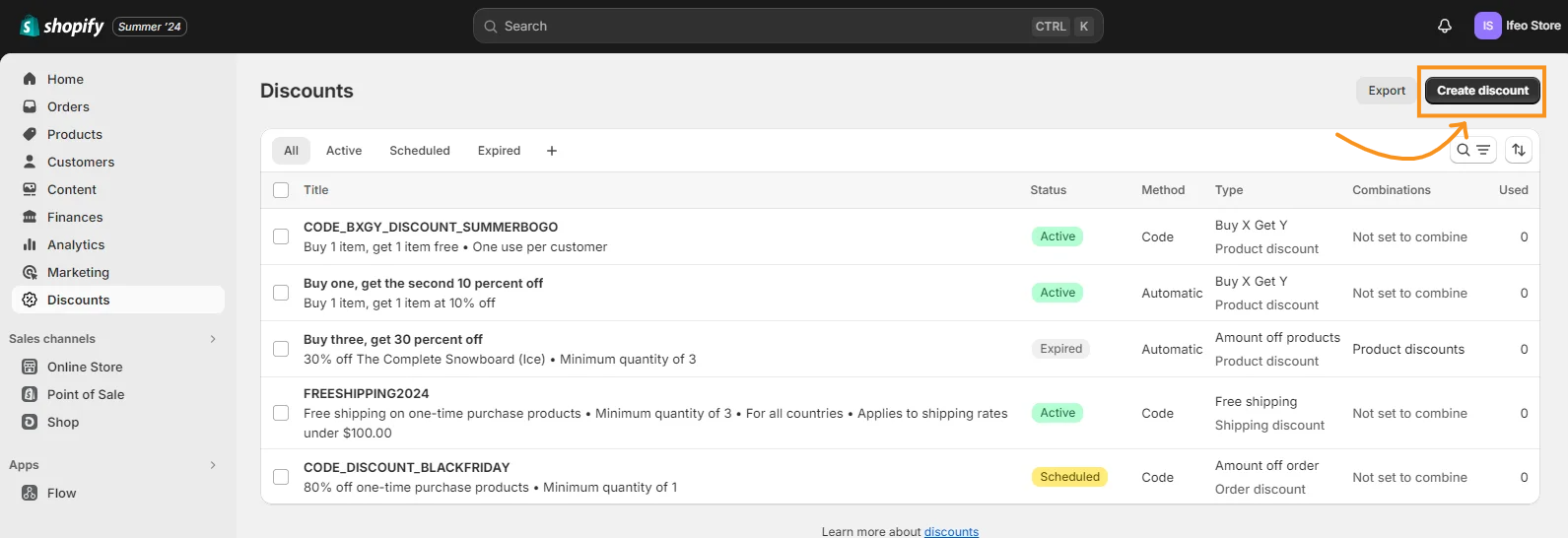
After this the next step in setting up a Shopify enter discount code before checkout is to select the discount type.
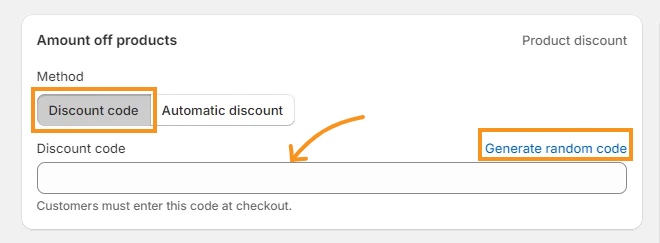
Select the “Discount code” option. Then, name the discount in the provided box. You can also create a random name by clicking “Generate code”.
Step 2: Set up the Discount Details
The next thing is to fill in the discount details based on the discount type.
For amount off discounts:
- Discount value: This is the amount or percentage off. Enter the discount value in the space provided.

- Applies to:Select if it applies to specific products, collections, or the entire order. Also, select what purchase type it applies to. It could be a one-time purchase, subscription or both.

Setting Up Discount Applicability
If the discount is for specific products or collections, find and choose the ones you want. For products, you can choose specific product variants that are eligible for the discount.
NB: There is no “Applies to” option under amount off order discounts, but there is “Purchase type”.
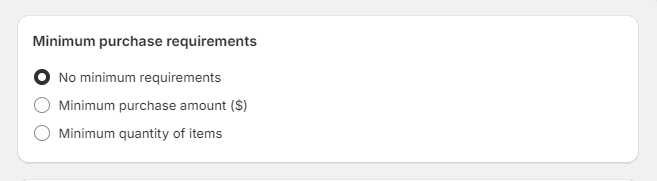
- Minimum purchase requirements: Input the least order requirements to qualify for a discount.
Setting Up Free Shipping Discounts
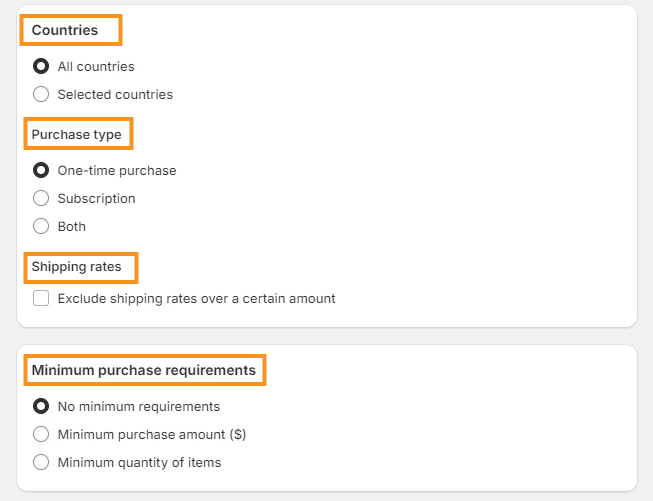
- Countries: Select if the discount will apply to all countries or specific countries.
- Purchase type: Choose whether it applies to one-time purchases, subscriptions, or both.
- Shipping rates: You can exclude discounts for shipping rates over a specific amount. Tick “Exclude shipping rates over a certain amount“, and enter the amount in the box provided.
- Minimum purchase requirements: Next, enter the least requirements for the order.
Setting Up Buy X Get Y Discounts
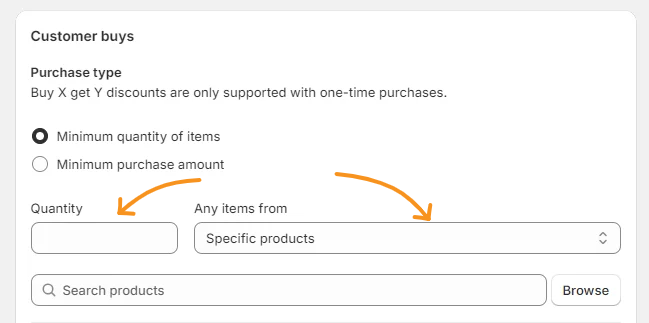
- Customer buys details: Enter the least quantity or purchase amount that qualifies customers for the discount. Then, pick the products or collections the discount will apply to. For products, you can also choose specific variants.
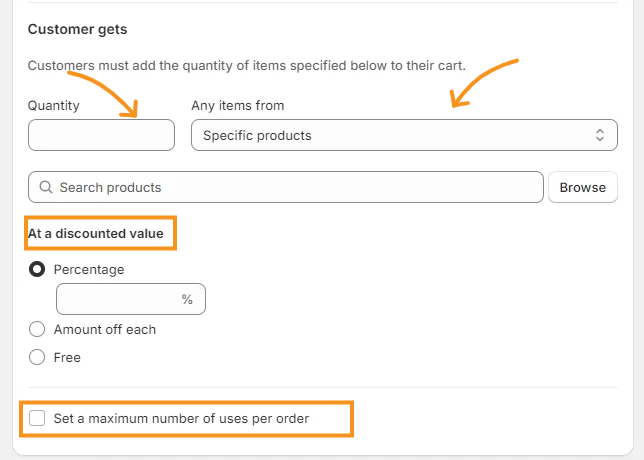
- Customer gets details:Specify the number of items and products the customer will get. Then, decide if the discount value will be a percentage or an amount, or make the item free. You can also decide to set a maximum number of uses per order.
Step 3: Save Your Discount Code
After filling in the discount details, there are a few details you might have to fill in to finish this process.
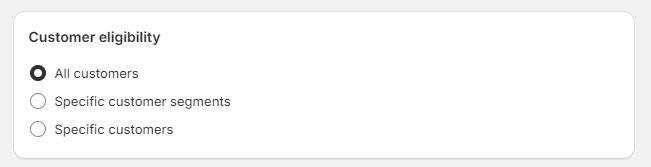
Start with selecting the customers who can use the discount.
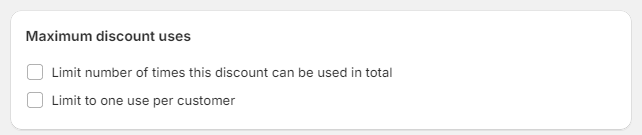
Specify the usage limit for the discount or if it is one use per customer.
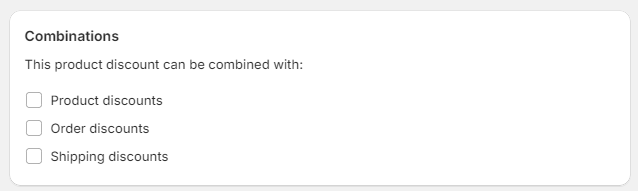
Choose if customers can combine the discount with other discounts.
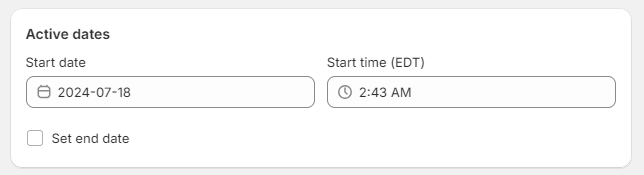
Choose the start and end dates for your discount code. This way, the code is valid only during your promotion period.
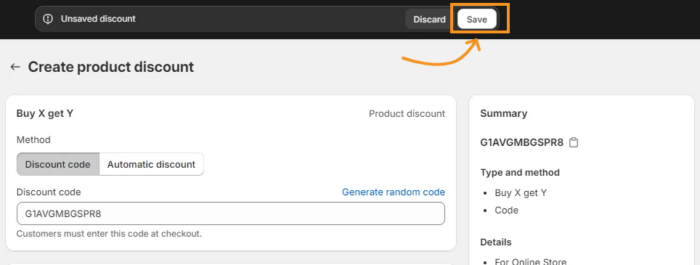
Once you’ve entered and confirmed all the details, click the “Save” button at the top right. Your discount code is now ready for use.
Shopify Apps To Create Shopify Discount Code Before Checkout
Instead of having the discount automatically applied at Shopify checkout, you can use a Shopify app to create discount codes. Shopify apps make it easier to create and manage discount codes before checkout.
Shopacado
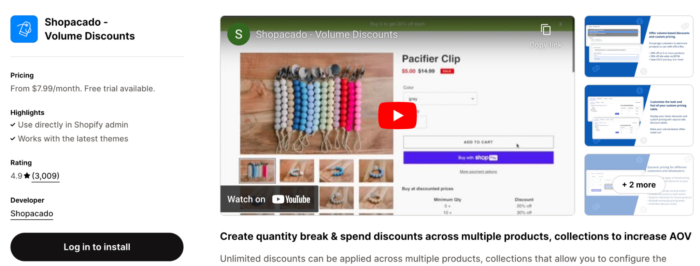
Shopacado is a great app that allows you to set up various discounts. You can create as many discounts as you want for your products and collections. Shopacado has tools like tiered discounts, quantity breaks, and time-sensitive pricing. These features help you customize your discount plans to boost sales.
2. Bold Discounts – The Sale App
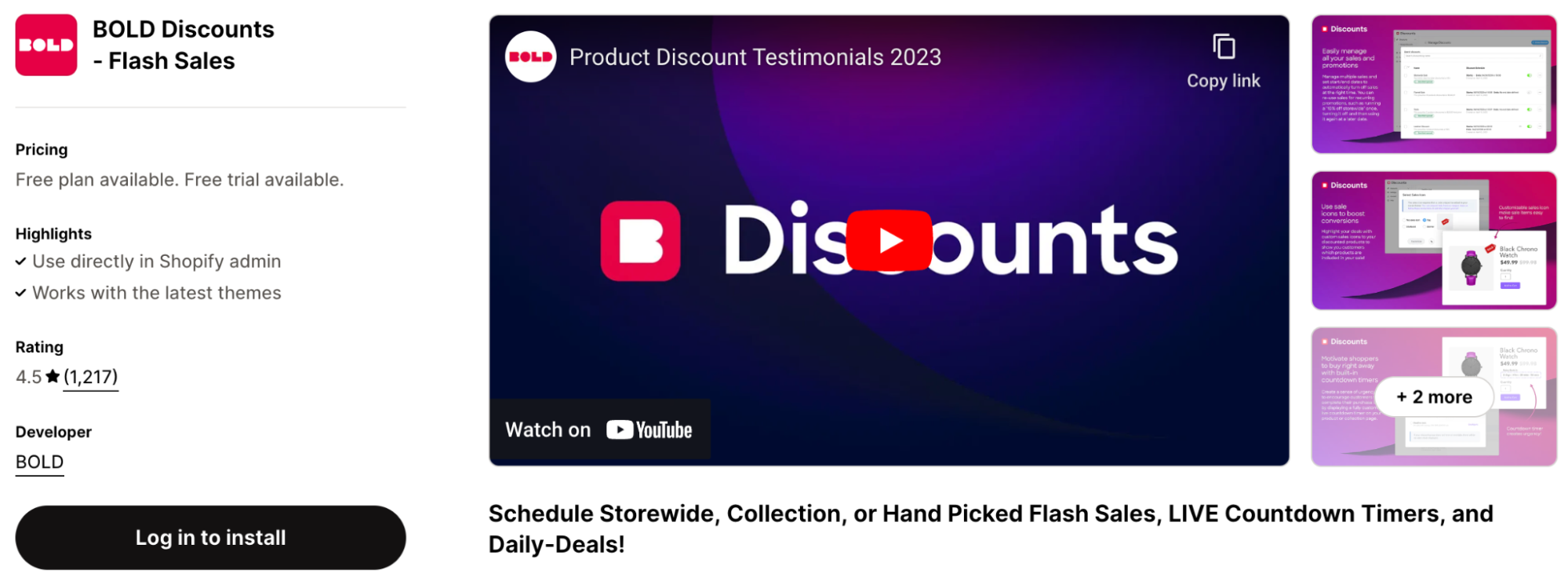
This app helps you create and schedule various discounts without hassle. Whatever discount type you need, Bold Discounts has you covered. It also includes features like countdown timers and automatic tagging of sale items to create urgency and attract customers.
3. ToastiBar – Sales Popup
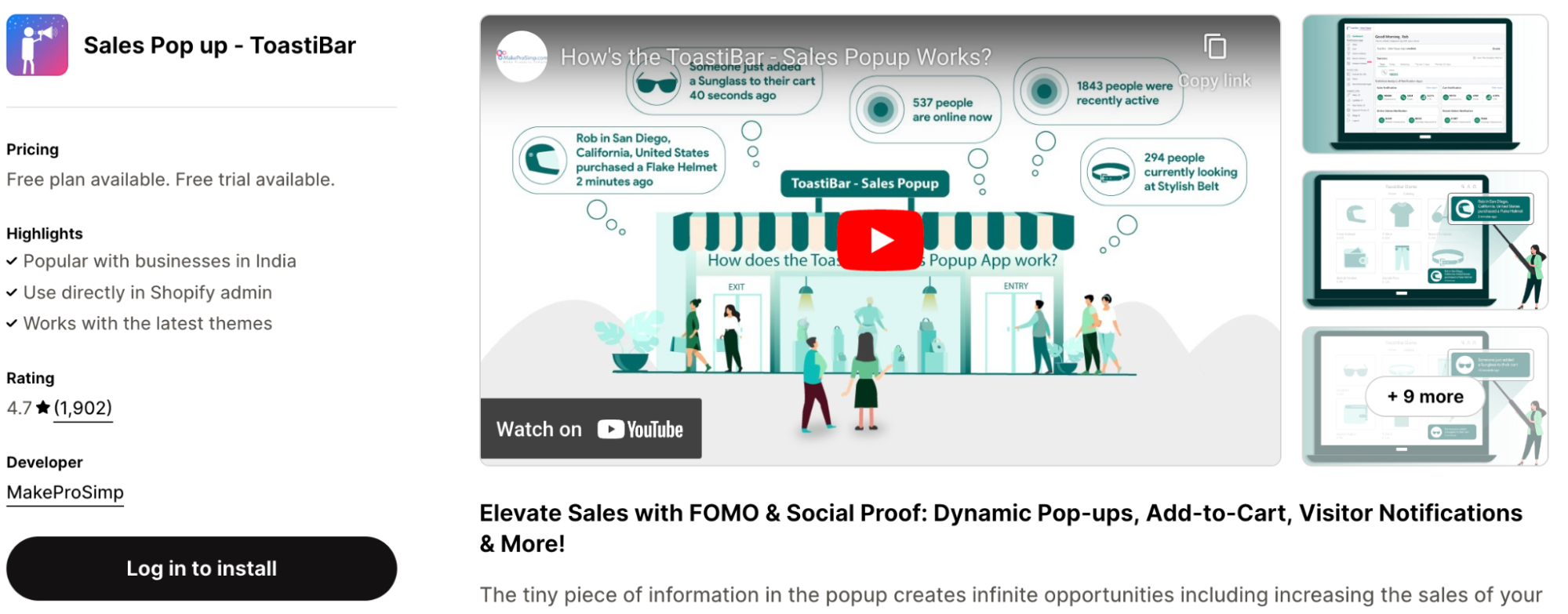
ToastiBar: Dynamic Discount Notifications
ToastiBar helps you create dynamic discount notifications.
This app shows recent sales, add-to-cart notifications, and discount pop-ups. With automated triggers and personalized messages, your discounts are more visible and attractive. This in turn encourages customer engagement and increases conversion.
Find here: 8+ Shopify Apps For Discounts For Your Store
Encourage High Conversion In Your Store Today!
Displaying a Shopify enter discount code before checkout option can significantly improve your customers’ shopping experience and increase sales. It encourages them to complete their purchases, leading to higher conversion rates.
Need help setting up discount codes or managing your Shopify store? Then hiring a Shopify virtual assistant from Meetanshi would be a great idea. Our professional Shopify VAs can manage your Shopify store and other tasks around it.