

Have you ever wondered how your creative ideas could turn into a steady income? Imagine taking your passion projects whether it’s writing an ebook, composing music, or designing courses and transforming them into products that sell worldwide. It's not just a dream.
Companies like The Luxe Lens, which generated a whopping $33.6 million selling digital products on Shopify, are proof that it’s possible. And they're not alone. Businesses like Peach Creme,Drum Broker, and Pixie Faire have all found success selling digital goods on Shopify, including ebooks, audio files, and more.
Now it's your turn to monetize your ideas. Start your own digital products store and increase your average order value.
In this blog post, I'll guide you through a simple 3-step process to set up and sell digital products on Shopify, so you can start earning from your creativity today.
Step 1: Create Your Product Listing
First things first, let’s get your product listed.
Go to the Products section in your Shopify dashboard and click "Add product."
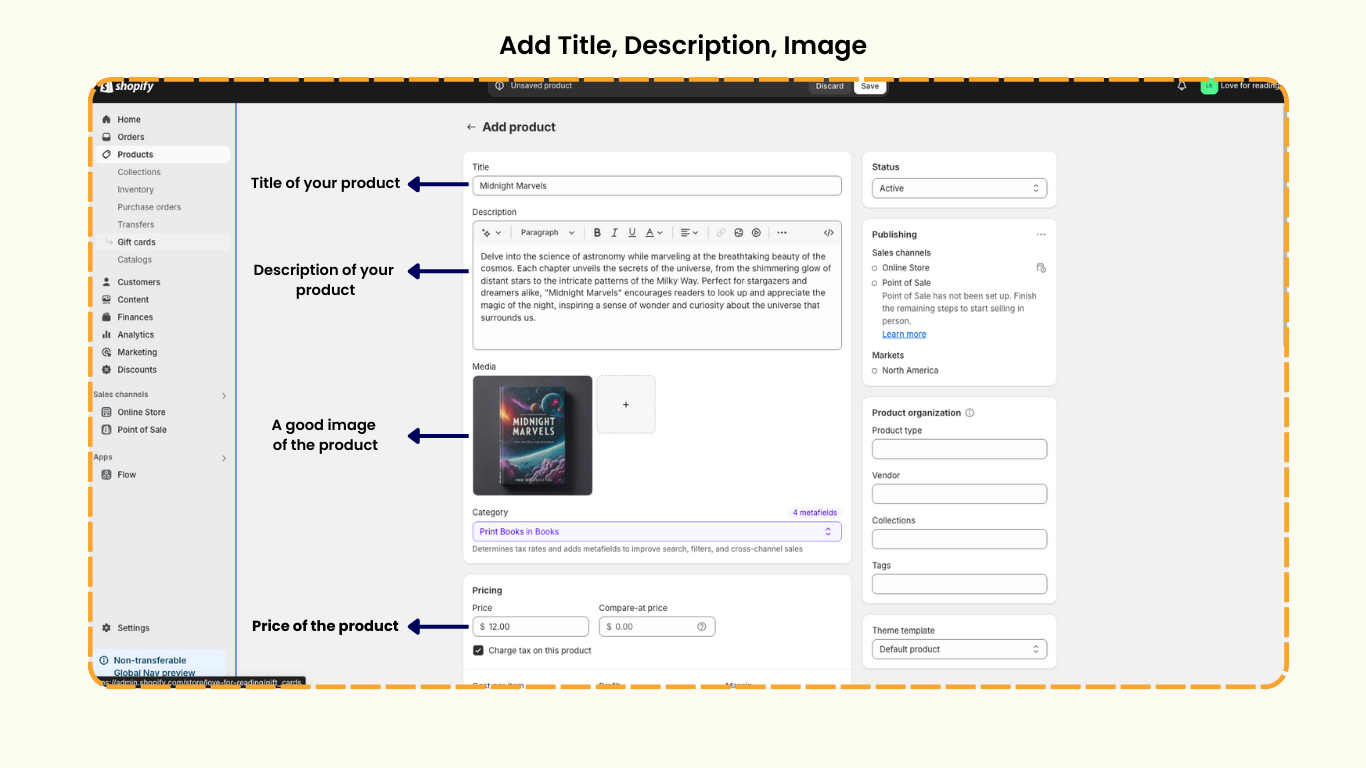
For this example, I'm adding my ebook titled "Midnight Marvels".
Craft an engaging description that highlights the value of your product, and upload an eye-catching cover image.
I’ve set the price for my ebook at $12.
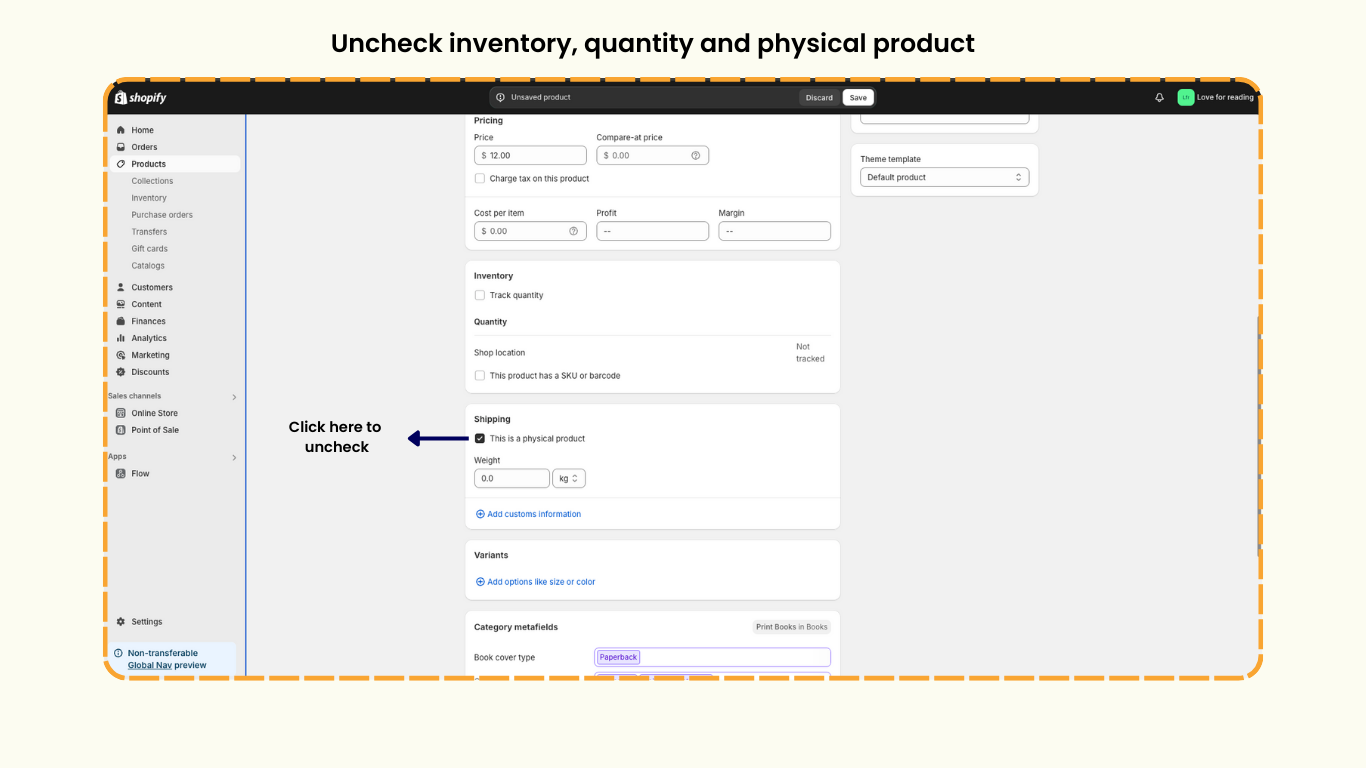
Since it’s a digital product, there’s no need to charge tax or track inventory-make sure to uncheck those boxes.
Also, uncheck the "This is a physical product" option. This step lets Shopify know that your product is downloadable.
Finally, click "Save" to complete your product listing.
Step 2: Enable Shopify Digital Downloads
With your product listed, the next step is to ensure your customers can easily download it. To do this,
You’ll need to install a digital downloads app.
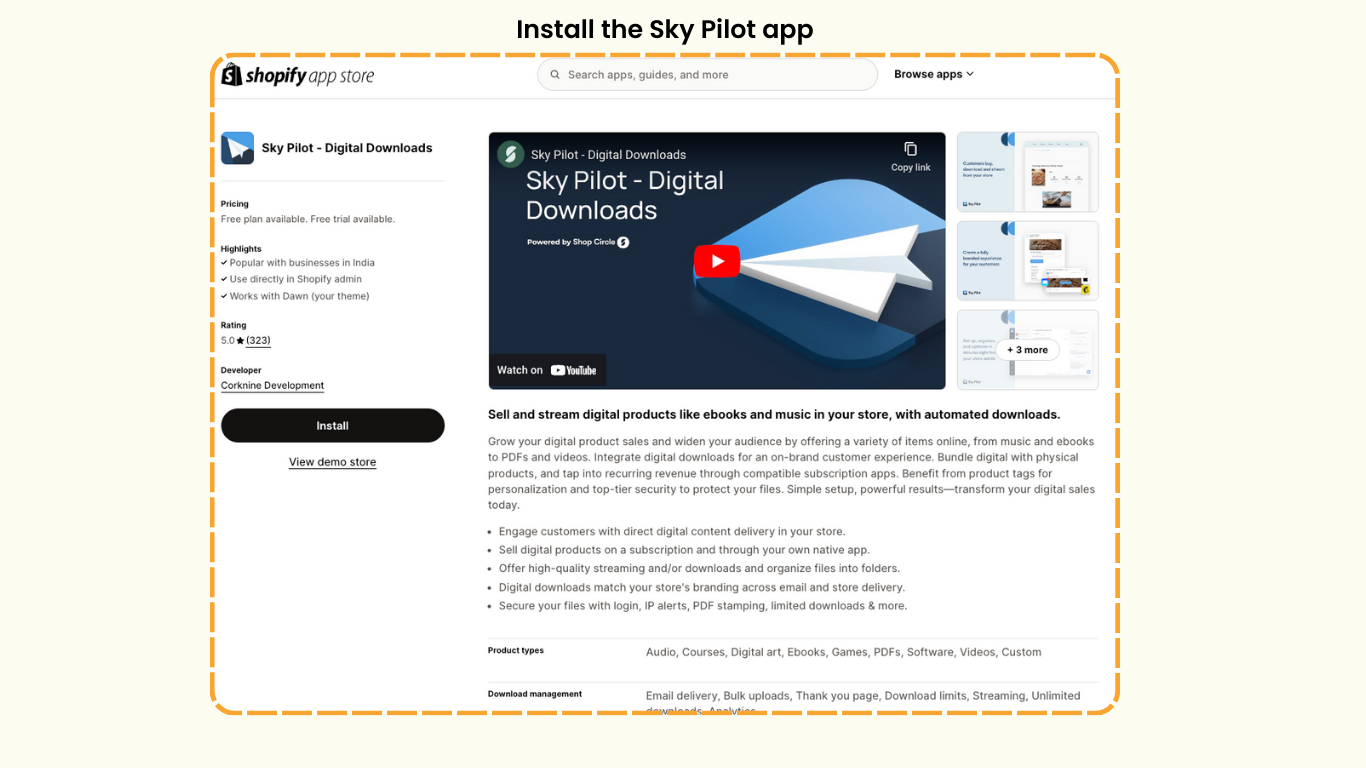
Install the Skypilot app, which is perfect for digital files like PDFs, audio files, and courses.
Step 3: Upload and Configure Your Digital Product
Now, it's time to upload your digital product.
In the Skypilot app,
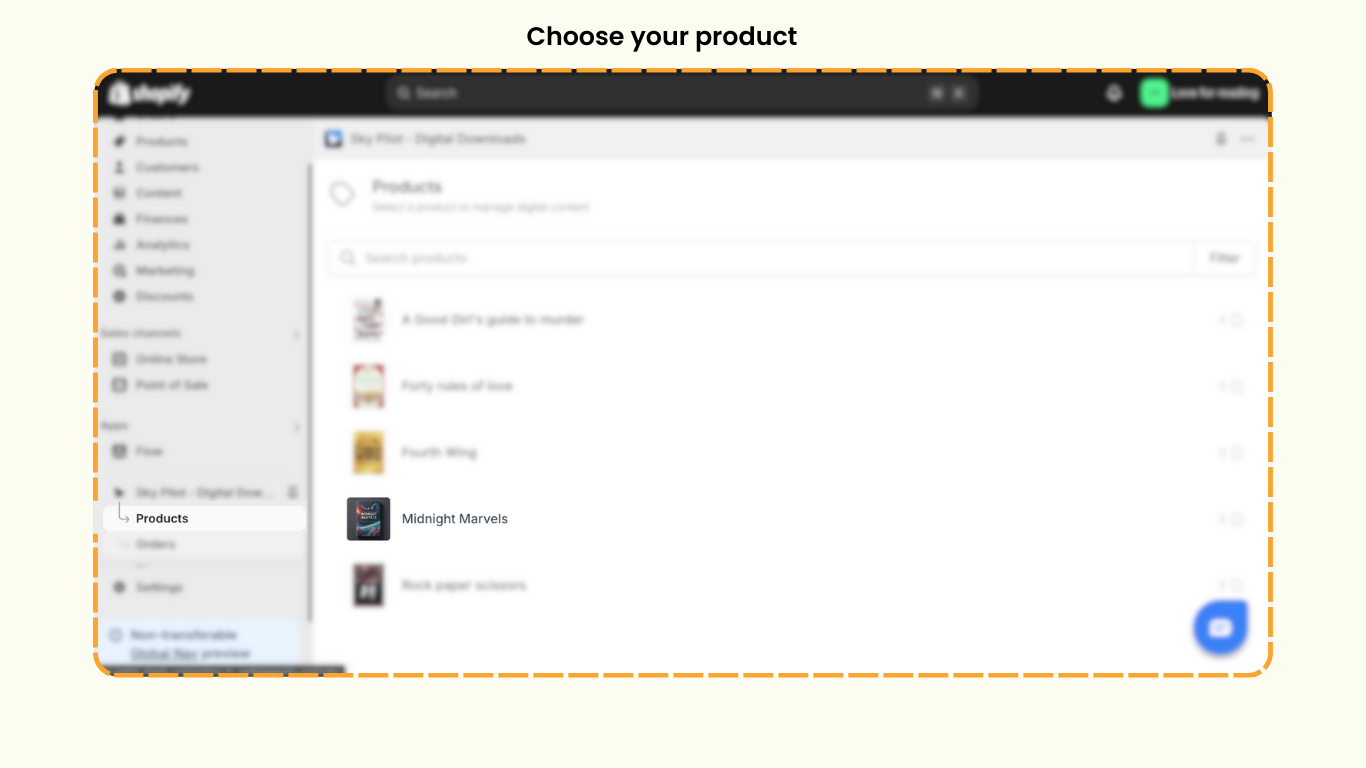
- Select the product you want to make digital.
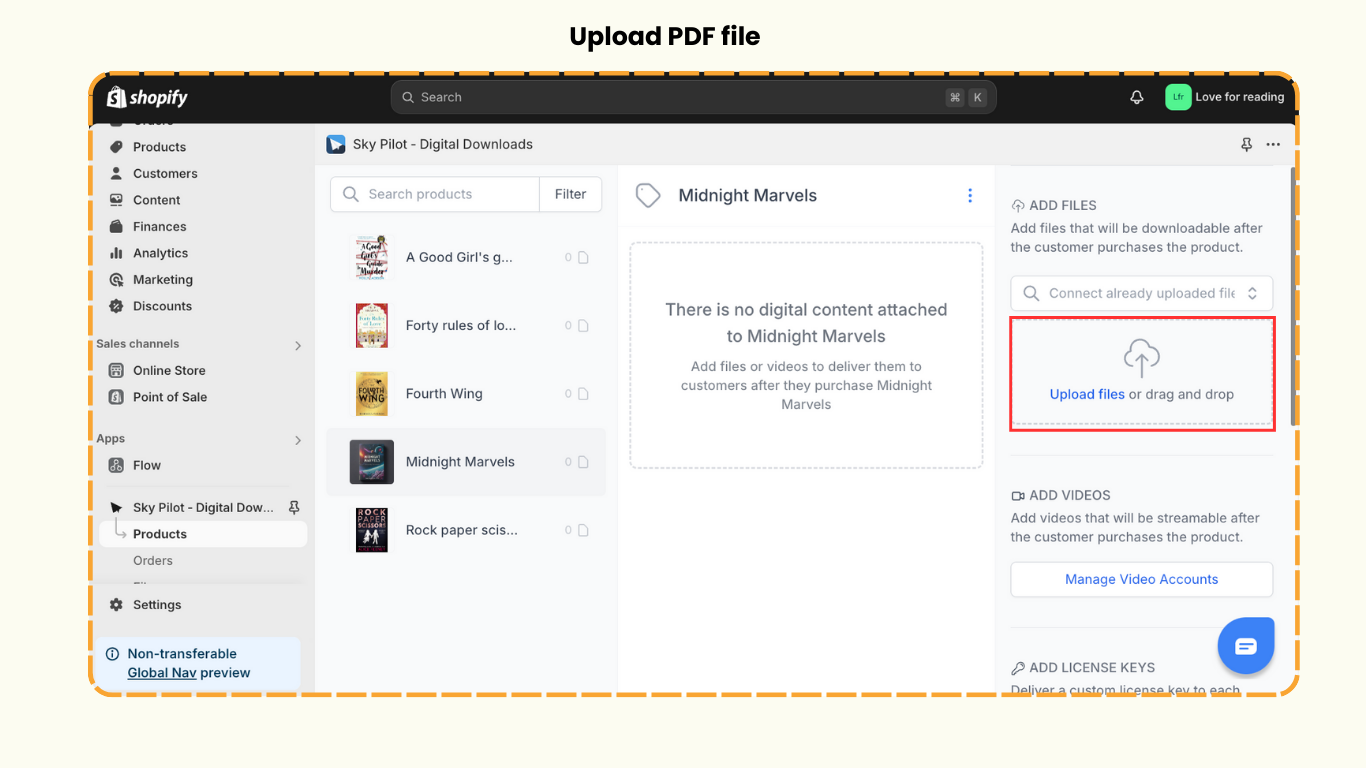
- Click on the product, then click the 'Upload Files' button.
- Select the PDF version of your ebook. This setup ensures that your product will be available for instant download after purchase.
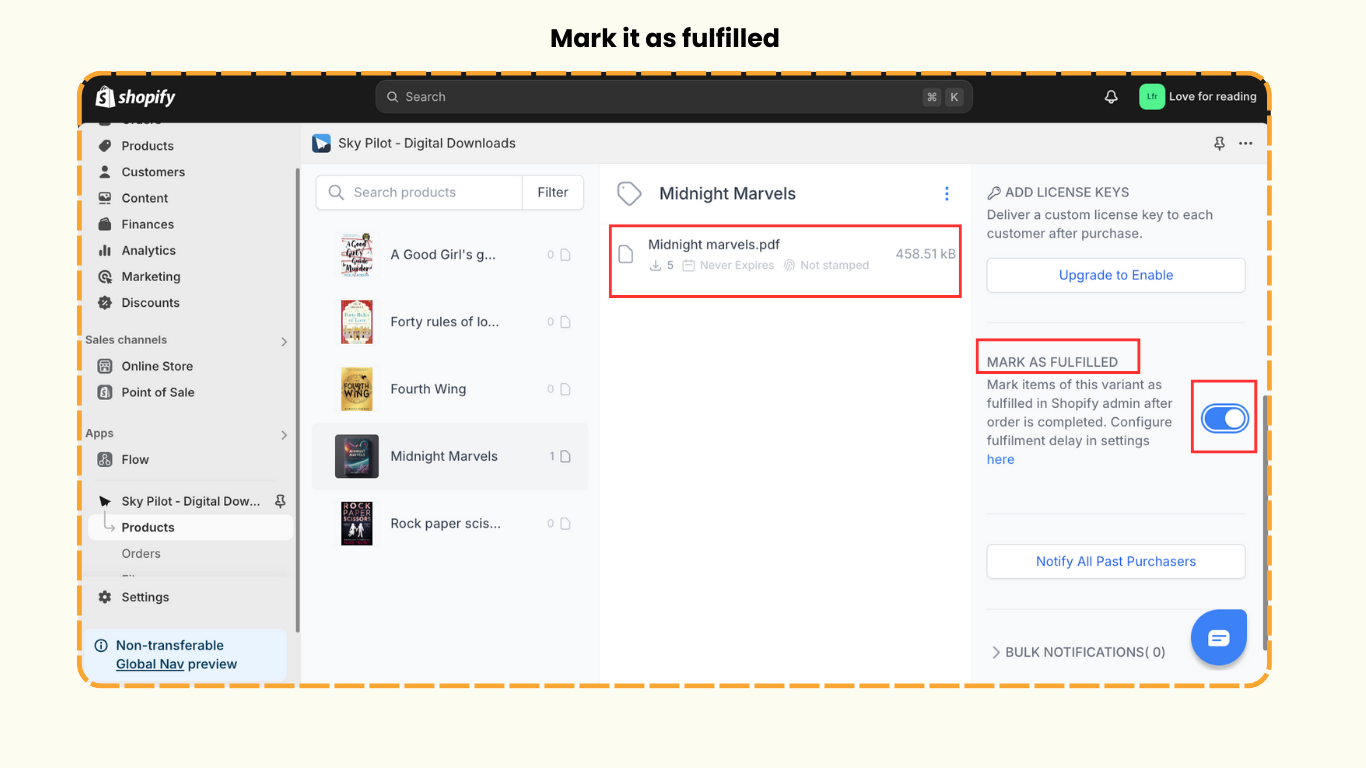
- Make sure to check the “Mark as fulfilled” option. This setting guarantees that your customers will receive a download link immediately after completing their purchase.
Step 4: The Storefront Experience
Here’s a quick demo of what your customers will experience.
- When a customer chooses to purchase your product, they click on 'Buy Now.'
- After completing the payment, they will receive an order confirmation email.
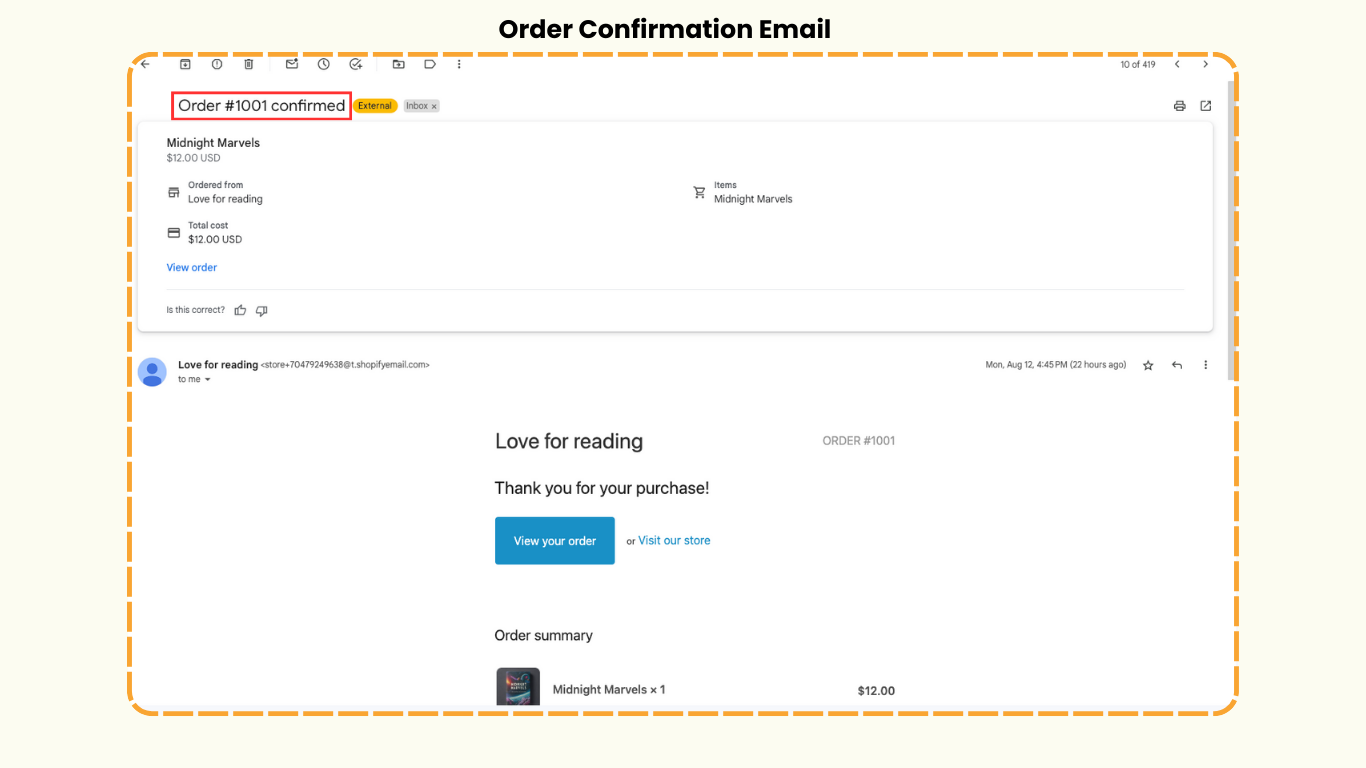
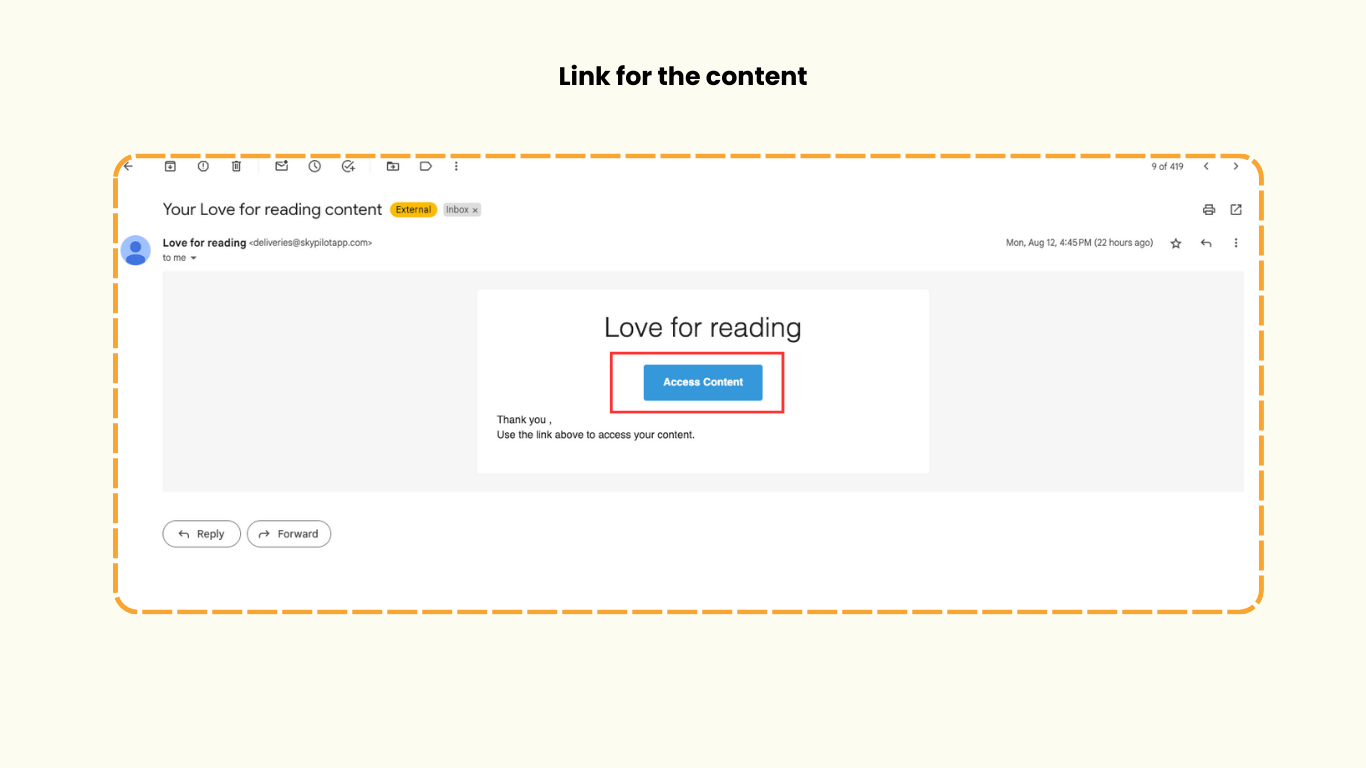
Shortly after, they will receive another email with a download link.
With just one click, they’ll gain instant access to your ebook!
Start Selling Digital Products Today
Selling digital products on Shopify is not only simple but also highly profitable. With no inventory management required and instant digital delivery, you can focus on creating more of what you love while earning a steady income.
Ready to get started?
Follow these steps to set up your digital products store on Shopify and start monetizing your ideas today.
If you found this blog helpful, you may also be interested in learning how to sell services on Shopify.
For more tips and tricks on Shopify, don't forget to visit our channel, Shopify Made Easy.