

In today's digital landscape, it's more important than ever for e-commerce websites to take accessibility into consideration. Ensuring that your Shopify store is ADA compliant not only makes your site accessible to people with disabilities but also helps you reach a wider audience and improve user experience.
Understanding the Importance of ADA Compliance for E-commerce Websites
ADA compliance refers to adhering to the guidelines set forth by the Americans with Disabilities Act. These guidelines aim to make digital content accessible to individuals with disabilities, such as visual impairments, hearing impairments, and mobility limitations.
By achieving ADA compliance for your Shopify store, you demonstrate your commitment to inclusivity and provide equal access to all users, regardless of their abilities or disabilities.
Additionally, failing to make your website ADA compliant may expose you to legal risks, as several lawsuits have been filed against non-compliant businesses in recent years.
Ensuring ADA compliance involves various aspects, such as providing alternative text for images to assist visually impaired users in understanding the content. It also includes using proper heading structures to help screen readers navigate the website effectively.

Additionally, incorporating keyboard navigation options and providing adequate color contrast on your e-commerce site are essential measures to improve accessibility for users with mobility challenges and visual impairments.
Moreover, supplying text transcripts for audio and video materials can significantly assist users with hearing disabilities, allowing them to access and comprehend the information shared on your online store.
Common Accessibility Barriers in Shopify Stores
Before exploring how to achieve ADA compliance, it's important to recognize the common accessibility barriers that may exist in your Shopify store. Some of these barriers include:
- Insufficient alt text for images, making it challenging for visually impaired users to grasp the content.
- Poor color contrast, which impacts users with visual impairments or color blindness.
- Inaccessible navigation and keyboard functionality, complicating the experience for users who depend on assistive technologies.
- Absence of captions or transcripts for videos, excluding users with hearing impairments.
- Complex or poorly structured forms and checkout processes that pose difficulties for users with cognitive disabilities.
- Non-responsive design, hindering navigation for users on various screen sizes or orientations.
Identifying these barriers is the first step toward achieving ADA compliance and ensuring your Shopify store is accessible to all users.
Another frequent accessibility issue in Shopify stores is the lack of a proper heading structure. Headings allow screen readers to navigate through content more easily. Without clear heading levels (h1, h2, h3, etc.), users with visual impairments may find it hard to understand the information hierarchy on a webpage.
Additionally, the use of auto-playing media such as videos or audio can create significant barriers for users relying on screen readers or those with cognitive disabilities. Auto-playing content can be disorienting and disruptive, making it crucial to provide controls to pause or stop these media elements.
Key Features to Look for in an ADA-Compliant Shopify Theme
When choosing a Shopify theme for your online store, prioritizing accessibility is vital to accommodate a diverse range of users. Beyond the essential features already discussed, there are additional elements to consider to ensure your theme is ADA-compliant:

Alt text for images: Providing descriptive alternative text for images not only aids visually impaired users in understanding the content but also enhances SEO.
Form labels and input validation: Clearly labeled form fields, along with appropriate validation messages, assist users in completing forms accurately.
Video captions and transcripts: Including captions for videos and offering transcripts ensure that users with hearing impairments can access the content effectively.
Accessible forms and buttons: Utilizing ARIA roles and attributes can improve the accessibility of interactive elements like forms and buttons.
Focus management: Making sure that focus states are clearly visible and manageable helps users navigate the site efficiently, especially those using screen readers.
By incorporating these additional features into your ADA-compliant Shopify theme, you create a more inclusive and user-friendly shopping experience for all visitors to your store. Prioritizing accessibility not only aligns with ethical standards but also expands your business to a broader customer base.
Implementing Alt Text and Descriptive Links for Accessibility
One of the core components of ADA compliance is offering alternative text descriptions for images and meaningful links. Alt text enables visually impaired users to comprehend the content of images, while descriptive links provide context and enhance navigation for screen reader users.

When adding alt text, make sure it accurately describes the image and conveys its essential information. Likewise, descriptive links should provide clear and concise details about the linked content.
By incorporating alt text and descriptive links throughout your Shopify store, you enhance accessibility for users who rely on assistive technologies.
Alt text serves as a vital bridge between the visual content of an image and its interpretation by screen readers. It should be concise yet descriptive, capturing the essence of the image in just a few words. For instance, instead of using a generic alt text like "image123.jpg," choose a more informative description, such as "Red velvet cake with cream cheese frosting and fresh berries."
Descriptive links not only assist users navigating your site with screen readers but also enhance the overall user experience. When creating descriptive links, avoid vague phrases like "click here" or "read more." Instead, provide specific information about the destination of the link, such as "View our latest summer collection" or "Learn more about our sustainability efforts."
Utilizing Keyboard Navigation and Focus Order for Improved Accessibility
Keyboard accessibility is essential for users who cannot use a traditional mouse or rely on keyboard navigation. To ensure this, make certain that all interactive elements in your Shopify store, including menus, buttons, and forms, are accessible through keyboard input.

Additionally, it’s important to pay attention to the focus order of elements. Use the tabindex attribute to define the logical sequence in which users navigate through interactive elements using the keyboard.
This focus order ensures that users with mobility impairments, as well as those who depend on keyboard navigation, can effectively interact with your store and access all content.
Testing Tools and Methods for Ensuring ADA Compliance on Shopify
Testing your Shopify store for ADA compliance is a vital step in the process. Several online tools can assist you in evaluating the accessibility of your website and identifying areas that require improvement.
Consider using tools like the WAVE Evaluation Tool, Lighthouse Accessibility Audit (available in Google Chrome Developer Tools), or the axe browser extension to perform automated accessibility tests on your Shopify store.
In addition to automated testing, it is equally important to conduct manual testing with assistive technologies, such as screen readers or voice recognition software, to ensure that your store is genuinely accessible for all users.
Addressing Color Contrast and Text Readability Issues
Color contrast is crucial for ensuring that your Shopify store is accessible to users with visual impairments or color blindness. It’s important to select colors that provide sufficient contrast between the text and the background.
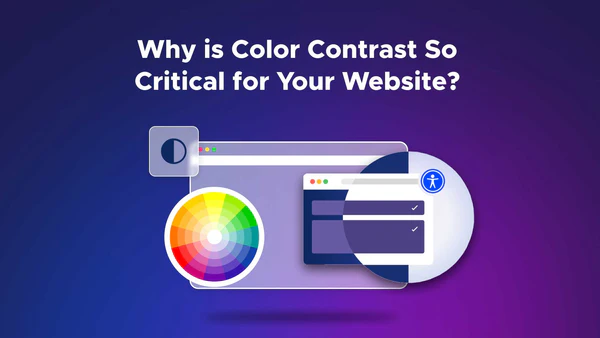
Utilize online contrast checking tools to ensure that your color combinations meet the minimum contrast ratio recommended by WCAG 2.0 standards. Adjust the color combinations as needed to achieve sufficient contrast.
Beyond ensuring adequate color contrast, it's also important to focus on text readability. Select appropriate font sizes and styles that are easy to read, especially for users with visual impairments.
Providing Alternative Content for Images and Videos
Images and videos are integral elements of any e-commerce website but can pose accessibility challenges without proper alternative content.
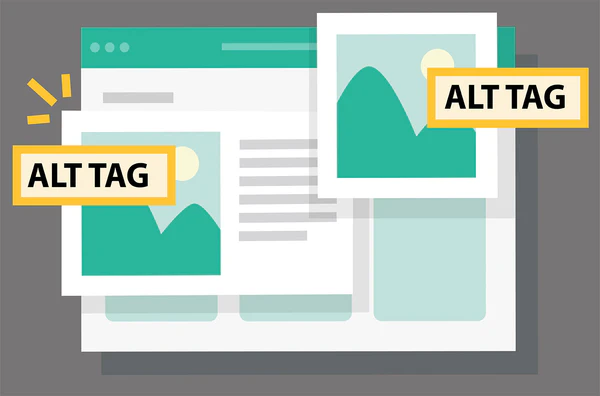
For images, ensure that each one includes descriptive alt text that conveys the same information as the image itself. This allows visually impaired users to understand the purpose of the image.
Similarly, for videos, provide captions or transcripts to make the content accessible to users with hearing impairments.
By offering alternative content, you make your Shopify store inclusive and accessible to a broader range of users.
Creating Accessible Forms and Checkout Processes on Shopify
Forms and checkout processes are essential components of any Shopify store. Ensuring the accessibility of these elements is vital for users with cognitive disabilities or those who rely on assistive technologies.
Make sure to include clear and concise instructions within forms, provide appropriate error messages, and ensure that form fields are properly labeled. This helps all users understand and complete the forms independently.
Additionally, consider implementing autofill options, checkboxes, and dropdown menus to simplify data entry for users with mobility limitations.
By creating accessible forms and checkout processes, you provide a seamless user experience for all customers, regardless of their abilities.
Maintaining ADA Compliance Through Regular Audits and Updates
ADA compliance is an ongoing process that necessitates regular audits and updates to ensure the continued accessibility of your Shopify store.
As technology and accessibility standards evolve, it's crucial to stay informed about the latest guidelines. Regularly review and audit your website to identify any new accessibility barriers that may have emerged.

Address any issues promptly and make the necessary updates to maintain compliance with ADA standards. By staying proactive, you enhance the user experience and reach a wider audience.
In conclusion, achieving ADA compliance for your Shopify store is vital for improving accessibility, expanding your audience, and mitigating legal risks. By understanding the significance of ADA compliance, identifying common barriers, and implementing key accessibility features, you can create an inclusive and user-friendly e-commerce experience. Regular testing, addressing color contrast and text readability, providing alternative content, creating accessible forms, and keeping up with the latest guidelines are essential for maintaining your ADA compliance. By taking these steps, you not only improve your store's accessibility but also demonstrate your commitment to inclusivity in the digital realm.